Participant
October 19, 2020
Answered

Character Style with Numbers

  • October 19, 2020
  • 4 replies
  • 554 views

Hello,


I am using the Raleway Typeface in a brochure with my company. This type is used throughout their entire brand. The only issue with this type is the design of the numbers. My Art Director wants to make the numbers a different font (Gotham) and leave the letters the same (Raleway). Is there a way to set a character style to automatically style the numbers to be Gotham while having the rest of the paragraph read Raleway? 


This topic has been closed for replies.
Correct answer jmlevy

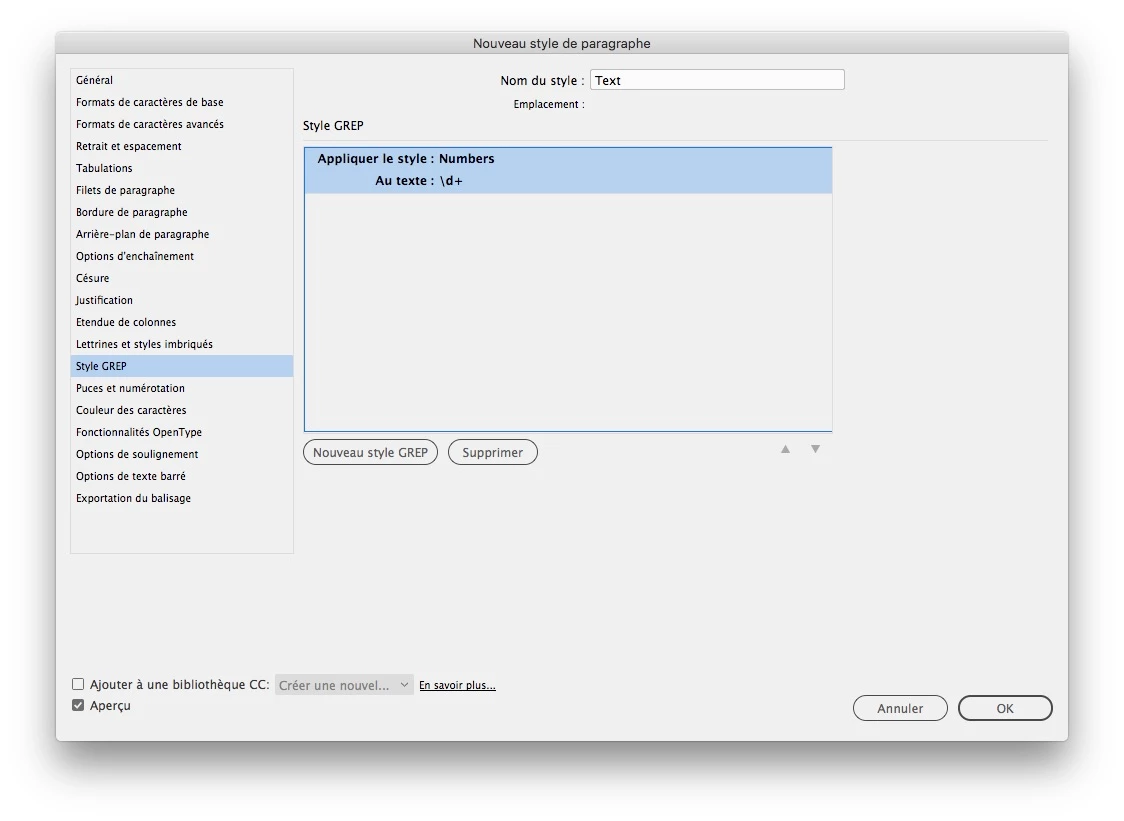
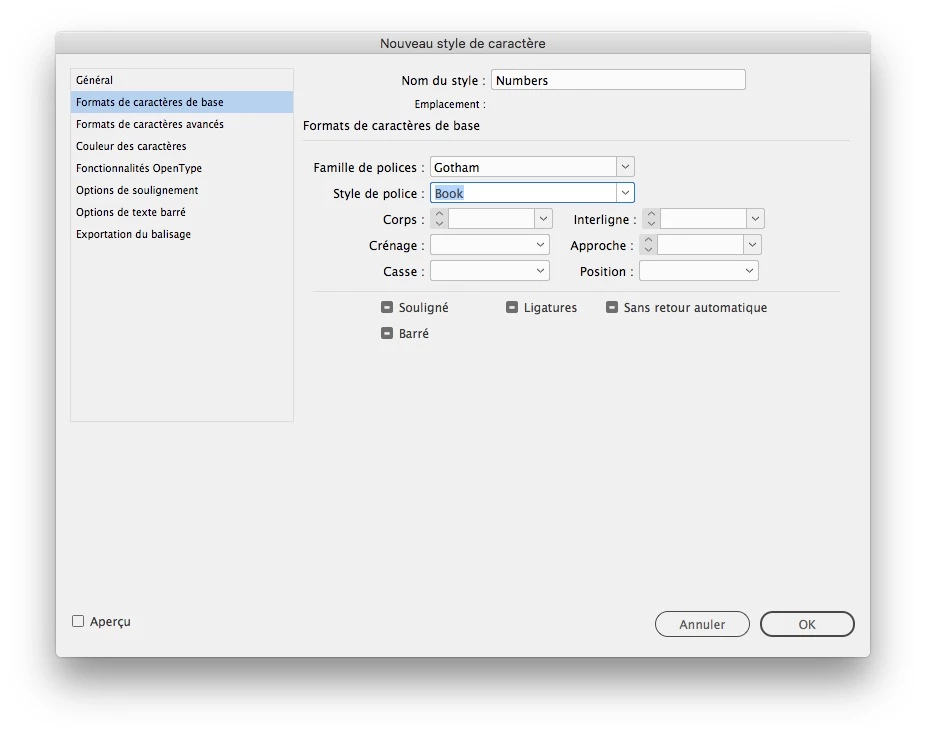
You could use a grep style: set up a character style using Gotham and set up a grep style

4 replies

vladan saveljic
Inspiring
October 19, 2020

Oops! I've been too slow 🙂

vladan saveljic
Inspiring
October 19, 2020

you can accomplish this with grep style

Barb Binder
Community Expert
Community Expert
October 19, 2020

EDIT: Nevermind. I somehow read that as a numbered list. JMLevy has the correct response.


Yes. Create a character style to set the font to Gotham. Then assign the character style to the auto-numbers:

~Barb

~Barb at Rocky Mountain Training
jmlevy
Community Expert
jmlevyCommunity ExpertCorrect answer
Community Expert
October 19, 2020

You could use a grep style: set up a character style using Gotham and set up a grep style