@Abhishek Rao Awesome! I am going to do this. But can you confirm that I do need to manually place things in libraries, as opposed to Your Files, which apps (eg Fresco on my iPad) seem to automatically populate? The additional step, as I understand it becomes: Fresco --> Photoshop --> PLACE IN LIBRARY --> InDesign, & furthermore, this step must be manually executed every time an image is updated, right? Sorry if I'm being thick.
Hi @commonhare,
No worries at all—your questions are completely valid, and it’s great that you’re thinking through the workflow!
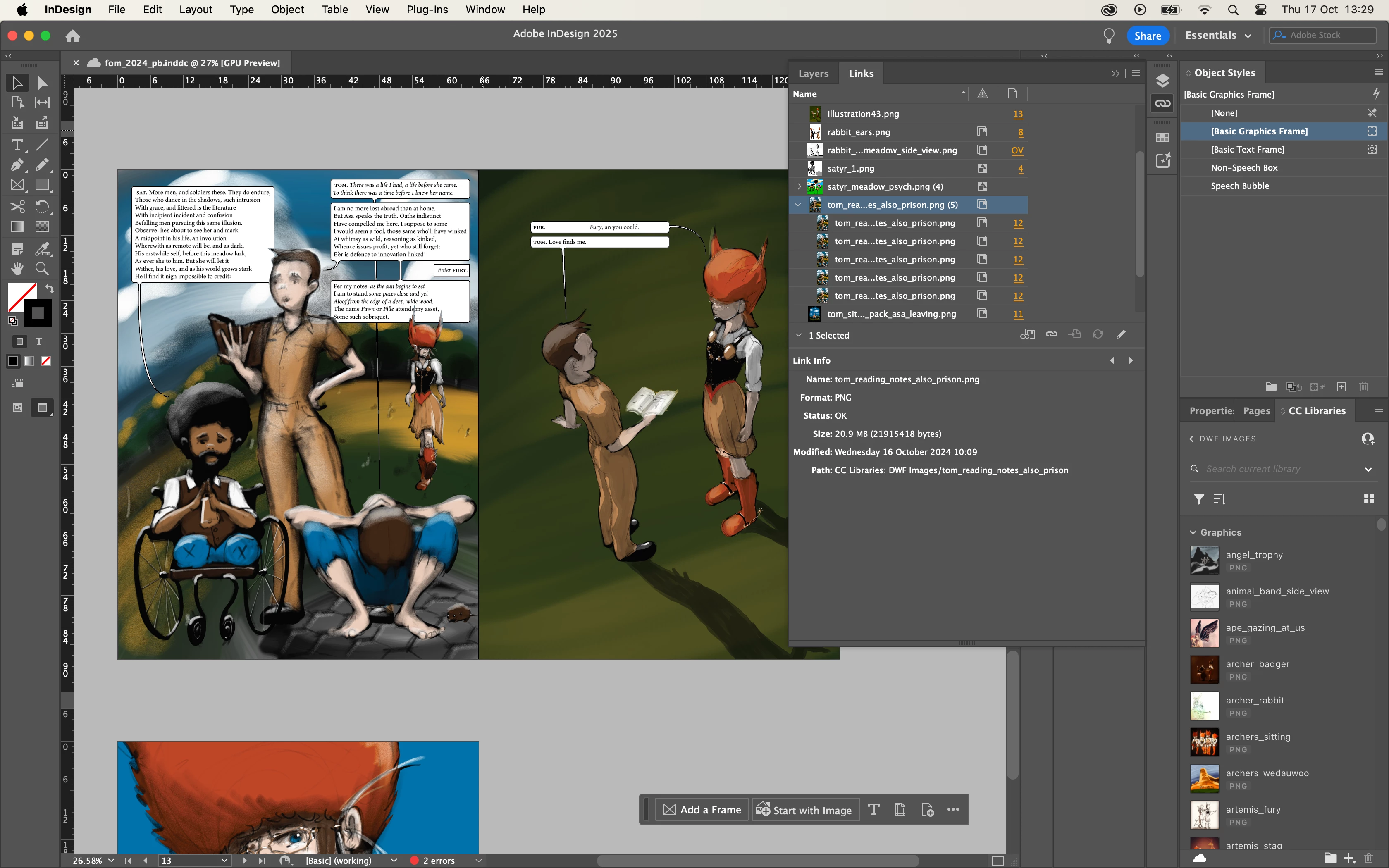
You’re correct that when using Creative Cloud Libraries, you’ll need to manually place your assets in the Libraries. Apps like Fresco do make it easy by automatically saving your files to Your Files, but to get the benefits of Libraries, you'll need to take that extra step.
So, the workflow you mentioned is spot on:
Fresco -> Photoshop -> PLACE IN LIBRARY -> InDesign.
And yes, if you update an image, you'll need to re-add it to the Library to keep everything current. I know it feels like an extra step, but it really pays off in the long run for maintaining organization and consistency across your projects.
If you ever find yourself with more questions or if you need help with anything else as you work through your graphic novel, just reach out! I'm here to support you!
Best,
Abhishek Rao

 AdChoices