

Steve Werner
Community Expert
Community Expert
April 23, 2024
Question

Cloud Documents Feature Not Accessible for Me in 19.4 (Macintosh, Sonoma)

  • April 23, 2024
  • 3 replies
  • 1474 views

I just updated to InDesign 2024 version 19.4 this morning.


I'm running a MacBook Pro running Sonoma 14.4.1. All the other features are working for me that I've tested. However, I cannot get the Cloud Documents feature to work. (I've been a beta tester for Cloud Documents for some time). When saving a document, I shouild get the option to Save to. Creative Cloud. I've tried multiple times with many files but that just doesn't appear in the Save As dialog:
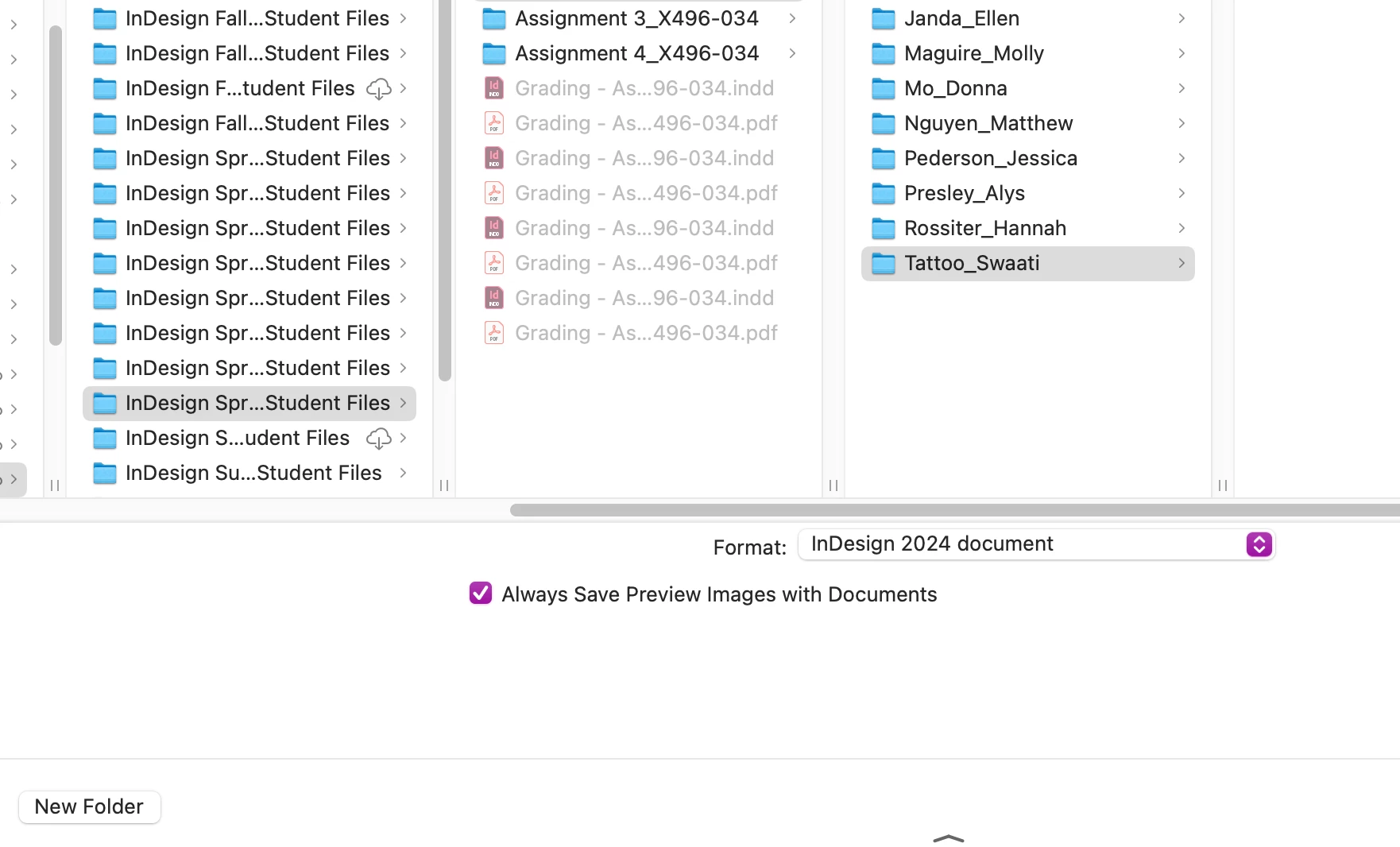


It appears there is a bug keeping it from working on my system.

This topic has been closed for replies.

3 replies

jctremblay
Community Expert
Community Expert
April 23, 2024

Cloud document is not available to all users.

This is a geographically limited roll-out. Cloud documents will soon be available in all locales.

Steve Werner
Community Expert
Community Expert
April 24, 2024

That's not the information I got. Another expert user and I chatted back and forth with an Adobe staff person on the Adobe InDesign forum and made clear our locale and system specs. He suggested things to make it but was unsuccessful. He said the Adobe staff would work on the issue.

Rishabh_Tiwari
Legend
April 24, 2024

Hi @Steve Werner,


Thank you for your patience. I checked with the team and as mentioned by @jctremblay the cloud document feature is enrolled phase wise and it should be available soon if not available yet. 

Thanks

Rishabh

Rishabh_Tiwari
Legend
April 23, 2024

Steve, can you try quitting InDesign from the activity monitor and then check by launching from the Desktop app? I tested this, and the option is available. 

Steve Werner
Community Expert
Community Expert
April 23, 2024

I tried once, and it didn't work.


I rebooted my computer, and tried it again, and it still didn't work. The somewhat larger window is because I use Default Folder (which has never been a problem with Cloud Documents).


leo.r
Community Expert
Community Expert
April 23, 2024
quote

The somewhat larger window is because I use Default Folder (which has never been a problem with Cloud Documents).


By @Steve Werner


I'm also using Default Folder and I can confirm that it doesn't make a difference (the Cloud option doesn't appear when Default Folder is disabled). 

Rishabh_Tiwari
Legend
April 23, 2024

Hi Steve,


I am getting this checked and will update you shortly. 

Thanks

Rishabh