
December 17, 2020
Answered

Cloud Storage not possible ?

  • December 17, 2020
  • 5 replies
  • 623 views

Hello there!
So, i use PhotoshopCS, IllustratorCS and InDesignCS.


The first two apps work nicely with Creative Cloud, i have the option to save my working documents directly to the Creative Cloud from within the Application.


When it comes to InDesign, there is no feature to save my Document directly to the Creative Cloud.

I always have to save it locally and then manually pull it to my iCloud Drive - which is kind of annoying and is slowing down the overall workflow - am i missing something, or is there really no chance to save directly to creative cloud?


any help is appreciated
This topic has been closed for replies.
Correct answer Barb Binder

Hi @17751796:


All three applications allow you to save to the Creative Cloud Files folder, which is associated with your Adobe ID. It is similar to saving to dropbox in that you can access these files from anywhere, once you sign in with your Adobe ID.


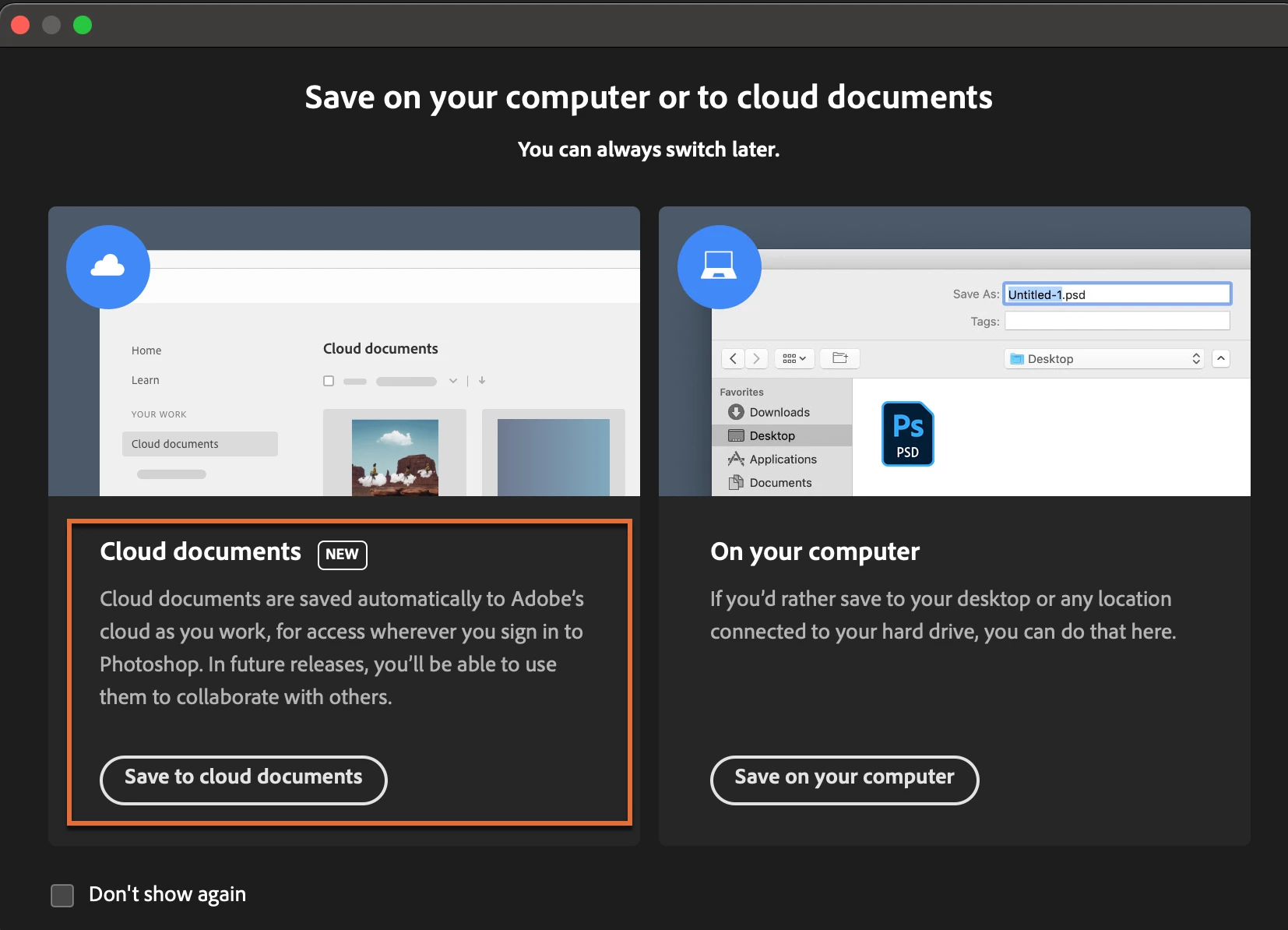
Only Illustrator and Photoshop also offer the opportunity to save Cloud Documents—which is an entirely different feature with the similar name. A distinct advantage of using Cloud Documents is that they are saved for us as we work. I love it, and use it in my Illustrator and Photoshop projects, but it is not yet available for InDesign. I encourage you to follow @Manan Joshi's link to add this as a feature request.


Photoshop screen shot:


~Barb


5 replies

Barb Binder
Community Expert
Community Expert
December 17, 2020

Hi Rob!


I understand the limitiations of InDesign with Cloud Documents—but who's to say they can't eventually work this out? Not me! 😉


Also, I see with my students that there is tremendous confusion between Creative Cloud Files and Cloud Documents—that's really what I was trying to clarify. 


~Barb

~Barb at Rocky Mountain Training
rob day
Community Expert
Community Expert
December 17, 2020

It also seems like the reasoning behind the separate .PSDC format/Cloud documents web folder is inergration with the mobile version of Photoshop. With the current state of mobile operating systems, there isn’t the equivalent of a finder directory where sync’ing could happen—if there were I don’t think there would be a need for the different approaches. Seems like there will need to be a (reliable) mobile version of ID first before a direct save to the cloud would make sense.


I also don’t like the idea of a cloud only copy of important work—seems like a local copy sync’ing to the server is safer, or at least I have more control over the files and backups and I don’t need an internet connection to work on the files.

Barb Binder
Community Expert
Barb BinderCommunity ExpertCorrect answer
Community Expert
December 17, 2020

Hi @17751796:


All three applications allow you to save to the Creative Cloud Files folder, which is associated with your Adobe ID. It is similar to saving to dropbox in that you can access these files from anywhere, once you sign in with your Adobe ID.


Only Illustrator and Photoshop also offer the opportunity to save Cloud Documents—which is an entirely different feature with the similar name. A distinct advantage of using Cloud Documents is that they are saved for us as we work. I love it, and use it in my Illustrator and Photoshop projects, but it is not yet available for InDesign. I encourage you to follow @Manan Joshi's link to add this as a feature request.


Photoshop screen shot:


~Barb


~Barb at Rocky Mountain Training
rob day
Community Expert
Community Expert
December 17, 2020

Hi Barb, InDesign links have to be local they can’t be a URL. If there were a direct to cloud save feature (where there is no local copy of the ID file and its assets) how would linking work? Imagine an ID document with a dozen or so 100MB linked images.

rob day
Community Expert
Community Expert
December 17, 2020

Re-reading your post you say you are using the CS applications—is that a typo or do you have a CC subscription, which includes Adobe Cloud web space. You also mention iCloud, which is an Apple service. With a CC subscription a local Creative Cloud Files folder gets installed, which auto sync’s to the Adobe server—thats not an option with the CS apps.

rob day
Community Expert
Community Expert
December 17, 2020

When it comes to InDesign, there is no feature to save my Document directly to the Creative Cloud.


If you save your InDesign project and assets into your User>Creative Cloud Files folder, they will automatically sync to your Adobe Cloud web server.


Community Expert
December 17, 2020

Hi @17751796,

You can post the feature request at the following

https://indesign.uservoice.com/forums/601021-adobe-indesign-feature-requests

Once you make the post, do paste its URL here so that someone else wanting this could upvote it. The more the votes the better are its chances to be picked up by the engineering team.

-Manan

-Manan