Answered
Color picker is missing
Since today the color picker is not shown in my tool bar on the left (inDesign). How can I add the color picker again to tool bar?
Thank you

Since today the color picker is not shown in my tool bar on the left (inDesign). How can I add the color picker again to tool bar?
Thank you
If you double click the fill or stroke color in InDesign, the color picker will appear (just like double-clicking the foreground and background color chips in Photoshop):
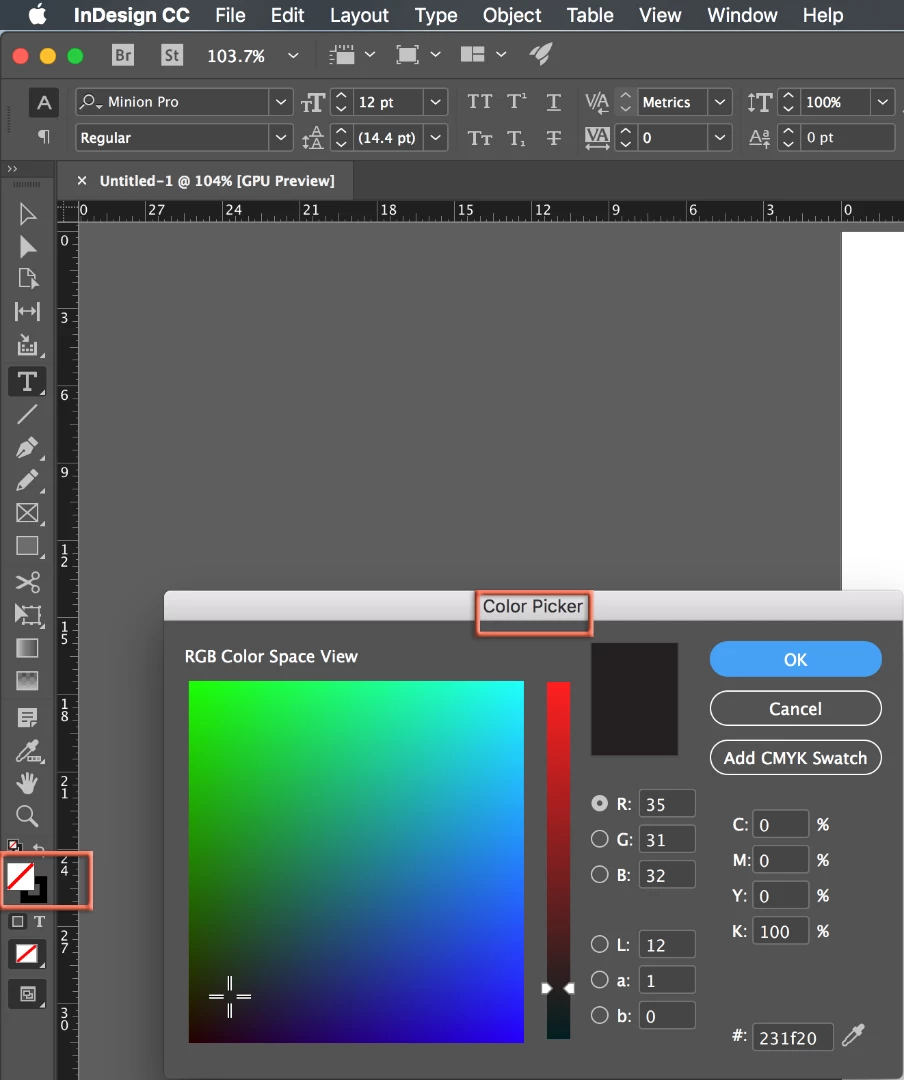
That said, I'm also guessing that you mean the Eyedropper tool or Color Theme tool. If so, press and hold on whatever tool is showing two up from the Hand tool to see the hidden tools. Or type I (for Eyedropper) or Shift+I (for the Color Theme tool).
~Barb
Already have an account? Login
Enter your E-mail address. We'll send you an e-mail with instructions to reset your password.
 AdChoices