
Participant
August 21, 2024
Question

Color Saturation Increase on Exported PDFs

  • August 21, 2024
  • 2 replies
  • 1857 views

Trying to get the correct colors on exported PDFs both for print and for web (interactive). Once exported the colors are saturated.


I've tried these solutions but nothing has changed the output:

- High Quality Print, Press Quality templates

- Set your Transparency Blend Space to Document RGB

- Use PDF/X-4

- Check Color Settings

- Making a new document and adding the images after checking settings above

- Uninstall and reinstall


After messing around a little, I found that the exported colors come out the same as if my Color Settings > Settings was set to Emulate Adobe InDesign 2.0 CMS Off, but it is set to North America General Purpose 2.
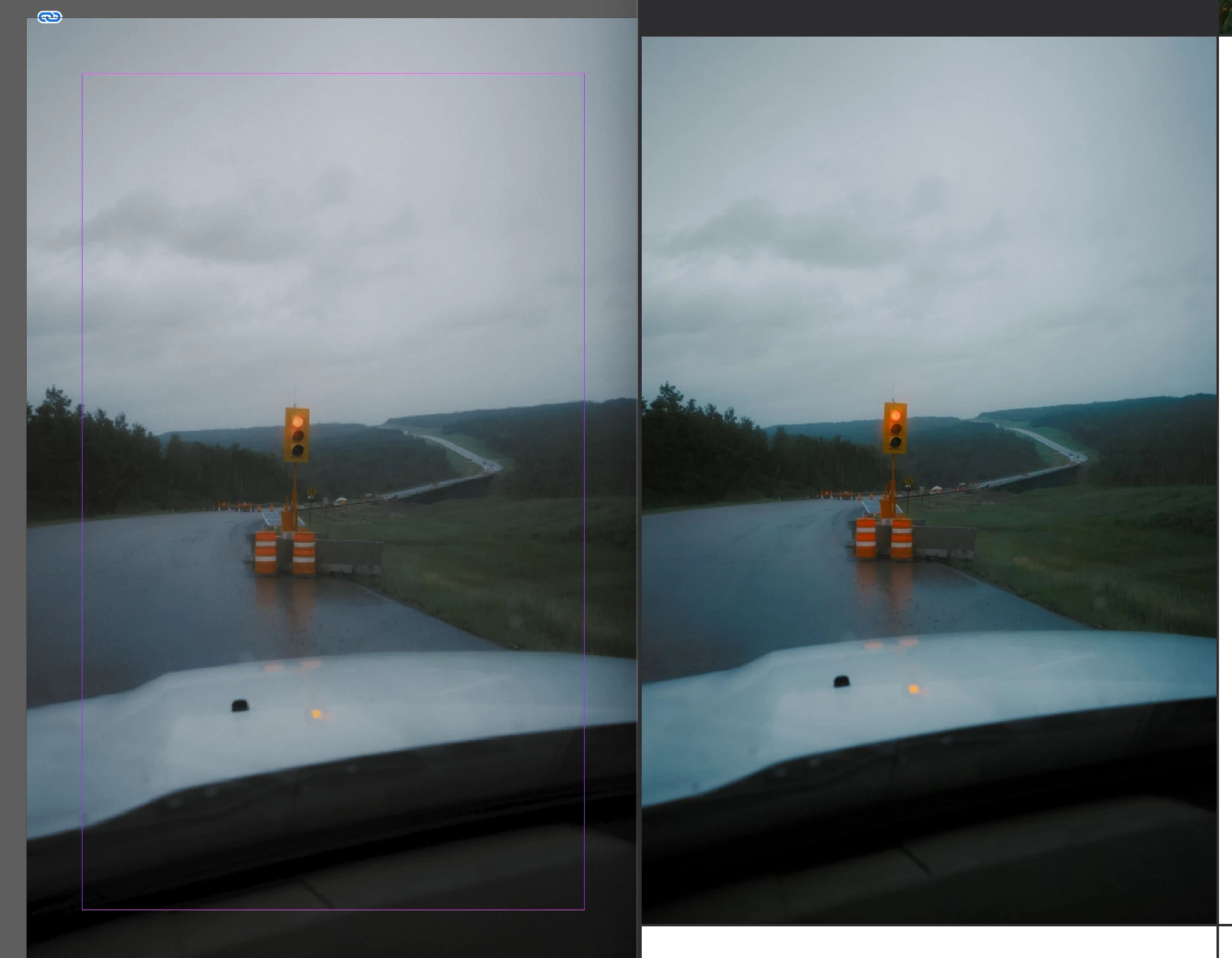


On the screenshot: left is InDesign view + correct JPG colors, right is the exported PDF colors.

2 replies

rob day
Community Expert
Community Expert
August 21, 2024

Hi @jordanni_00 , it sounds like your placed images are not being saved with an embedded profile? Turning Off color management may have coincidentally fixed a problem in this case, but it will likely cause problems downstream with print.


With color management on, select your image and check its ICC Profile in Link Info—it should not be either Document RGB or Document CMYK.


For your Print PDF Export make sure the prest and Standard is set to PDF/X-4, and unless you are converting for a specific print condition set Color Conversion to No Color Conversion


The PDF and ID page:


Participant
August 21, 2024

Hi,


It looks like my problem was between the Display's settings and applications being affected or unaffected by those settings when displaying the images.

I appreciate the tutorial on the correct export settings and how to check if the profiles are being embedded correctly.


Thank you for the help.

rob day
Community Expert
Community Expert
August 21, 2024

Are you viewing the PDF in Acrobat? Not all PDF readers are color managed.


Can you share the test PDF with the wrong color?

Abhishek Rao
Community Manager
Community Manager
August 21, 2024

Hi @jordanni_00,


Thank you for sharing the details and your troubleshooting steps. I understand how frustrating it can be when the exported colors don't match your expectations.


To assist you further, could you please confirm the following:

1. Have you calibrated your monitor recently? Sometimes, color discrepancies arise due to monitor settings.

2. Are you using any specific color profiles for your images or document? If so, could you share those details?

3. Can you share the exact export settings and color conversion options you're using in the PDF export dialog?


For your reference, please refer same community posts: Solved: Problem with color management, exported images too... - Adobe Community - 4220187

Solved: InDesign - Import and export problems - changed sa... - Adobe Community - 12114992


Additionally, it would be helpful to know the exact version of InDesign and your operating system. If possible, please provide a screenshot of your export settings for further clarity.


Thank you,   
Abhishek Rao  

Participant
August 21, 2024

Hi,


1. Yes, my monitor is calibrated. But other than on my display settings, I don't set that profile. I use the sRGB profile.

2. All my photos are exported as sRGB. My document is set to North America General Purpose 2 default settings, so sRGB.

3. For consistency I've tried to stay with the [High Quality Print] template and changing the other settings, such as Standard: PDF/X-4. But results are the same.


InDesign version 19.5 on Windows 11.


Thank you.

Abhishek Rao
Community Manager
Community Manager
August 21, 2024

Hello @jordanni_00,


Thank you for the provided information. Could you please check the monitor display settings as well and see if it is set to sRGB (if you get the option). 


Otherwise, would you mind sharing the file with us for testing? 


We will wait for the update.


Thank you, 

Abhishek Rao