
Participating Frequently
November 7, 2019
Question

Color values changing when using Color Picker in InDesign

  • November 7, 2019
  • 1 reply
  • 489 views

Hello all, 


 I just started having issues with the colors matching up with the color picker in Indesign.  I recently updated Indesign so I am not sure if that is the problem, but I also started working on a file that was sent to me and after I opened it I noticed the problem with the colors. The colors appear muted and dulled, and it also is not showing up with the color value I choose the the RGB Color Space View. For example, I will try to fill a box with blue with these values:

(sorry wouldnt let me post the picture for some reason)

R: 31

G: 10

B:235

L:28

a: 62

b: -103

#1f0aeb


  But then it changes the color to this:
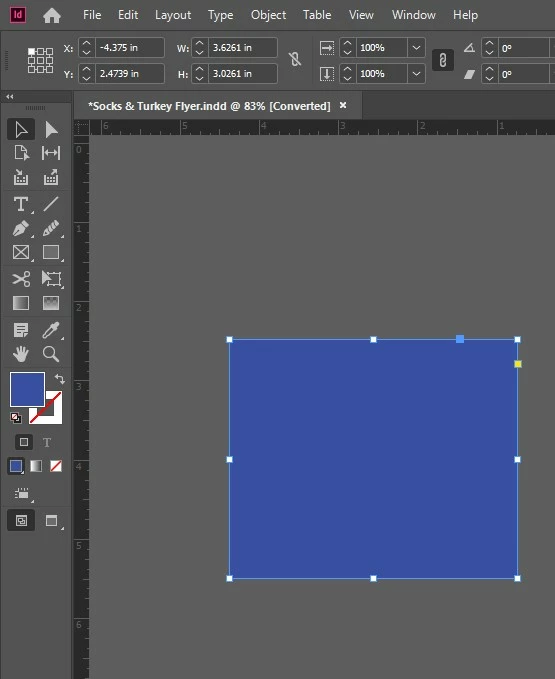
 

There is no proof set up or transparency effect on anything.  (I will also just be using the document online, so I don't need to print the doc). 

I am also self-taught in Indesign so apologies if this is elementary, I'm not very familiar with the technical aspects. I tried to include any document info that I thought might help. I also have not changed the document settings so I am not sure if something could be wrong there? I tried closing out of Indesign and restarting on a new document but no luck there. Any advice would be greatly appreciated!! Thanks!! 


- document is in Document CMYK US Web Coated SWOP 2  


{Renamed By MOD}


This topic has been closed for replies.

1 reply

Rishabh_Tiwari
Community Manager
Community Manager
November 18, 2019

Hi Meghan,


Sorry to hear about the trouble you are facing with InDesign with the Color Picker tool. I would request if you can share a few more details like: 


  1. The version of the InDesign and Operating System.
  2. Is the issue related to a specific Document? Please check if the same thing is happening on other documents as well.


Regards

Rishabh

Participating Frequently
November 18, 2019

Hello Rishabh!


My Indesign was recently updated to Indesign 2020 and I am on a Windows system. This issue is not related to a specific document, it happens now whenever I create a new document now or edit old ones. However, I believe it started happening after I opened an old Indesign file that was sent to me so I'm not positive if that could potentially change any settings?


In regards to the colors matching up, I think I found a solution  - I have to select the R value in the color picker and then it works. However, I didn't know if there was a more convenient fix so I do not need to select the R value every time?


I also noticed when I print documents the colors are coming out muted. For one document for example (that was made a few years ago that we re-use), I have printed it before and the colors came out fine but now when I go to print it the colors look more muted or almost as if they are more transparent even though I have not edited the document or transparency settings at all.


I also am not very technical within Indesign so I haven't messed with any of the document setup settings in regards to how the colors are displayed so I'm not sure if they were changed with the update? 


Any help would be appreciated!! Thanks so much!!

 
rob day
Community Expert
Community Expert
November 18, 2019

Gotcha thanks so much! Any ideas about why the colors are changing when I print them? (For context, I didn't create the document, my boss did and I just print it as a booklet for her, and I have printed it in the past fine but now the colors seems slightly muted) Thanks! 


Use the Color Panel to check what the color space of a fill is—InDesign lets you mix different color spaces on the same page. Here I have two fills RGB and CMYK:


If there is any transparent object on the spread the document’s Transparency Blend Space is used when the page is flattened for output. A CMYK blend space would force the RGB blue preview and print into the document’s CMYK space.


If you are printing to a composite printer try setting the blend space to RGB.