
Participant
May 1, 2025
Answered

Colors changing when exported to pdf in indesign

  • May 1, 2025
  • 4 replies
  • 967 views

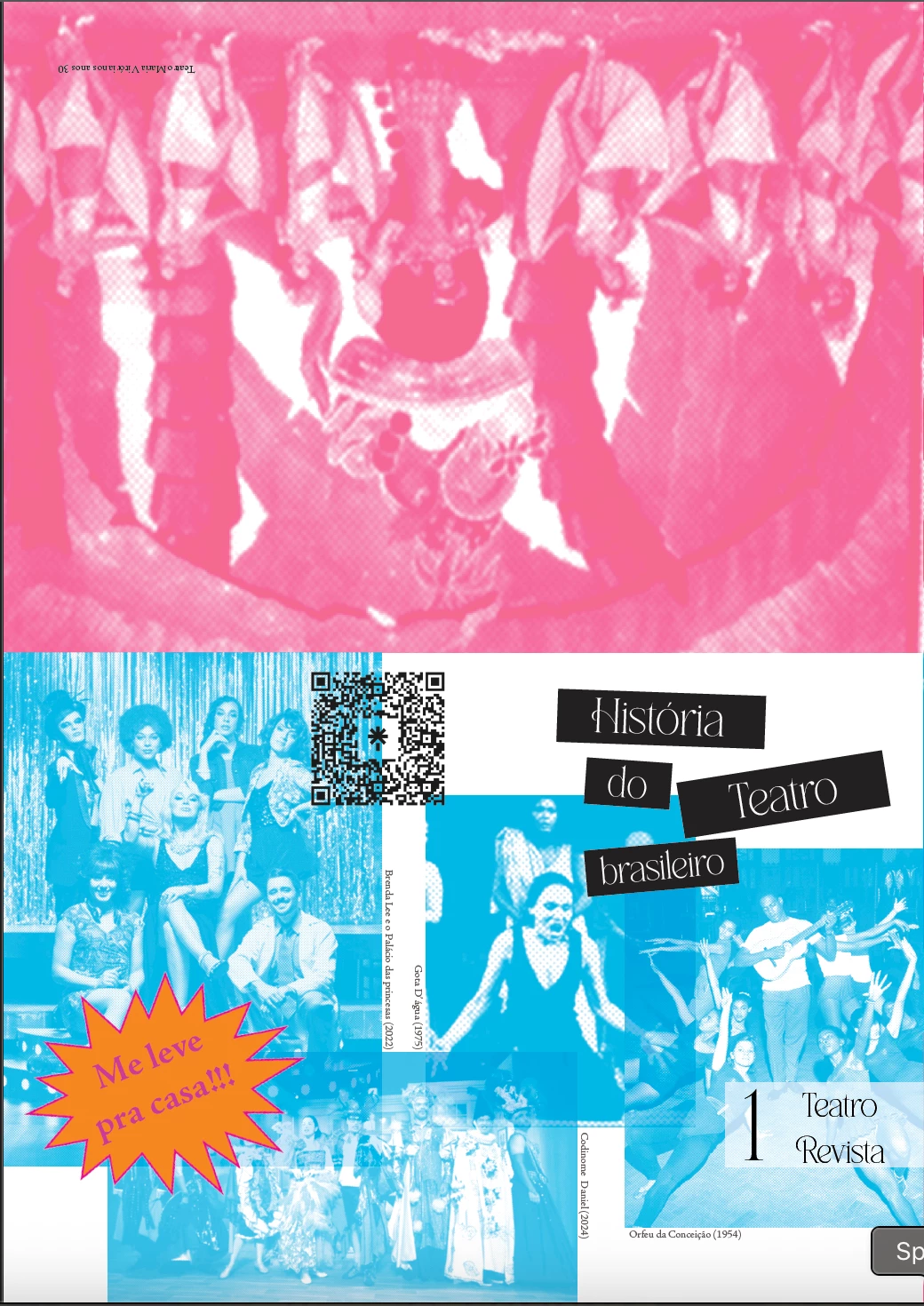
I'm trying to export my work in indesign to a pdf and the colors of the images always change. The images were made in photshop and are linked to the file, the shape (that looks like a star) was made in illustrator and it didn't chage colors... The first picture below is part of the work in indesign and the second is part of the export pdf. When exported to jpg and epub the colors stay the same. I need my work on pdf, can anybody help me?

Correct answer claraagps

Hi, everyone


I saved all the images again as png and relinked them in indesign and it worked! 

Thank you all for the answers!!


4 replies

claraagpsAuthorCorrect answer
Participant
May 2, 2025

Hi, everyone


I saved all the images again as png and relinked them in indesign and it worked! 

Thank you all for the answers!!


rob day
Community Expert
Community Expert
May 2, 2025

1. I m using CMYK in the photoshop

I saved all the images again as png


Hi @claraagps , Also, the PNG format does not allow CMYK color, so it is likely the forced conversion from CMYK to RGB is the reason for the changed Export color.

Robert at ID-Tasker
Legend
May 1, 2025

@rob day,@Willi Adelberger


I think it's more about bottom images going Cyan?


@claraagps


How did you color them? Are they like that in Photoshop? Or are they B/W or Gray and you colored them in the InDesign?


claraagpsAuthor
Participant
May 1, 2025

Hi, thanks for the answer :))


I colored the images in four different colors (orange, red, magenta and cyan), all the pictures turned either magenta or cyan (there are even some that were magenta and turned cyan).

I colored them using photoshop: Image > Mode > Grayscale and Image > Mode > Duotone. 


1. exported as jpg


2. exported as PDF 


Thanks in advance!

Robert at ID-Tasker
Legend
May 2, 2025

@claraagps


So they are essentially Grayscale - with some effect applied in Photoshop?


Can you save them as Grayscale - and do coloring in InDesign? 


Use Direct Selection Tool - select color - you'll be coloring black pixels. 


rob day
Community Expert
Community Expert
May 1, 2025

Hi @claraagps , Is your Transparency Blend Space set to Document RGB or Document CMYK? And what are your Export>Output settings? Show a screen capture of the Output panel if you can.

Willi Adelberger
Community Expert
Community Expert
May 1, 2025
  1. What color space do the pictures have?
  2. What color output space does the PDF have?
  3. Did you turn on CMYK proof preview in Photoshop? You should do it when you design for print and the images are in RGB.
claraagpsAuthor
Participant
May 1, 2025

Hi, thanks for the answer :))


1.  I m using CMYK in the photoshop 

2. I tried exporting in RGB and CMYK, and both looks the same 

3. The file is on CMYK , I hadnt tried to change the proof preview, but i have tried now and when exported the colors still change...


Thanks in advance!