
Edizam37644019
New Participant
December 3, 2022
Question

Colors look dull on Indesign and Illustrator

  • December 3, 2022
  • 3 replies
  • 502 views

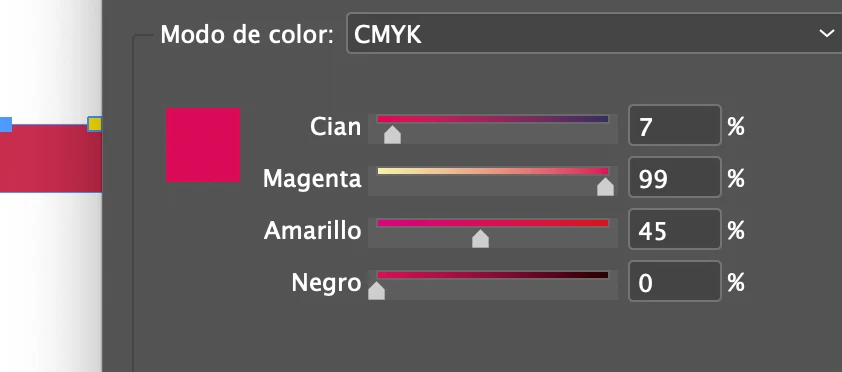
I'm working on a document on InDesign in CMYK. But the colors inside the document are wrong as shown in the picture. The color that should be displayed is on the color window but I see another color when it is applied to a form like the rectangle in the example.

How can I solve this issue?


When I export it to PDF the problem is solved too.
This topic has been closed for replies.

3 replies

rob day
Community Expert
December 3, 2022

Hi @Edizam37644019 , Does the color change when you switch from GPU to Overprint Preview? The Swatches panel is color managed along with the document so Overprint Preview should give you a profiled match between the panel and the document fill. Sounds like you might be seeing the new GPU bug.


Peter Spier
Community Expert
December 3, 2022

This can also be caused by having the wrong CMYK profile assigned as the working space. CMYK profiles describe differnt press and paper conditions, and SWOP would show as less saturated, for example, than US Sheetfed or one of th FOGRA profiles used in Europe, and profiles for uncoated papers will appear duller than those for coated stocks.

Frans v.d. Geest
Community Expert
December 3, 2022

There is a documented, and not yet resolved, known bug that displays colours differently in CPU and GPU...

Edizam37644019
New Participant
December 3, 2022

Looks like I could "fix" it. I checked the box "CPU preview" and it looks good but now the document is way slower.