
Inspiring
August 7, 2017
Question

Colors not matching

  • August 7, 2017
  • 3 replies
  • 3794 views

Problem: when I pick a color it doesn't actually change to that color.

I'm gathering that this is probably some color space RGB/CMYK problem, though all the post reading I've done hasn't really cleared up what the solution is. What I want, is the real bright green shown here, but what is showing is the duller green that the text actually is.
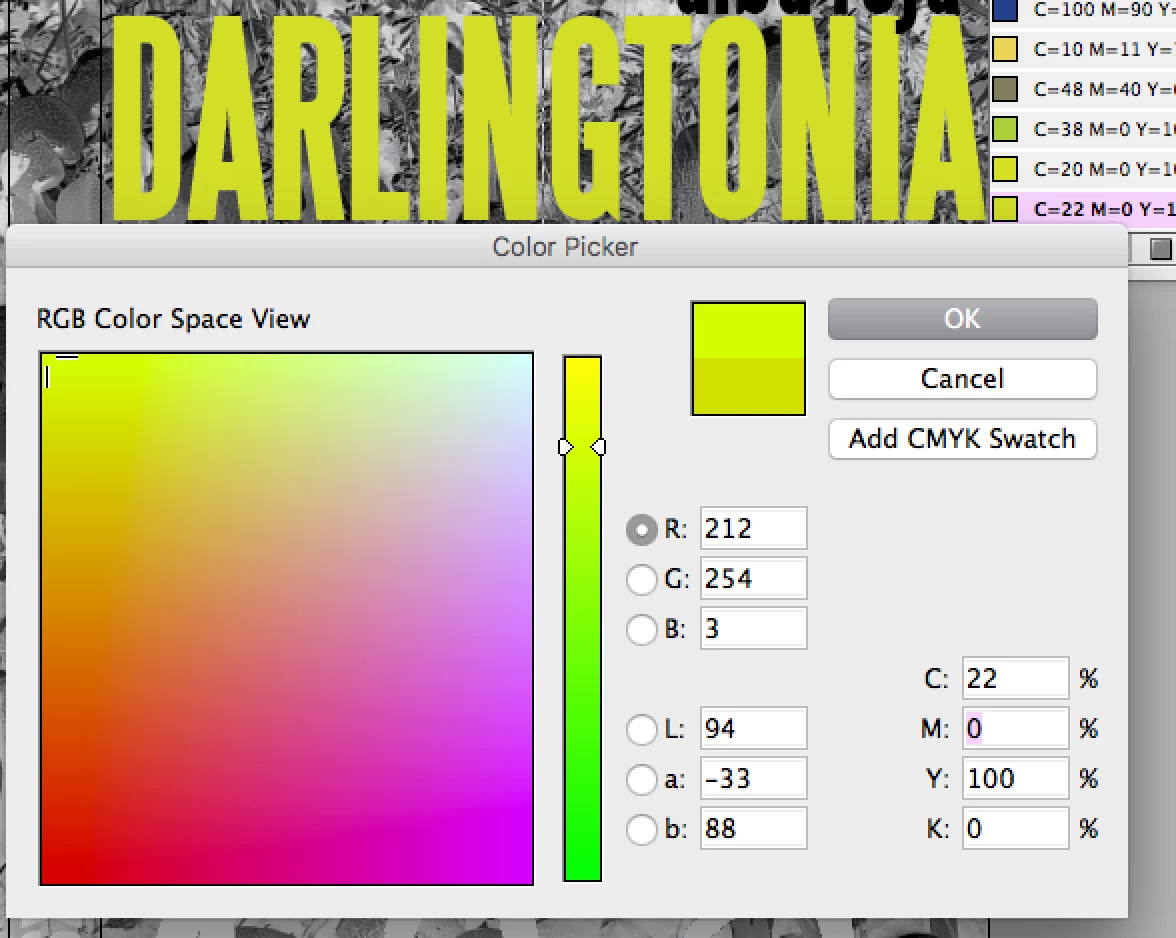
This document is going to go to a professional printer that always wants things in CMYK, so I don't want this document to be in RGB. Can I remove the RGB option here?
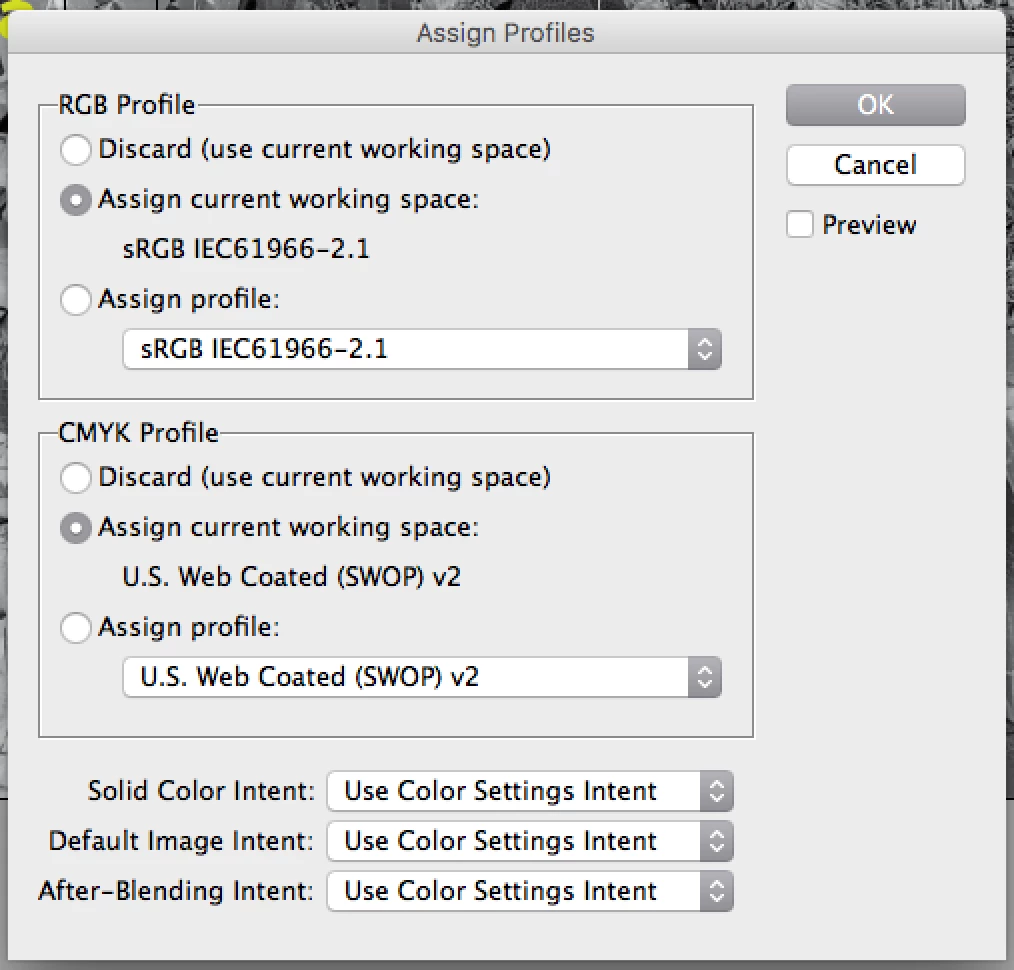
Or does something else need to happen so I can have that cool lime green? CS6/Mac

    This topic has been closed for replies.

    3 replies

    Roy Marshall
    Known Participant
    August 8, 2017

    I spent many years (about 10 years ago) trying to get to grips with this. I ended up getting a consultant in to explain it all to me and my team.

    Basically RGB works with light (subtracting light makes a darker image), and CMYK with ink (adding ink makes a darker image). The more light you fire at a computer screen the whiter it gets, and the more ink placed on a page, the darker it gets.

    Adding CMYK ink will never get the vibrance you can get by mixing light rays. Thats why your computer screen will always be able to show more vivid colours, as well as muting the colours to simulate CMYK ink but still using RGB light.

    One of your questions was as your Printer is professional, you are looking to supply CMYK files. Where as this would have been a safe bet, and needed 15 years ago, modern RIPs (the processing engines attached to Digital Presses, and plate making machines) can accept RGB files. Actually, its better to use RGB as this lets the Printers decide how best to convert to CMYK for their particular press/conditions.

    If you are interested, this web site is by the consultant I hired to train my Pre Press department over 10 years ago!

    http://www.missinghorsecons.co.uk/

    It really is an interesting subject for those wanting to go deeper!

    Have fun

    Royston

    rob day
    Community Expert
    Community Expert
    August 8, 2017

    Actually, its better to use RGB as this lets the Printers decide how best to convert to CMYK for their particular press/condition

    You would want to be careful about assuming a printer would be able to make a better conversion and would even come close to RGB colors that are this far out-of-gamut. As Danny points out there's not even a Pantone (or Toyo) Solid color that comes close to the OP's RGB color.

    This is a downside of the RGB/PDF/X-4 workflow that is currently in favor. Delaying the CMYK conversion to either export or print output would be important for overall color management quality if you don't know the final destination profile or there are multiple destinations, but it wont solve out-of-gamut problems. I think that's why most online printers using automated systems still request or require CMYK—it forces their clients to see the affect of the conversion.

    Roy Marshall
    Known Participant
    August 8, 2017
    I think that's why most online printers using automated systems still request or require CMYK—it forces their clients to see the affect of the conversion.

    I see what you mean, but isn't that why we have the "Proof Colors" option in InDesign? to show exactly this issue?

    Mike Witherell
    Community Expert
    Community Expert
    August 7, 2017

    You could try to change your ID document color mode to RGB (Edit > Transparency Blend Space > RGB) to capture the bright color for onscreen use, but if you send it to the commercial printer, the color will be duller; clipped down in brightness and saturation. Assigning profiles will not help.

    Mike Witherell
    Inspiring
    August 7, 2017

    Interesting. Why is that CMYK, with four colors, seems to get less actual color options than RGB with three?

    Mike Witherell
    Community Expert
    Community Expert
    August 7, 2017

    Ha! I remember thinking that years ago!

    You need to read "Real World Color Management"

    You will learn a lot!

    Mike Witherell
    Mike Witherell
    Community Expert
    Community Expert
    August 7, 2017

    That saturated lime green only exists in RGB gamut. If you try to print it (or use it in a CMYK InDesign document) it definitely will always come out duller.

    Mike Witherell