Inspiring
December 10, 2023
Answered

Column settings ignored

  • December 10, 2023
  • 2 replies
  • 572 views

Hi 


This file I had from the previous designer has a column applied to a text box. But the column is ignored and used as a grid. The one below is a quick replica I made with normal columns applied. 

In the screenshot, I selected the top textbox. I see 6 columns at the top control panel. But can't figure out what other settings he touched to make it as a grid instead.


Can anyone help, please? 
 

This topic has been closed for replies.
Correct answer Joel Cherney

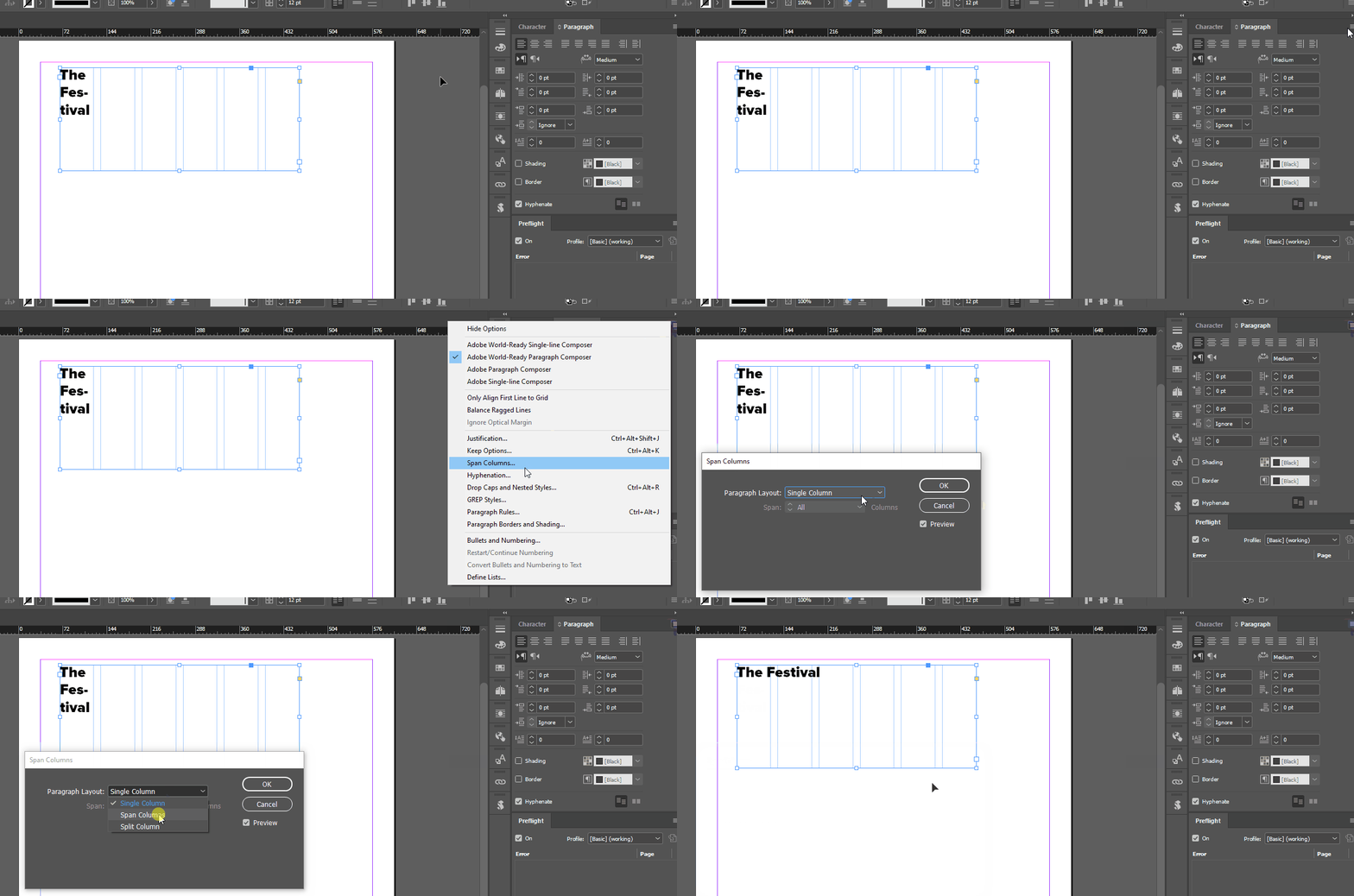
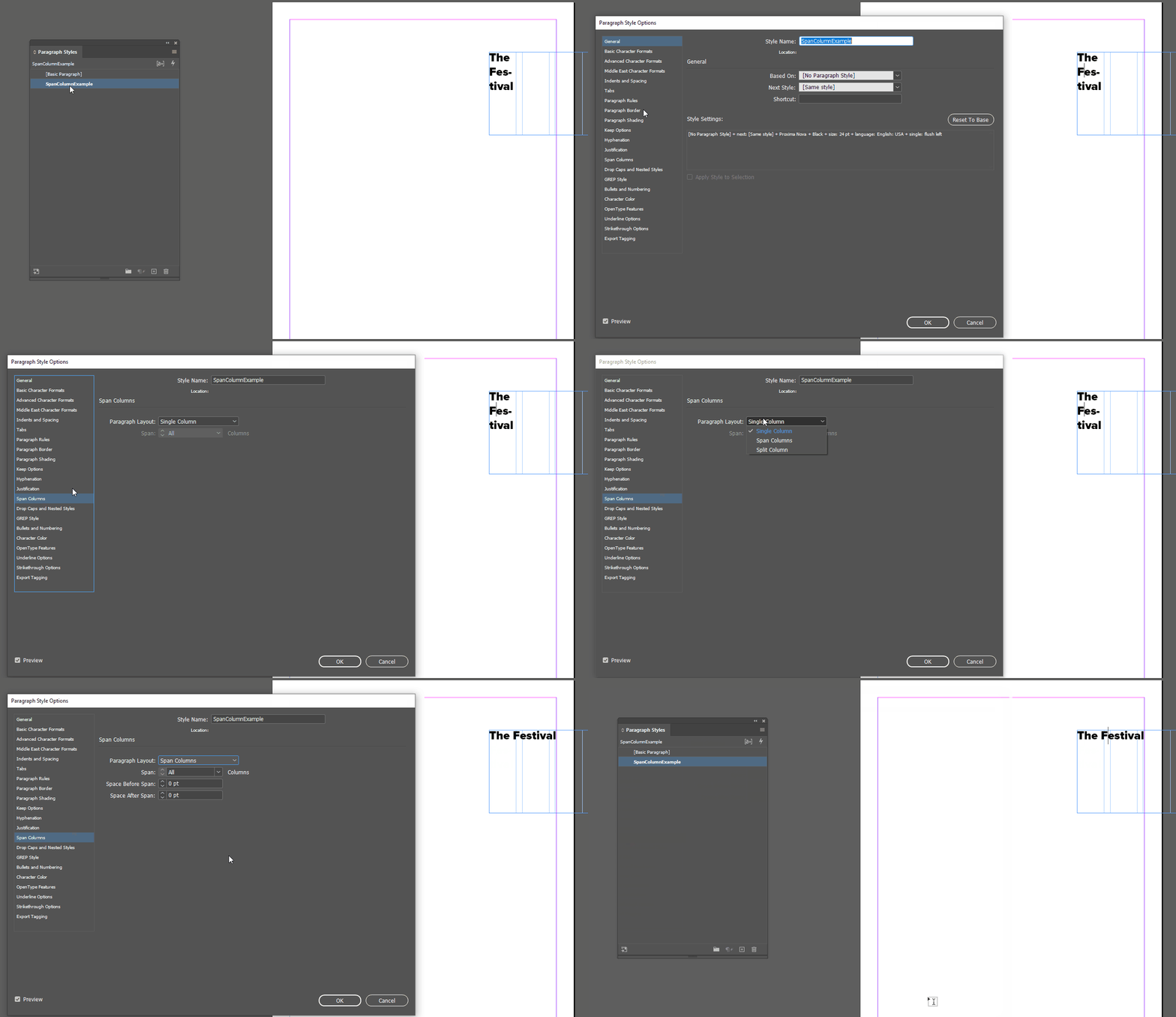
I suspect that Span Columns is turned on. That could be in the paragraph style:


or done with local formatting:

2 replies

Joel Cherney
Community Expert
Joel CherneyCommunity ExpertCorrect answer
Community Expert
December 10, 2023

I suspect that Span Columns is turned on. That could be in the paragraph style:


or done with local formatting:

Inspiring
December 10, 2023

mystery solved! Thanks so much Joel!

James Gifford—NitroPress
Legend
December 10, 2023

It sounds as if the text box has override/local settings in play.


Right-click on the box, Text Frame Options or Ctrl-B with it selected.

Inspiring
December 10, 2023

Hi James


Nothing special ticked on his text frame options.. 

Do you have any other ideas to where to look?