peterp91611794
Participant
October 18, 2022
Question

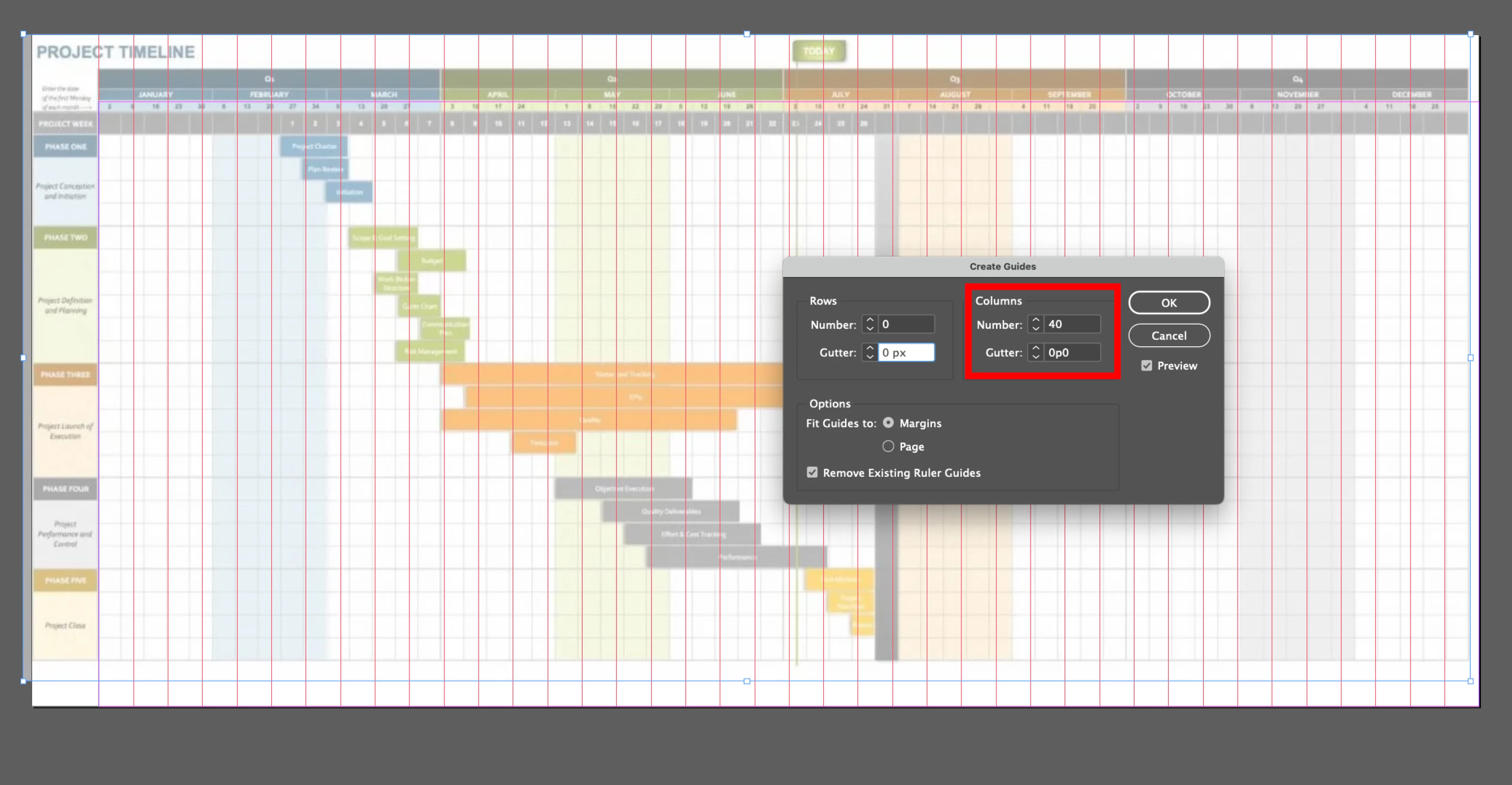
Columns are restricted to 40 in Indesign

  • October 18, 2022
  • 4 replies
  • 1305 views

Hello - any idea why columns are restricted to 40 in Indesign - I need to insert 360 columns for each day of the year

This topic has been closed for replies.

4 replies

Community Expert
October 19, 2022

So it can be done with a trick


No limit on the amount of rows


So you can create a table with 365 rows and 52 columns

Rotate your Text Frame holding the table


Then set the Text Rotation within the Cell to be rotated to read the correct way.


It all comes with caveats - the width is now the height - and vice versa

And you probably wouldn't be able to use Table Headers. 

And remember your orientation. 


Can it be done - yes - is it perfect - not by a long shot 


Barb Binder
Community Expert
Community Expert
October 18, 2022

Those are column guides. Columns are restricted to 216, and with the gutter set to 0, will function the same way as guides. But I agree that you should set this up as a table. 


~Barb


~Barb at Rocky Mountain Training
peterp91611794
Participant
October 18, 2022

thanks Barb

Community Expert
October 19, 2022

Set it up as guides perhaps - drag a guide from the Ruler on the left and the top 

View>Show Ruler


Document say 297mm 

And you want 365

297/365=.81


Select the Guide

In the X co ordinates set it to 0 or to the page margin 

With it still selected beside 0 type in +.81mm
And hold down ALT and press enter - which copys the guide


Then press and hold CTRL ALT 4 (or CMD ALT 4 on Mac)


This redoes the previous action


And then fill the page with the guides for every day.

Basically hold it down for 365 times

Takes a minute... 


Not elegant at all 

Gets a result though


Steve Werner
Community Expert
Community Expert
October 18, 2022

I agree with Derek. Tables would be better. InDesign has always been limited to 40 columns.

peterp91611794
Participant
October 18, 2022

thank you Derek and Steve - interesting to know the limited columns - when I went to create the tables this also limited to 200? 

Barb Binder
Community Expert
Community Expert
October 18, 2022

Well, yes. InDesign is capping the number of columns in a table at 200. The only workarounds I can think of are to put two tables side-by-side, or do this in Excel, save as a PDF and place the PDF into InDesign. I think I would chose the latter option.


~Barb

~Barb at Rocky Mountain Training
Derek Cross
Community Expert
Community Expert
October 18, 2022

Why not create a Table?