


Brainiac
August 23, 2023
Question

Completely remove submenu added by script

  • August 23, 2023
  • 4 replies
  • 820 views

I am trying to remove a submenu added to the main menu via ExtendScript.


Script to add: 


app.menus[0].submenus.add('Menu from Script') ;


Script to remove: 


app.menus[0].submenus.item('Menu from Script').remove() ;


In fact, I can remove it from the menu bar, but it will remain in Edit > Menu... customization screen.
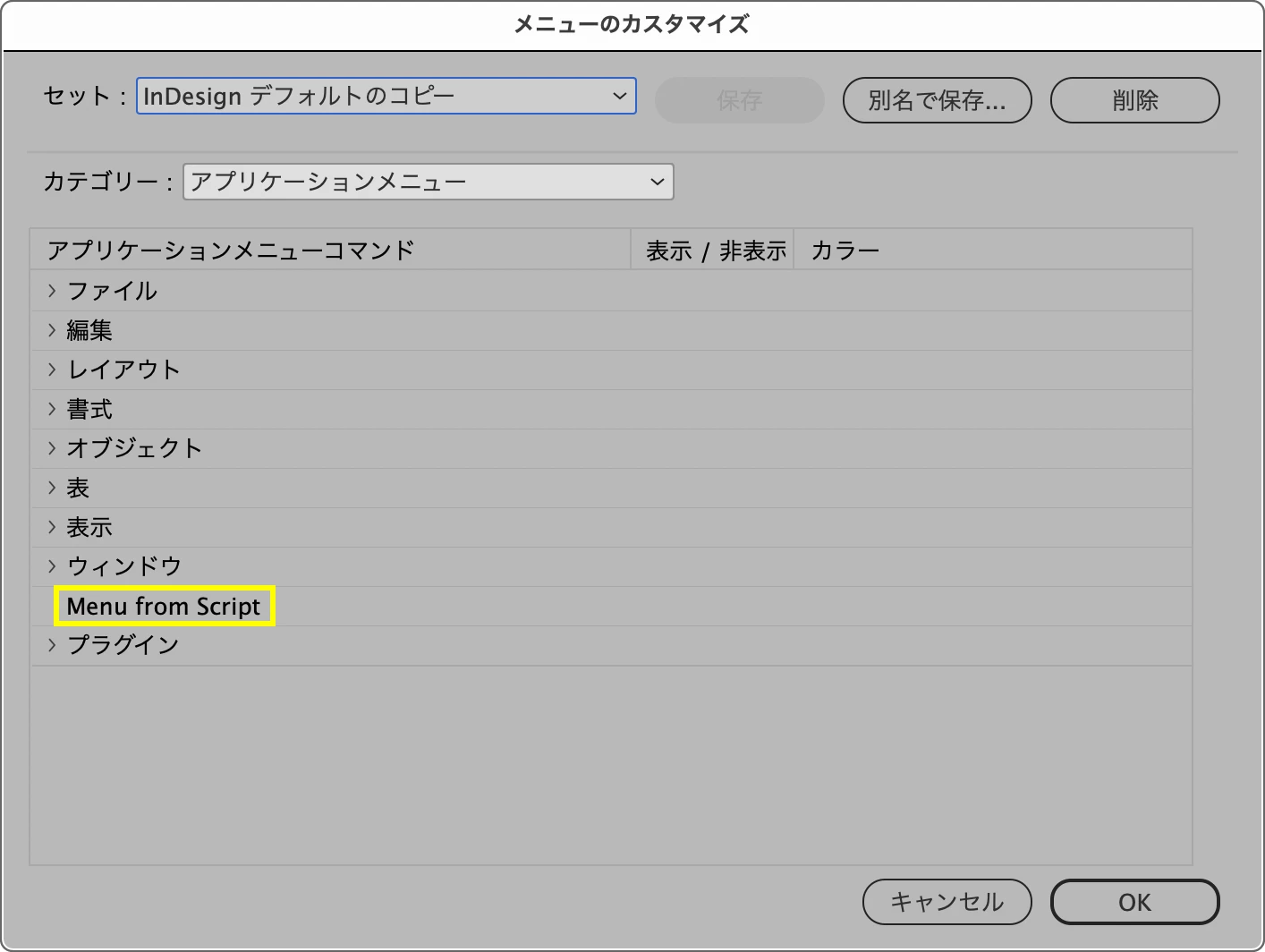
 

To remove it, I had to manually delete the following cache file


~/Library/Caches/Adobe InDesign/Version 18.0-J/ja_JP/InDesign SavedData


What is the best way to delete it without it remaining in the menu customization screen with just for scripts?


Environment:

  • InDesign 2023 (18.5.0.57)
  • macOS 12.6.7
This topic has been closed for replies.

4 replies

Brainiac
August 23, 2023

Well, actually, it works ok over here: when I add a menu item it appears in the top menu and in the Menu Customisation window. Then when I remove the added item using remove(), it's removed from the menu bar and the Menu Customisation window. Not sure what's going on in your document. Maybe some corruption? Maybe try adding and removing another menu item and see whether the problem persists.

sttk3Author
Brainiac
August 23, 2023

In my environment, even a submenu with a different name, it is increased in Menu Customisation and cannot be deleted.


Maybe there is something wrong with Japanese or other Asian language versions. I will try installing the English version.

sttk3Author
Brainiac
August 23, 2023

Report that the same problem occurred in the English version.

sttk3Author
Brainiac
August 23, 2023

Thanks for your responses, @Peter Kahrel, @Manan Joshi.


This question is aimed at developing a well-mannered script that generates a submenu when InDesign is launched and disappears completely when it quits. Should I assume that is not possible?

Brainiac
August 23, 2023

I can't think of any way, atleast till the next restart of InDesign. Even if we think of deleting the preferences via code even then it would be a tricky one as the file would be in use by InDesign and I am not sure if it will allow us to delete or edit it via code.

-Manan

Brainiac
August 23, 2023

I have seen in the past that menu entries created via script as somewhat sticky and is not removed even if the code creating it is removed. The only way I could figure out to get rid of it is was to trash the preferences as @Peter Kahrel mentioned.

-Manan

Brainiac
August 23, 2023

Try removing InDesign's preferences (hold down Cmnd/Ctrl+Alt+Del while starting InDesign. I think that will work.