
Controlling whether a single page is a left-hand page or a right-hand page
In a document with facing pages, in the Pages palette, with shuffling turned on, we can shuffle left-hand pages to the right to make them right-hand pages, and vice versa.
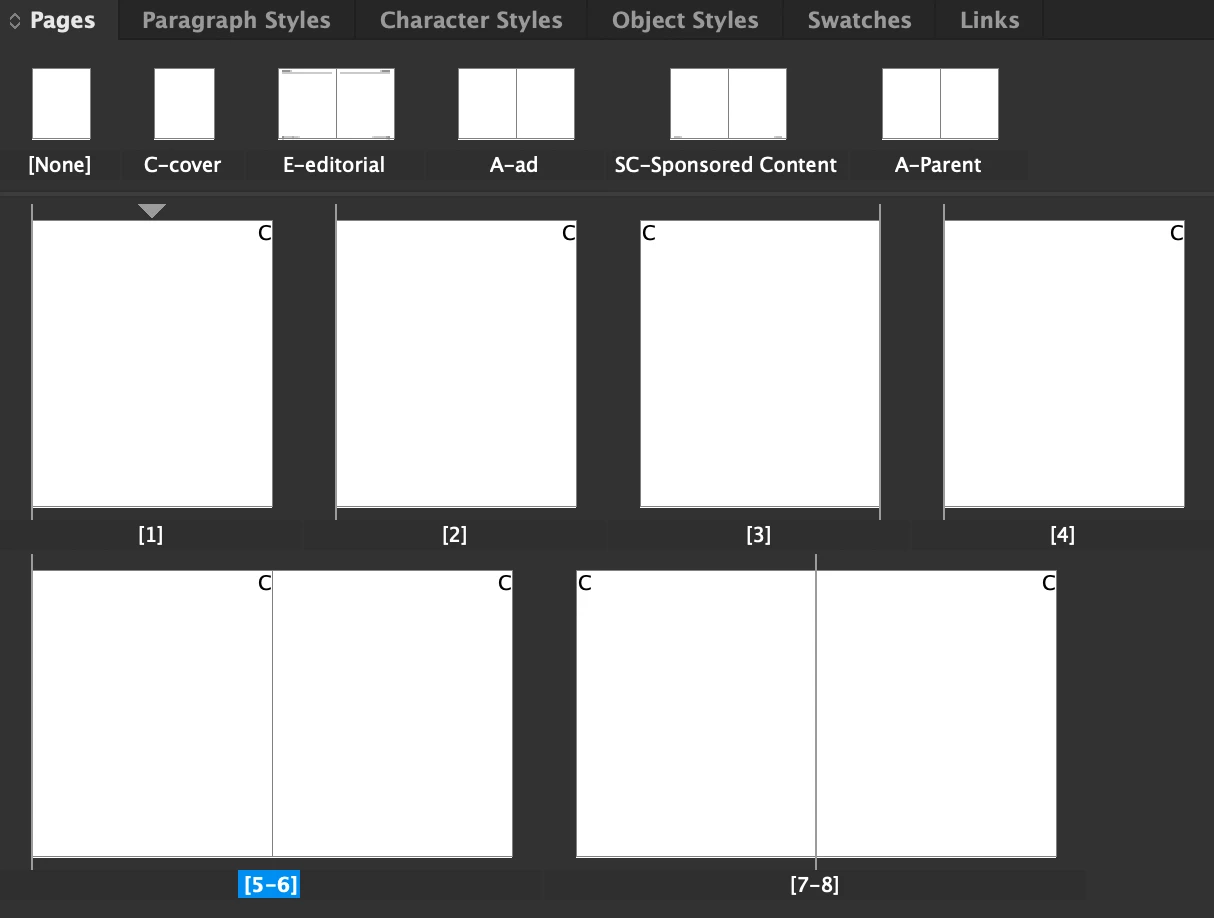
But when separating spreads into single pages, they still act as either left-hand pages or right-hand pages, indicated by a ‘spine line’ on the left or the right of the page icon in the palette. And I've been unable to find any info helping me to control whether such a page acts as a left-hand page or a right-hand page – that is, any way of changing its left or right state.
Sure, there are workarounds, like reconnecting pages to spreads and then shuffling the pages in the spreads and then disconnecting them again, but I was hoping Adobe had actually included a way of simply setting whether a page acts as a left-hand page or a right-hand page, without any need for workarounds.
Maybe a script could solve this, but again, it seems Adobe should just allow users to quickly and simply set a page’s state to left or right in the Pages palette – by maybe simply adding this option under Page attributes.
But I've failed to find any such options in the application or to find any info on the subject online.
Does anyone here have any insight on the subject? Are there any options to control the left or right state of single pages?
 AdChoices