
Participant
February 14, 2020
Question

Convert CMYK color theme to Pantone colors

  • February 14, 2020
  • 5 replies
  • 6354 views

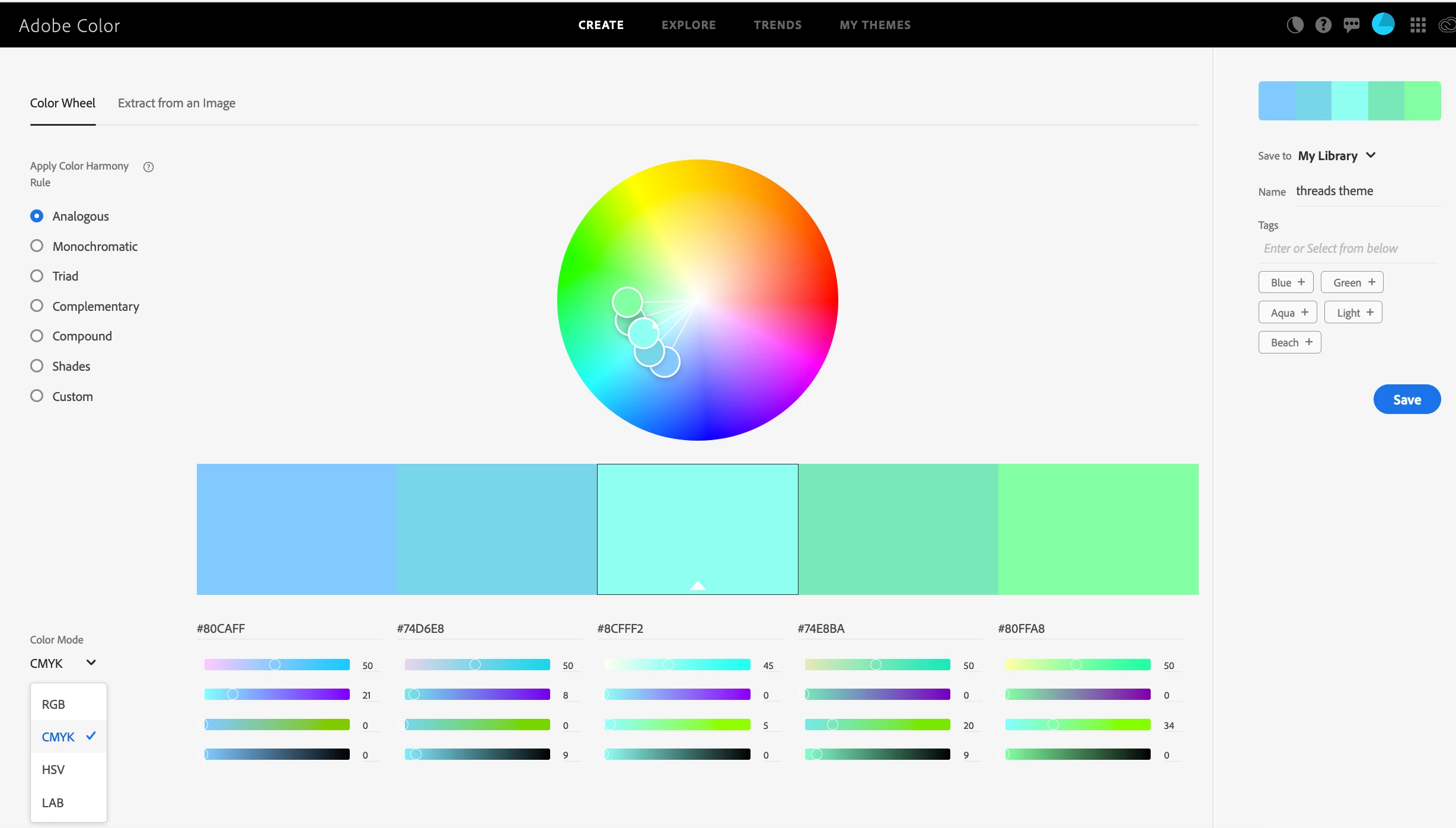
Looking at this web page https://theblog.adobe.com/adobe-color-cc-pantone-themes-palettes/. It says "Below your color theme, find the Pantone Matches menu and select the type of Pantone Book you wish to create." I have a CMYK color theme in my Adobe Color library but nowhere do I find the "Pantone Matches menu." (See attached screen grab). When I load the theme into InDesign, I don't see any way to convert the colors to Pantone other than to click on each one and change it to a spot color. Anyone know how to make this conversion?

Thanks
This topic has been closed for replies.

5 replies

rob day
Community Expert
Community Expert
February 14, 2020

One other thing to watchout for using the new pantone feature is the .ase solid coated swatches get exported as process RGB colors and not as the Lab spot colors you would get out of the InDesign swatch books. The RGB swatch appearance and print output will change depending on the document’s RGB profile.


sRGB assigned


ProPhoto RGB


rob day
Community Expert
Community Expert
February 14, 2020

Also, in case you need accurate color, it’s worth noting that there’s no color mangement with the web based Adobe Color themes. If you are choosing CMYK colors, the color appearance in InDesign will likely be very different. Using the new Pantone feature to match Pantone colors to chosen CMYK at Adobe Color will not help. If you want to maintain the appearance to InDesign, save the Adobe Color swatches as Lab.


Below you can see what happens to the CMYK apperance in InDesign—the colors would also change depending on the assigned CMYK profile.


The the closest Pantone Coated .ase swatches:


Community Expert
February 14, 2020

The ability to convert colour themes to Pantone is a new feature on the Adobe Color website. 


It's not as discoverable as it might be. You first have to click on My Themes on the top menu. This will display a list of your libraries, from which you can choose one of your saved colour themes. At this point, you should see the Pantone matches for that theme below.

Community Expert
February 14, 2020

Also found this with Illustrator:

https://www.youtube.com/watch?v=wvmG1ur8FW0


Regards,
Uwe Laubender

( ACP )

Community Expert
February 14, 2020

Hm…

Maybe Adobe Illustrator is the better tool for this if you have a large amount of CMYK colors.

Did not test this, but here is a tutorial with Illustrator using the Color Guide feature:

https://www.youtube.com/watch?v=qUpty8UTTAA


Regards,
Uwe Laubender

( ACP )