Participant
September 3, 2021
Question

convert text to outlines with gradient fill - BUG

  • September 3, 2021
  • 3 replies
  • 1873 views

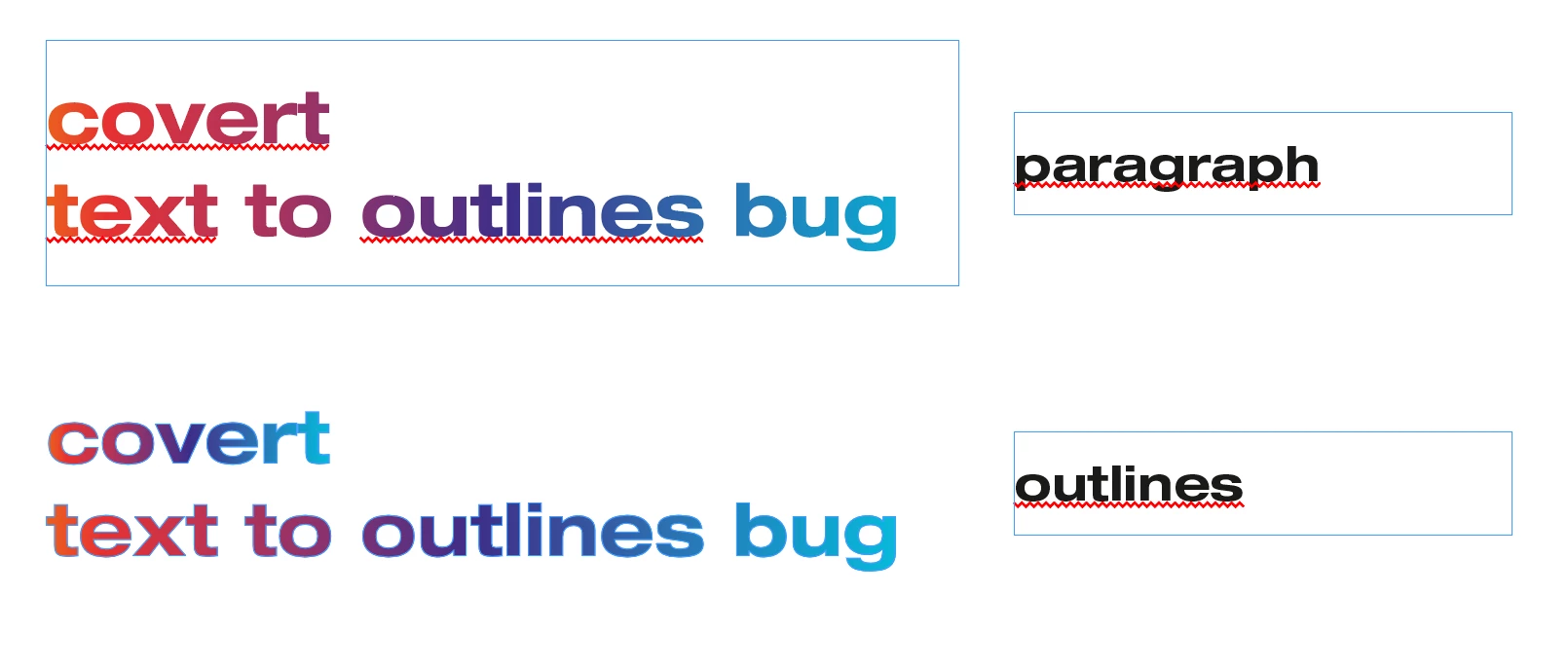
when convert text with gradient fill to outlines the appearance of the fill changes
This topic has been closed for replies.

3 replies

Jeff Witchel, ACI
Community Expert
Community Expert
September 3, 2021

First, don't outline text. It's not a good idea. A lot more than just the fill changes.

But if you like the way Illustrator does it, do it in Illustrator and place it in InDesign.

Scott Falkner
Community Expert
Community Expert
September 3, 2021

I see no problem with outlining text if it lets you do something with the paths that you cannot do with text. A perfect example is applying a gradient predictibly and consistently.

Scott Falkner
Community Expert
Community Expert
September 3, 2021

When you apply a gradient to text the gradient is based on the text frame, not the text itself. Imagine a black to white gradient applied to a text frame. White on left, black on the right. If you apply the same gradient to text in that text frame the gradient will be in the same position. The text acts like a mask on the gradient. Still white on the left of the text frame and black on the right of the text frame. If I convert the text to outlines it is no longer text. It does not act like a mask on a gradient to the text frame because there is no text frame. Since the text is now an object the gradient behaves normally.

This is not a bug but it is a poor implementation of gradients on text. I do not know what Adobe was thinking when they decided this is how gradients should be applied to text. I also do not know what they were thinking every time they updated InDesign and left this crummy gradient feature as is.

Participant
September 3, 2021

Of course you can bypass it - copy to illustrator and paste again to indesign. But then you have to reposition element and it is a waste of time. Why it works fine in illustrator and not in indesign?

Legend
September 3, 2021

I don't this is so much a bug - it's more of a difference between a text paragraph and the grouped text object that results from outlining text. 

For a quick fix, ungroup the outlined text,  use Pathfinder > Add. Then change the color to something else, and back again to the chosen gradient.


Participant
September 3, 2021

the problem also applies to narrowing a gradient to the vector outline of an object rather than the original text frame
