Participant
September 10, 2022
Answered

Copy and paste interactive text/form field - keeping same Name

  • September 10, 2022
  • 2 replies
  • 1986 views

Hi everyone,


I'm wondering if there is a way to copy a text/form field from one page to another and keep the 'name' of the field when it is pasted. It seems to create a new name for the text field when it is copied to the next page.

This wouldn't be an issue to change usually however I am trying to copy a long list of linked form fields for a list of names and would like it to auto-populate onto all of the pages in the same order. Eg. Name 1, Name 2 

It is taking FOREVER to copy and paste the list of form/text fields onto every page and then go through every individual text box and link it by changing the name back to the initial one I copied.

Just wanting to know if there is a way to lock the form field name properties and copy paste them as is.


I hope this makes sense.


TIA!
Correct answer Kevin Stohlmeyer

I may have a solution for you.

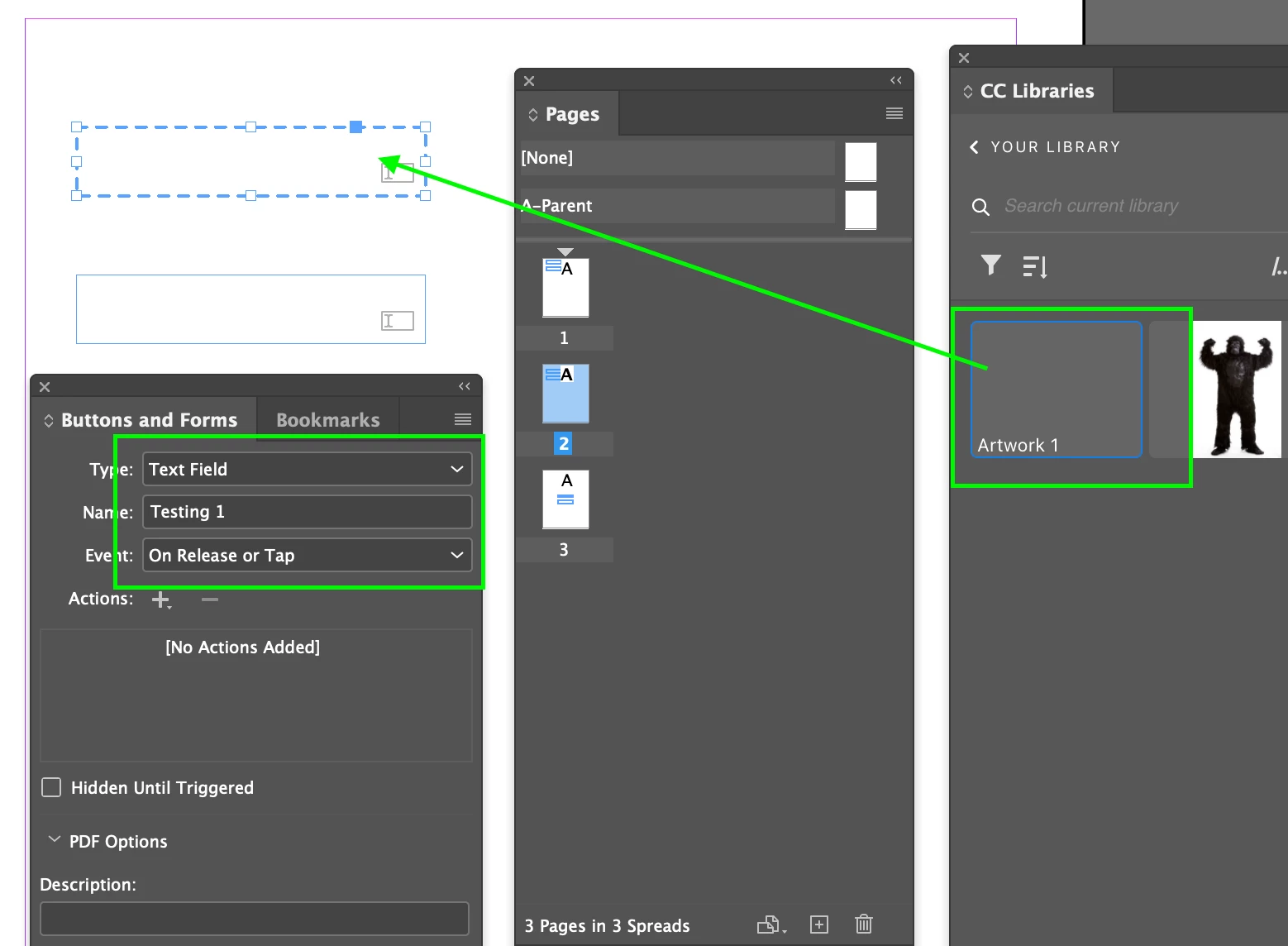
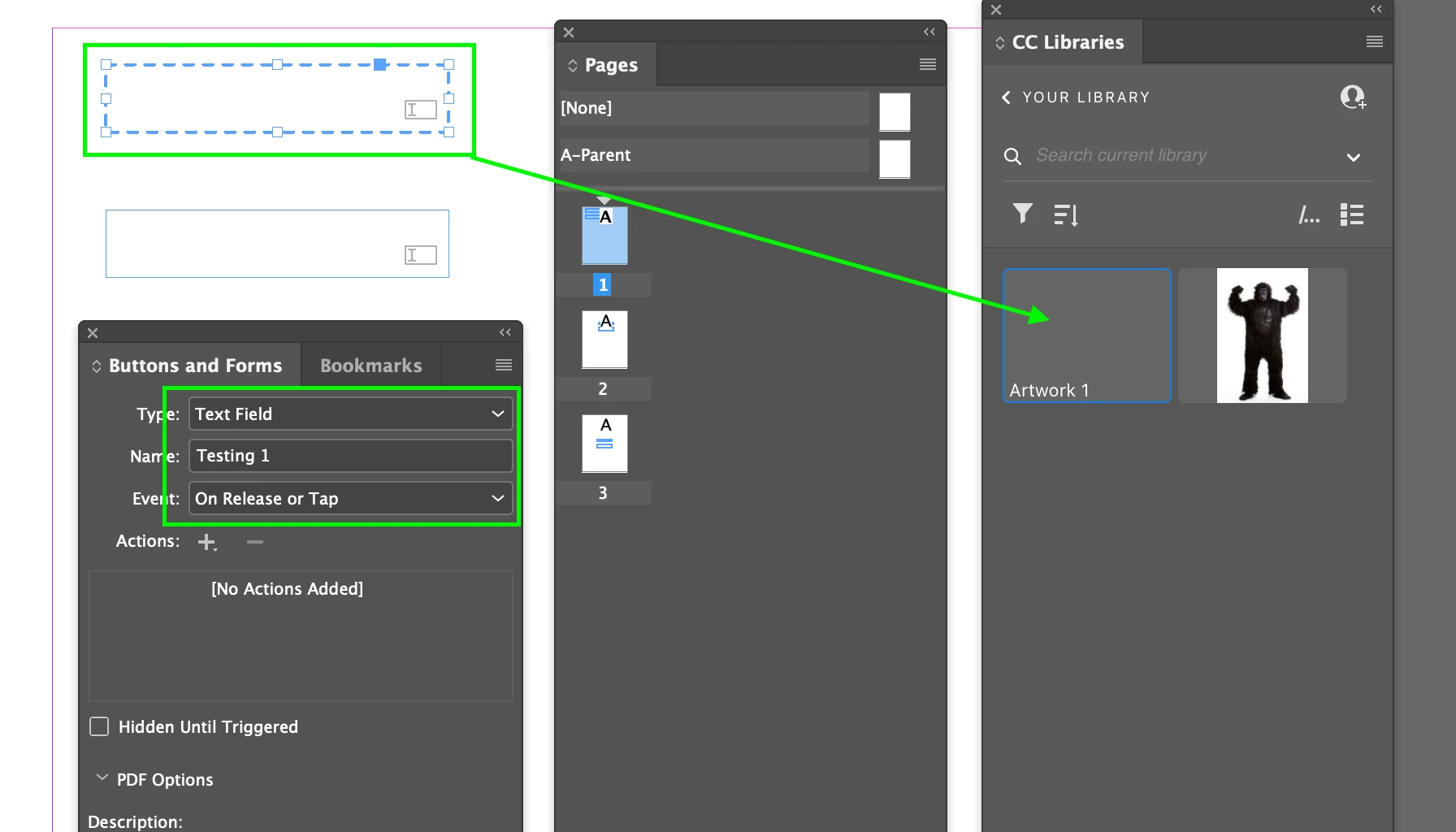
Add the Form Fields to a CC Library and then drag back into your other pages.

It kept the same field names as the original. See Below.

"Testing 1" drug into Library from Page 1.

Element drug out of CC Library onto Page 2. Name is retained.

I tried this with two elements at the same time as well and both retained their original names when dragging from the CC Library.


2 replies

BobLevine
Community Expert
Community Expert
September 12, 2022

In this case you might be better off doing it in Acrobat. The tools there are far more advanced.

Participant
September 12, 2022

Thanks Bob!

Yes absolutely, I have done it in Acrobat in the past with no issues I was just hoping there was a way to do it in InDesign so I don't have to re-do the text fields everytime I want to edit the document and export it to PDF again. It wouldn't be an issue but the document is over 400 pages and has about 60 text fields on each page!! Thanks so much for getting back to me Bob & Kevin! 🙂

Kevin Stohlmeyer
Community Expert
Kevin StohlmeyerCommunity ExpertCorrect answer
Community Expert
September 13, 2022

I may have a solution for you.

Add the Form Fields to a CC Library and then drag back into your other pages.

It kept the same field names as the original. See Below.

"Testing 1" drug into Library from Page 1.

Element drug out of CC Library onto Page 2. Name is retained.

I tried this with two elements at the same time as well and both retained their original names when dragging from the CC Library.


Kevin Stohlmeyer
Community Expert
Community Expert
September 12, 2022

Keeping the same name means the data entered would be mirrored in the field, hence the default behavior to indivudally name all fields when created.

BobLevine
Community Expert
Community Expert
September 12, 2022

Kev, That's exactly the behavior the OP wants and I agree there should be a way to do it. Even a simple preference setting would help.

Kevin Stohlmeyer
Community Expert
Community Expert
September 12, 2022

Agreed that it should be an enhancement, but right now thats the reason behind it. Perhaps suggestion for the Feature Request page?

https://indesign.uservoice.com/forums/601021-adobe-indesign-feature-requests