Participant
October 23, 2023
Answered

Copy/paste from Excel to Indesig table

  • October 23, 2023
  • 2 replies
  • 536 views

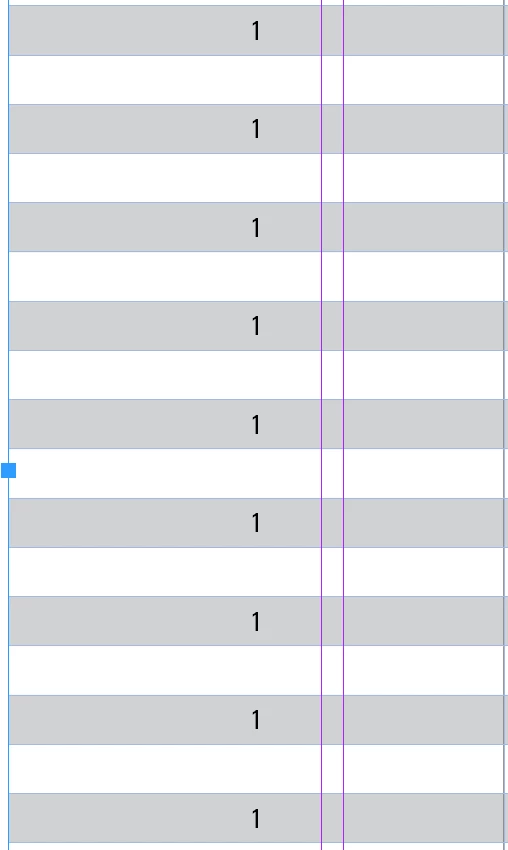
When i copy info from Excel and paste in to the Indesign table, it fill every next cell instead every cell.

Can anyone hell me fix this issue??
 

Correct answer Lovro Vudrag

I was copying data from a shared file from my team. When I download the Excel sheet and open it in the desktop app it works okay. Probably the online version has some problems then.

Thank You anyway!!

2 replies

Robert at ID-Tasker
Legend
October 23, 2023

Do you have merged vertically cells or hidden rows? 


Participant
October 24, 2023

No I didn't.

m1b
Community Expert
Community Expert
October 23, 2023

Hi @Lovro Vudrag, I don't know the answer myself, but you will get much better help if you post sample files here, ie. an .indd containing a sample table, and an excel file with some sample data, and instructions for what cells you are copying. Then if we can reproduce the behaviour, we may have a good answer. Note that you must be able to reproduce your problem in the sample document, using your instructions. Often the process of creating the sample document will shed some light on the problem too.

- Mark

Lovro VudragAuthorCorrect answer
Participant
October 24, 2023

I was copying data from a shared file from my team. When I download the Excel sheet and open it in the desktop app it works okay. Probably the online version has some problems then.

Thank You anyway!!

m1b
Community Expert
Community Expert
October 24, 2023

Glad you got to the bottom of it!
