Known Participant
June 23, 2024
Answered

Copy/paste scripting

  • June 23, 2024
  • 2 replies
  • 547 views

"Can I copy an object and paste it into all pages in the same position as if I pressed Ctrl+Shift+Alt+V using a script? Could someone please provide the code?"

This topic has been closed for replies.
Correct answer rob day

Hi @aghanjar16430960 , Also, a script can duplicate a selected page item and skip the copy and paste. Something like this:


//a selected object
var s = app.activeDocument.selection[0]

var pg = app.activeDocument.pages.everyItem().getElements()
for (var i = 0; i < pg.length; i++){
    s.duplicate(pg[i])
}

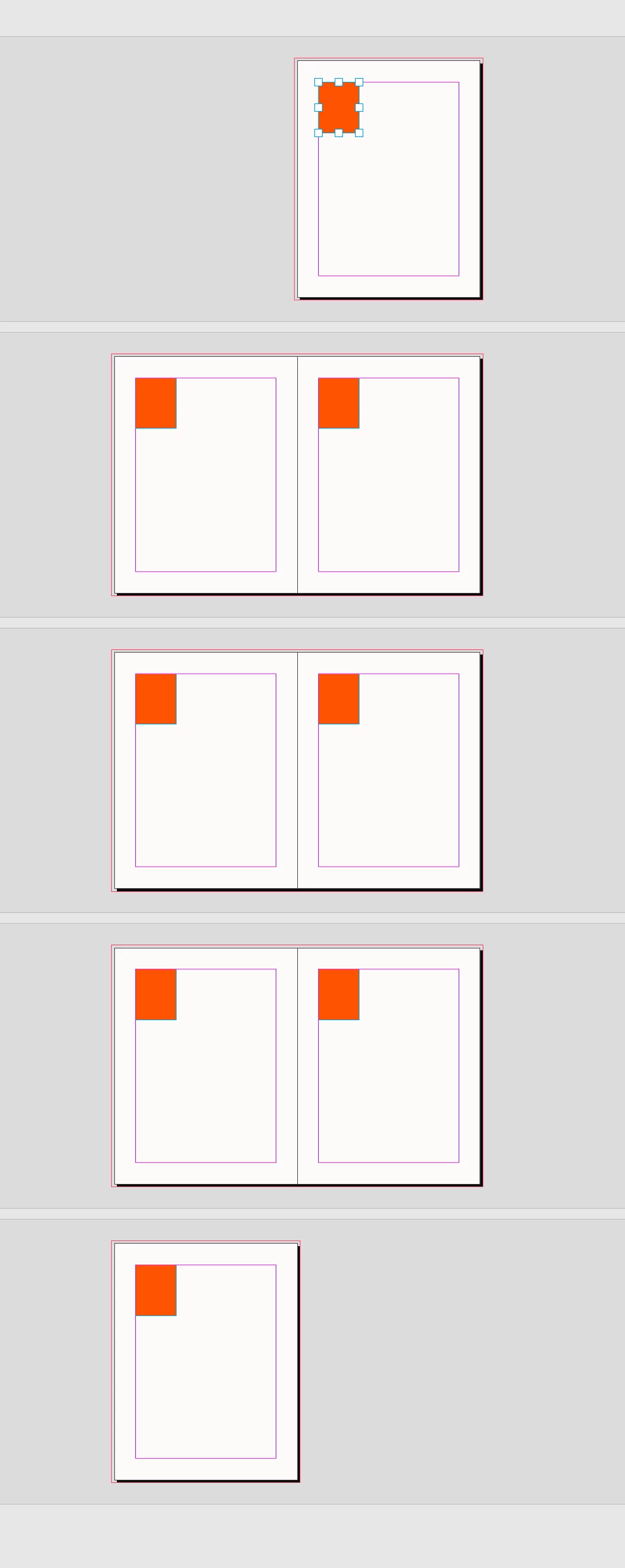


2 replies

rob day
Community Expert
rob dayCommunity ExpertCorrect answer
Community Expert
June 24, 2024

Hi @aghanjar16430960 , Also, a script can duplicate a selected page item and skip the copy and paste. Something like this:


//a selected object
var s = app.activeDocument.selection[0]

var pg = app.activeDocument.pages.everyItem().getElements()
for (var i = 0; i < pg.length; i++){
    s.duplicate(pg[i])
}


Known Participant
June 26, 2024

thanks

Robert at ID-Tasker
Legend
June 24, 2024

Yes. 


If your document is a single page per Spread then you can iterate through Pages collection and just use app.pasteInPlace().


If multiple pages per Spread - then after initial app.pasteInPlace() you'll have to move horizontally by the width of the page - positive or negative - depends on from which page you've copied it from. 


Of course you need to take into consideration if all pages have the same width and orientation, etc.