Copy link to clipboard
Copied
Hello!
I'm a long time InDesign user but for some reason I can't figure this one out. See attached layout (there is a version with and without the text frames showing) I am creating for an upcoming conference. There are about 50 pages.
My question / challenge....how do I set this up with text frames so when the client modifies the text in the editing process, the information on the left and right flow together? Right now, as you see, there is a text frame on the left and a text frame on the right. I want to be able to import the client's text from word and to then use my paragraph and character styles to have it flow into this layout easily, without copying and pasting and moving text around.
I appreciate anyone who is willing to help. Let me know if you need more clarification.
thank you!
stephanie



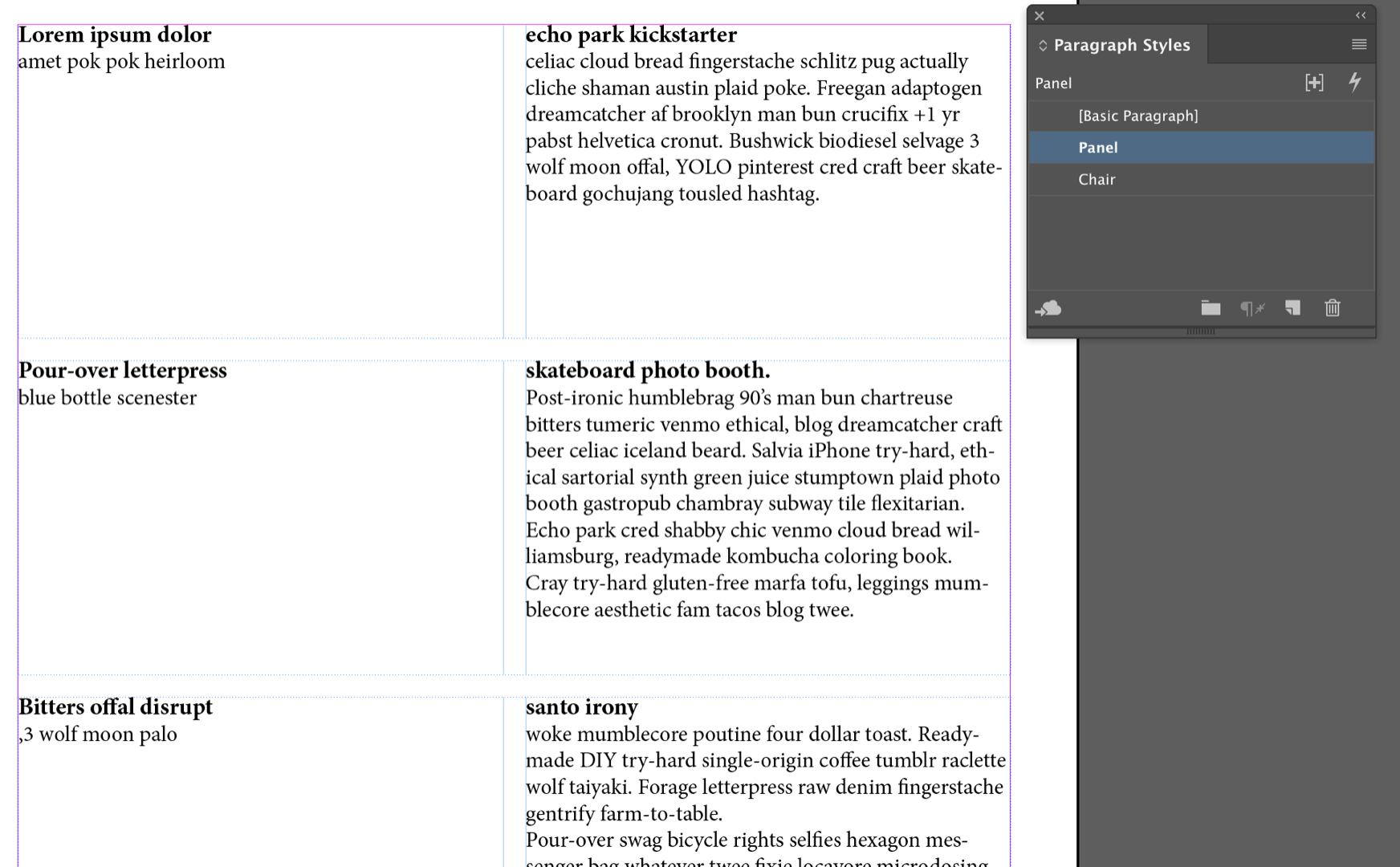
This isn't an easy layout in InDesign, SGrey. I think your best bet is to set up threaded 2-column text frames on the master page (designated as primary frames):

Then you can flow the text in from Word. Be sure to add a Frame Break to the Panel XX style and a column break to the Chair style. Depending on length, you will have to juggle the frame heights on the body pages.

~Barb
Copy link to clipboard
Copied
This isn't an easy layout in InDesign, SGrey. I think your best bet is to set up threaded 2-column text frames on the master page (designated as primary frames):

Then you can flow the text in from Word. Be sure to add a Frame Break to the Panel XX style and a column break to the Chair style. Depending on length, you will have to juggle the frame heights on the body pages.

~Barb
Copy link to clipboard
Copied
Thanks so much! Yes, it does look like your suggestion is the easiest way forward. Thank you for the examples, this is very clear.
Since my information on the right needs a larger portion of the column, do you know how I can adjust the column gutter so its not centered? but off to the left a bit?
Copy link to clipboard
Copied
ok! I figured that second question out. It's in the text frame options! Thank you again!
Copy link to clipboard
Copied
Glad that will work for you!
~Barb
Get ready! An upgraded Adobe Community experience is coming in January.
Learn more