
Known Participant
June 19, 2025
Answered

Cover & spine book size changing on PDF export

  • June 19, 2025
  • 1 reply
  • 232 views

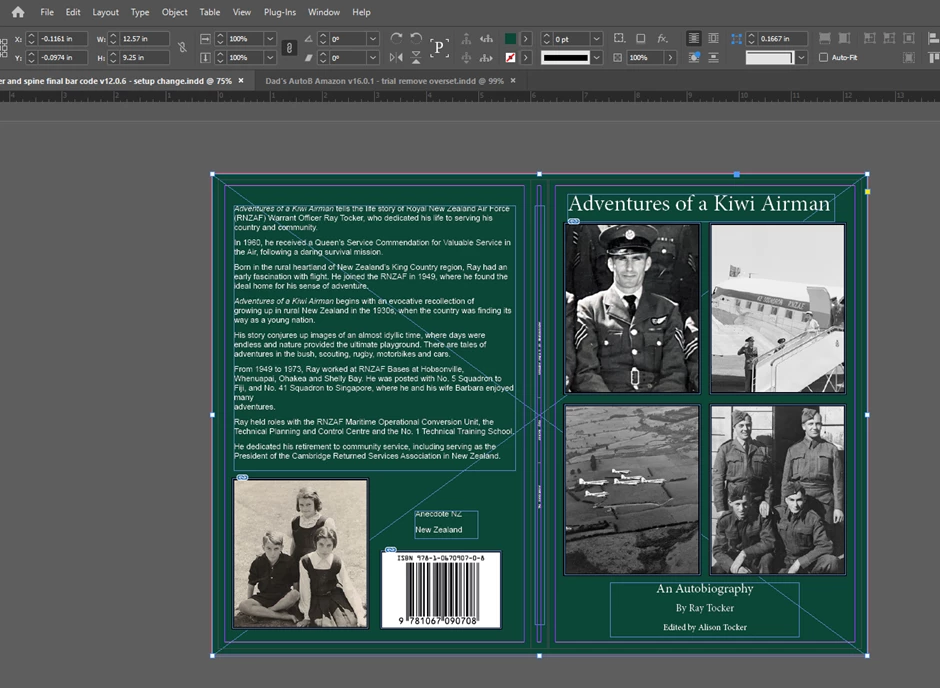
Hi, I have designed a cover and spine for my Amazon KDP book. Screenshot below. You can see in the screenshot that the full size is 12.57 x 9.25 in which Amazon wants. But when I upload it to KDP, it says the file submitted is only 12.338 x 9.000 in. I contacted KDP help and they said that the size of my book is changing on the transfer from InDesign to PDF. Do you know how to fix this please?


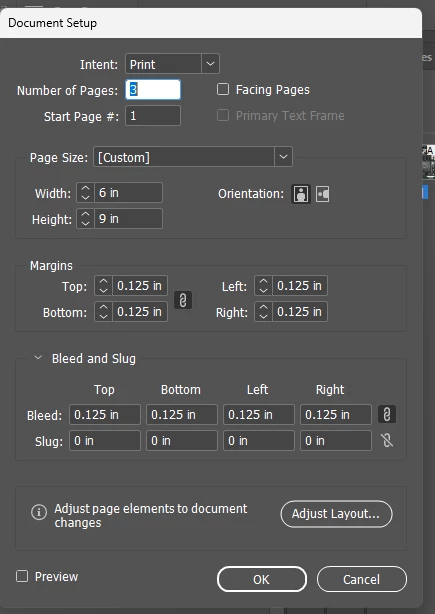
This is my document setup which is where I might be going wrong. The margins and bleed are correctly set to KDP's requirements for this size. 


Here’s what KDP previewer shows



Correct answer Eugene Tyson

It shows what's wrong there - you need to adjust your bleed to be full extent of the bleed area. 

Seems you have to be very precise. Don't drag the background, use the X Y coordinates and use the Width and Height to make the background fit 100% exactly that size.


Regarding the rest, you have text outside the margins on those pages, you'll have to fix those pages so the text is inside the margins.

1 reply

Eugene TysonCommunity ExpertCorrect answer
Community Expert
June 19, 2025

It shows what's wrong there - you need to adjust your bleed to be full extent of the bleed area. 

Seems you have to be very precise. Don't drag the background, use the X Y coordinates and use the Width and Height to make the background fit 100% exactly that size.


Regarding the rest, you have text outside the margins on those pages, you'll have to fix those pages so the text is inside the margins.