Exit
  • Global community
    • Language:
      • Deutsch
      • English
      • Español
      • Français
      • Português
  • 日本語コミュニティ
  • 한국 커뮤니티
0

Creating default Indesign text box without borders

Explorer ,
Jul 16, 2025 Jul 16, 2025

Whenever I creat a new text box it appears with a black border which I then need to manually remove. Can I set a default to creating a text box without any border.

TOPICS
How to , Performance , Type
591
Translate
Report
Community guidelines
Be kind and respectful, give credit to the original source of content, and search for duplicates before posting. Learn more
community guidelines

correct answers 1 Correct answer

Community Expert , Aug 15, 2025 Aug 15, 2025

Check your settings in Window > Styles > Object Styles > [Basic Text Frame]

Translate
Community Expert ,
Jul 16, 2025 Jul 16, 2025

When no rool is selected change its settings to your desired defaults for the open document. 
if no document is open do it gor every new document. 
Set up the default settings in the object styles too. 

Translate
Report
Community guidelines
Be kind and respectful, give credit to the original source of content, and search for duplicates before posting. Learn more
community guidelines
Explorer ,
Aug 14, 2025 Aug 14, 2025

I'm having a problem following your suggestion.

First, how do I deselect all tools?


Translate
Report
Community guidelines
Be kind and respectful, give credit to the original source of content, and search for duplicates before posting. Learn more
community guidelines
Community Expert ,
Aug 14, 2025 Aug 14, 2025

You should not deselect all tools at once, you should deselect all objects. When you deselect a tool, you can set its default valus.

Translate
Report
Community guidelines
Be kind and respectful, give credit to the original source of content, and search for duplicates before posting. Learn more
community guidelines
Explorer ,
Aug 14, 2025 Aug 14, 2025

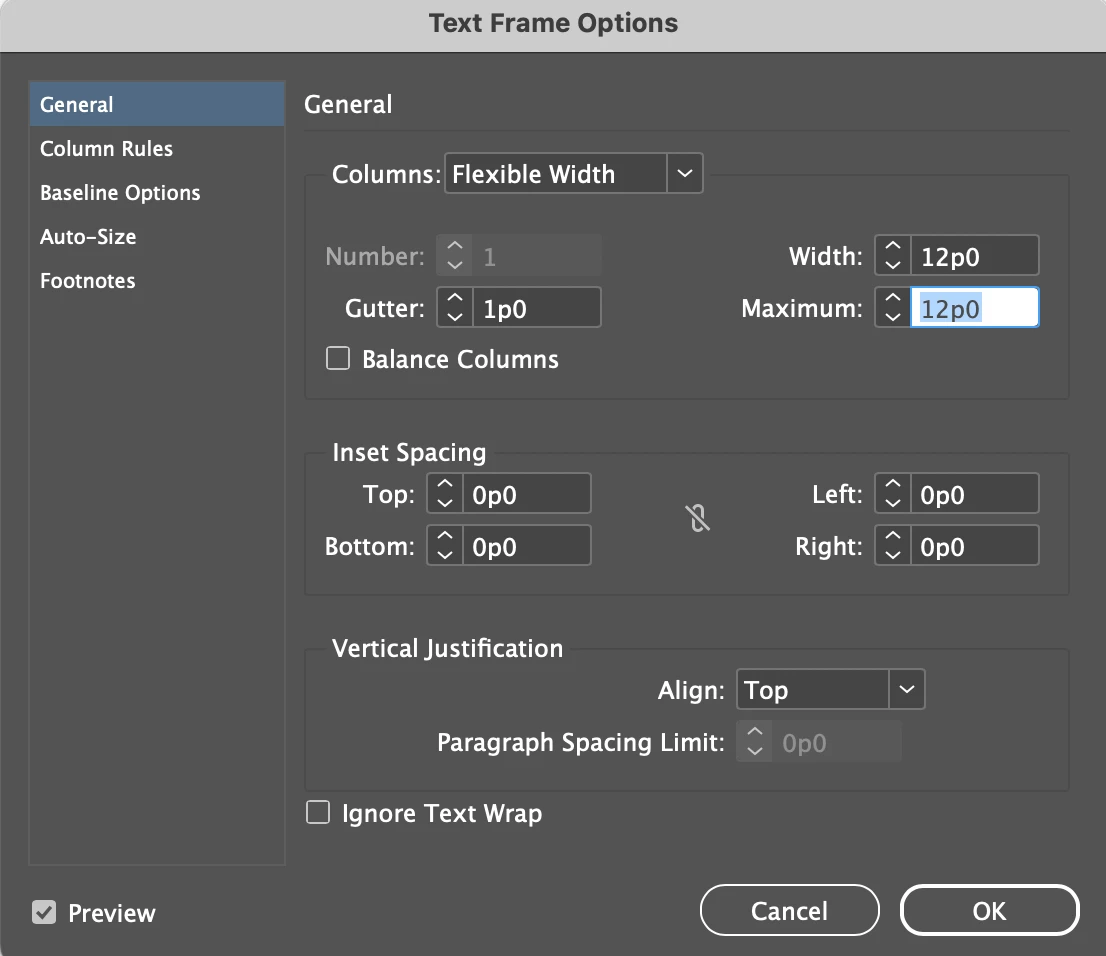
With no object selected, and the Text Frame Options opened, there does not seem to be a setting for the fram itself. What am I missing?
 

Chris26953238qfn0_0-1755205609755.png


Translate
Report
Community guidelines
Be kind and respectful, give credit to the original source of content, and search for duplicates before posting. Learn more
community guidelines
Community Expert ,
Aug 15, 2025 Aug 15, 2025

Check your settings in Window > Styles > Object Styles > [Basic Text Frame]

Translate
Report
Community guidelines
Be kind and respectful, give credit to the original source of content, and search for duplicates before posting. Learn more
community guidelines
Explorer ,
Aug 15, 2025 Aug 15, 2025

Thanks Leo! That's it. Had to go down several layers but seems to have done the trick.


Translate
Report
Community guidelines
Be kind and respectful, give credit to the original source of content, and search for duplicates before posting. Learn more
community guidelines
Community Expert ,
Aug 15, 2025 Aug 15, 2025
LATEST
quote

Thanks Leo! That's it. Had to go down several layers but seems to have done the trick.

By @Chris26953238qfn0


Glad it helped!

(Upvoting doesn't work in this thread for some reason.)

Translate
Report
Community guidelines
Be kind and respectful, give credit to the original source of content, and search for duplicates before posting. Learn more
community guidelines
Community Expert ,
Aug 15, 2025 Aug 15, 2025

Interesting... I was just about to clarify to OP how to set up the default stroke color with no object selected. For example, select the desired stroke color in the Swatches panel while nothing is selected.


However, I found out that this method doesn't actually work for the Type tool and the Frame tool. Their default stroke remained None. This method did affect other tools such as Line and Rectangle as expected.


Frankly, I didn't have to set up the default text frame color for a long time (if ever). So I'm not sure if it's always been like this, or if I'm missing something at all.


The only way to set the default text frame color I found was to edit the [Basic Text Frame] object style.


Am I missing something obvious?


Translate
Report
Community guidelines
Be kind and respectful, give credit to the original source of content, and search for duplicates before posting. Learn more
community guidelines