
Participant
April 5, 2022
Question

Creating two-column footnotes in one-column texts

  • April 5, 2022
  • 3 replies
  • 1096 views

Hi,


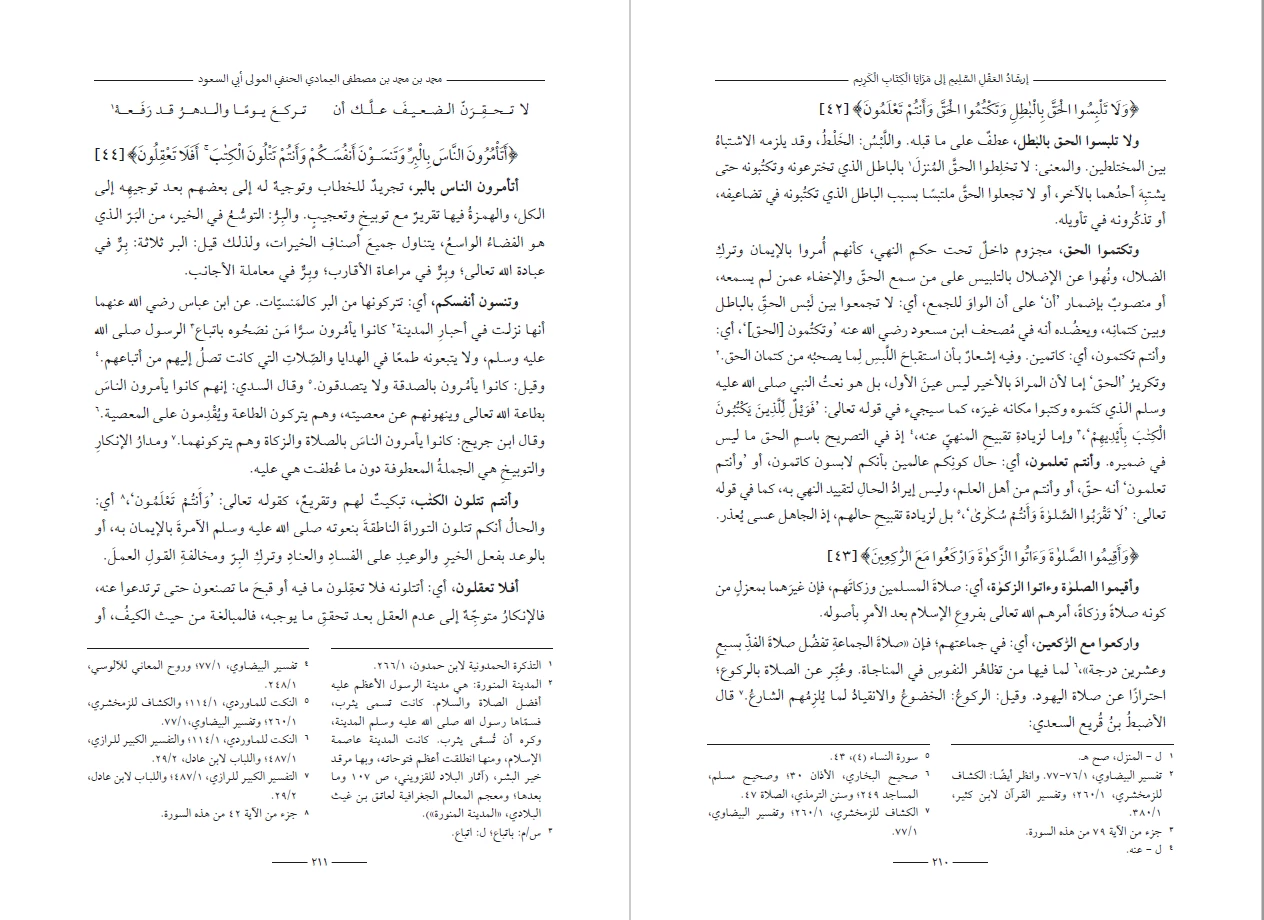
I need to find a way to create two-column footnotes without making the text two columns. So, I need to keep the main text in one-column and make the footnotes in two-columns. I have contacted Adobe several times but they couldn't offer a solution. Attached is an example of what I need.


Can anyone help me?
This topic has been closed for replies.

3 replies

James Gifford—NitroPress
Legend
April 5, 2022

I haven't tried this (and it may be the same technique as Peter refers to) but it should be possible to set the pages up as two-column and then define all styles EXCEPT the footnotes to span columns.


I have the feeling this will work just well enough to cause other structural problems, especially with an RTL layout, but it might be worth trying.


Community Expert
April 5, 2022

"but it should be possible to set the pages up as two-column and then define all styles EXCEPT the footnotes to span columns."


Hi NitroPress,

tried it and it did not work.

The footnote texts always follow the layout of the main text where the footnote number is.

If you span the main text paragraphs the footnote text will also span the columns even if the paragraph style applied did not say so.


Regards,
Uwe Laubender

( ACP )

James Gifford—NitroPress
Legend
April 5, 2022

It was worth a shot (I'm working with a a complex column/footnote book right now and have found some weird combinations).


Oh, well. 🙂


Peter Kahrel
Community Expert
Community Expert
April 5, 2022

See https://creativepro.com/files/kahrel/indesign/footnotes_columns.html

I've never tried it with right-to-left text.

You could also try this:

https://www.id-extras.com/products/footwork/

P.

Community Expert
April 5, 2022

Hi muttaki,

as said elsewhere, this is still no feature with InDesign.

You may be able to work around this with endnotes instead of footnotes that are running in their own endnote story.

Very unflexible, because you have to maintain the extra text frames of that story yourself.

You have to apply text wrap and you need to do extra elements for the "footnote" rules.


And you may have to do both footnotes and endnotes in the same document where this workaround must fail.


Regards,
Uwe Laubender

( ACP )