selvam214
Inspiring
January 17, 2019
Answered

Crop image to the bleed portion

  • January 17, 2019
  • 1 reply
  • 1318 views

Hi,

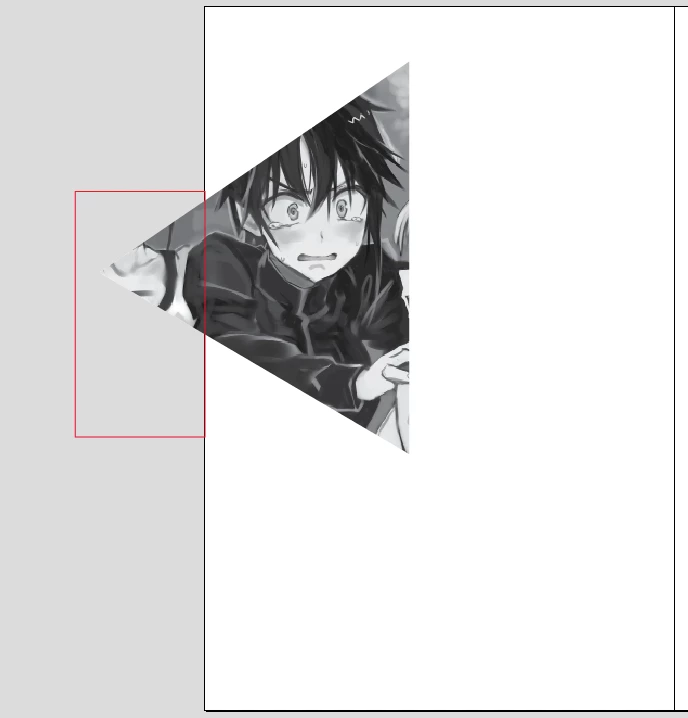
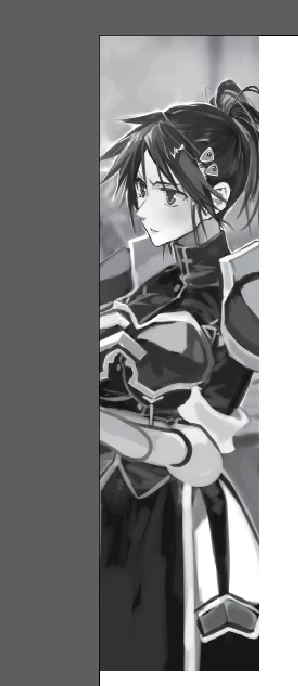
Before exporting the images, we need to crop the bleed portion. See example,

Inputs:
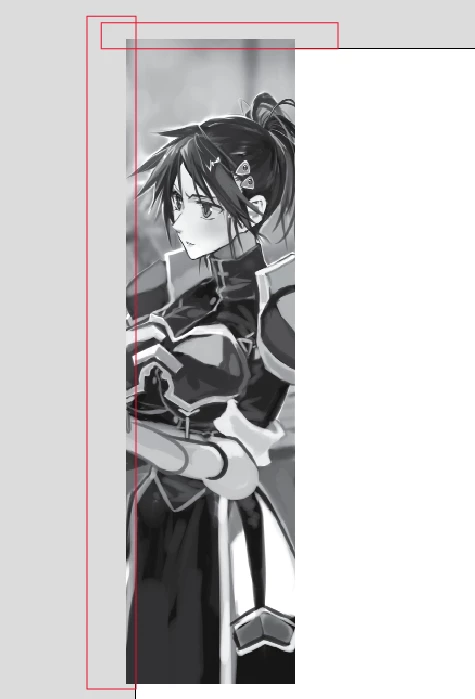
Manual method (auction):
Output:
For our challenges, the images are placed within 'Rectangle' or 'GraphicLine'. So, we can't crop the frames effectively (if GraphicLine, the image is shrinking). 

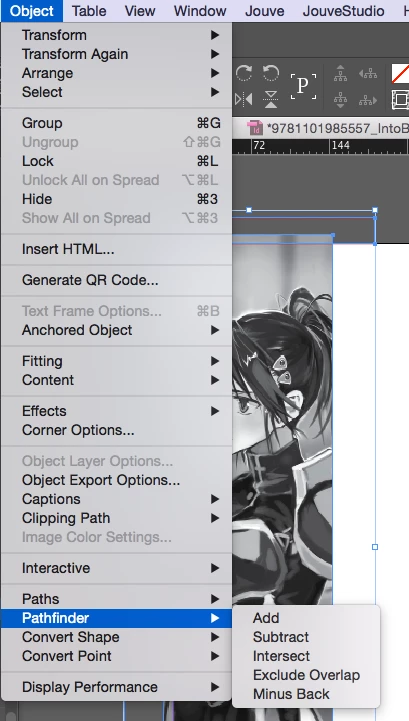
I have planned to place the empty frame in outside the page and use "PathFinder" ==> 'Substract' menu. But, I have been challenged to select both the objects with my code.

Kindly guide me with the related method or any other method to crop bleed images.

Thanks in Advance,

Selva

This topic has been closed for replies.
Correct answer Laubender

Hm.Then I would ask Gregor Fellenz to do the changes:

▷ publishingX | beraten, schulen, entwickeln

Regards,
Uwe

1 reply

Community Expert
January 17, 2019

Hi Selva,

before suggesting anything I have to ask:
Why on earth would you have to do that?

FWIW: If you export to PDF simply set bleed to value 0.

If you export to JPEG or PNG or to EPS simply do so without using bleed.

Thanks,
Uwe

selvam214
selvam214Author
Inspiring
January 17, 2019

Hi Uwe,

Thanks for the suggestion.

I'll explain our process little briefly, we have lots of print products (already finished) and ready to start the digital conversion (e-pub). For e-pub, need the images with the effective ppi (same as original images), without the bleed portion. If it is copping manually, it will take more effort compared with the automation (additionally we have a short turnaround).

Already we have using below tool for image export. Additionally, we need to add the crop portion within code.

image-export.jsx (from github: InDesignScripts/image-export.jsx at master · le-tex/InDesignScripts · GitHub )

If we try to set all bleed images to zero, the unwanted image portion is available in exporting image. 

Can I possible to update this (crop portion -- 'export to JPEG or PNG or to EPS simply do so without using bleed'.) within image-export.jsx code? Kindly guide me.

Thanks,

Selva

LaubenderCommunity ExpertCorrect answer
Community Expert
January 17, 2019

Hm.Then I would ask Gregor Fellenz to do the changes:

▷ publishingX | beraten, schulen, entwickeln

Regards,
Uwe