



JonathanArias
Legend
May 9, 2022
Question

data merge with hyperlinks

  • May 9, 2022
  • 3 replies
  • 2619 views

Hello,


i looked this up and it seems such thing can't be done. However i wanted to double check.


I have some certificates:
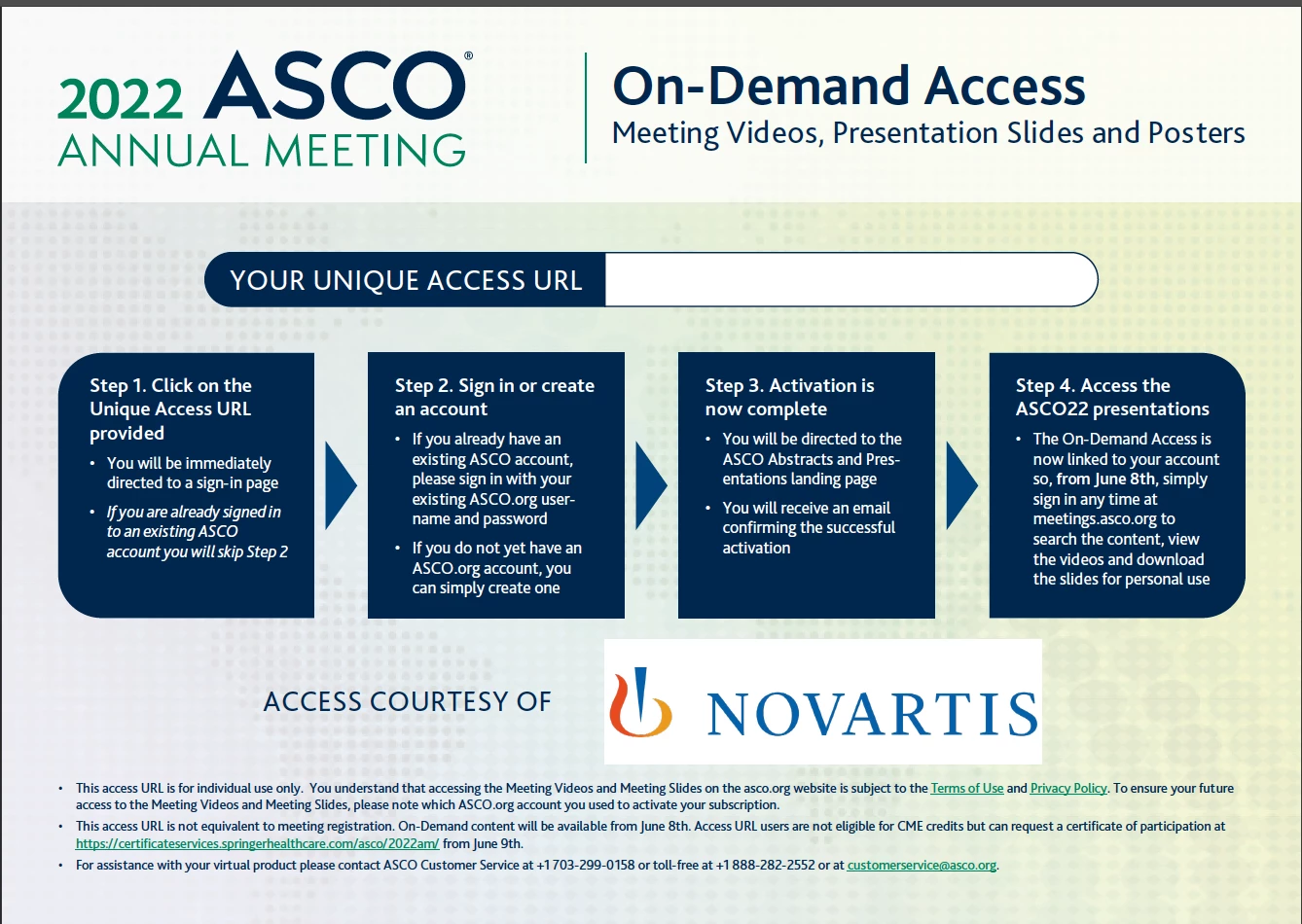
Every year i make these, i run a data merge from a .csv file and place a unique number in each text field where you see "your unique access url" ... that used to say serial number...


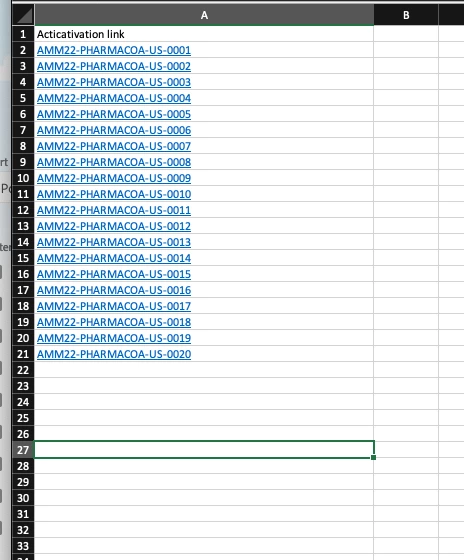
this year they want a serial number there, however, there is a unique hyperlink associated with it. This is what i have in the excell sheet:
 

however, when i save a .csv file the url is gone:
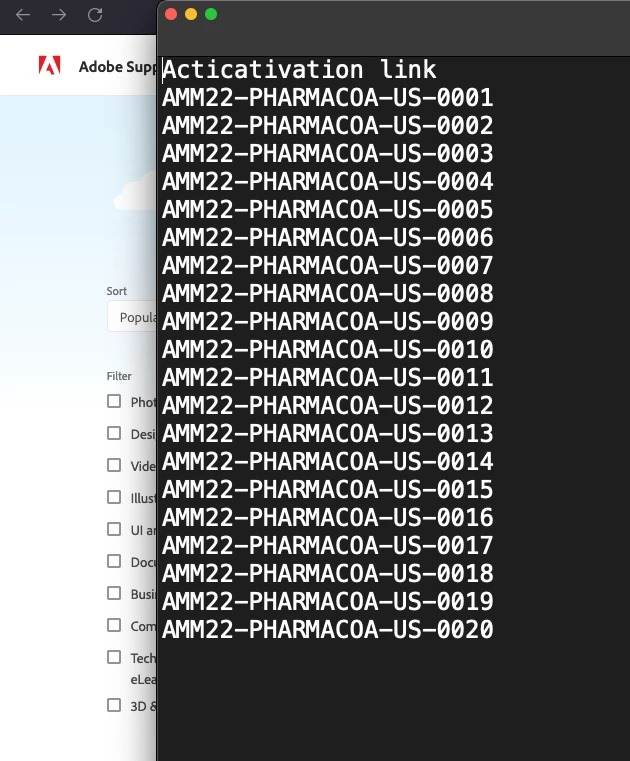
 

How can  i turn a data merge and keep that hyperlink?


thank you

jonathan

This topic has been closed for replies.

3 replies

Community Expert
May 9, 2022

In Excel, you will need to convert the hyperlink to URL. There are a few way to do this, some methods are listed in this link


Inspiring
December 10, 2022

If you can redesign your excel and have the hyperlink in a second column then mydatamerge (https://mydatamerge.com) will do the trick - we use it on a regular basis. It adds a lot of value to indesigns data merge - macOS only unfortunately. Check this video where they show that feature:  https://www.youtube.com/watch?v=MAuQ3KsTJck


If you want it for free you need a custom script that builds the hyperlinks for you based on your datasource.

Community Expert
May 9, 2022

Here we go: There is no way in the GUI or in the core functionality of data merge itself to do what you want.

So one could develop a script that relies on a list of texts and their corresponding URLs to search for the text instances in the result InDesign document that is merged and that adds hyperlinks according to that list to the found texts.


Regards,
Uwe Laubender

( ACP )

Community Expert
May 9, 2022

Hi Jonathan,

one should be able to do this with postprocessing the result of that data merge with a custom script.


Regards,
Uwe Laubender

( ACP )

JonathanArias
Legend
May 9, 2022

hello Uwe, can you elaborate. I do not understand.