Participating Frequently
January 12, 2023
Question

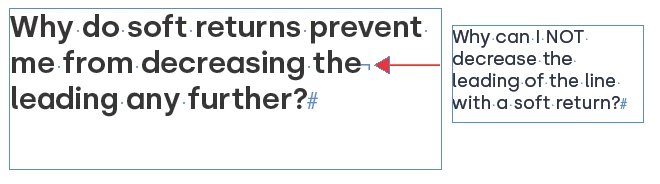
Decreasing leading on text with a soft return- why can I not do it?

  • January 12, 2023
  • 3 replies
  • 969 views


This topic has been closed for replies.

3 replies

rob day
Community Expert
Community Expert
January 13, 2023

Hi @JR86 , Check your Type>Apply Leading to Entire Paragraphs Preference, which @Peter Spier suggested in his first reply. With it unchecked any character or insertion point can have its own leading—the insertion point with the largest leading sets the leading for the line:


Barb Binder
Community Expert
Community Expert
January 13, 2023

Hi @JR86:


Soft returns simply start a new line within a paragraph, they don't impact the leading. 


~Barb

~Barb at Rocky Mountain Training
JR86Author
Participating Frequently
January 13, 2023

Okay, when I highlight as you have they will all move BUT when I select the only the line with the soft return it will not decrease.

JR86Author
Participating Frequently
January 13, 2023

I figured out what I was doing wrong. 
The entire line must be selected (including the hidden soft return) to decrease the leading.

Solutions:
1. highlight the line using click & drag left to right(dragging the opposite direction won’t select the hidden character)
2. Tripple-click the line you want to select


Peter Spier
Community Expert
Community Expert
January 12, 2023

In your prefs Type section is Apply leading to entire paragraph checked?
