
Known Participant
December 17, 2018
Answered

Default Paragraph styles shows only [Basic Paragraph] style

  • December 17, 2018
  • 2 replies
  • 1136 views

Whenever I open a new document and click on Paragraph styles only [Basic Paragraph] shows up. No other styles are available. If I click the lightning icon (apply quick style) only a few are available. e.g. Heading styles or title styles are not seen in the drop-down list. I tried uninstalling and reinstalling InDesign thinking that might do the trick but to no avail. I have attached a screenshot of how my paragraph styles dialog looks. Foxed, appreciate all help.
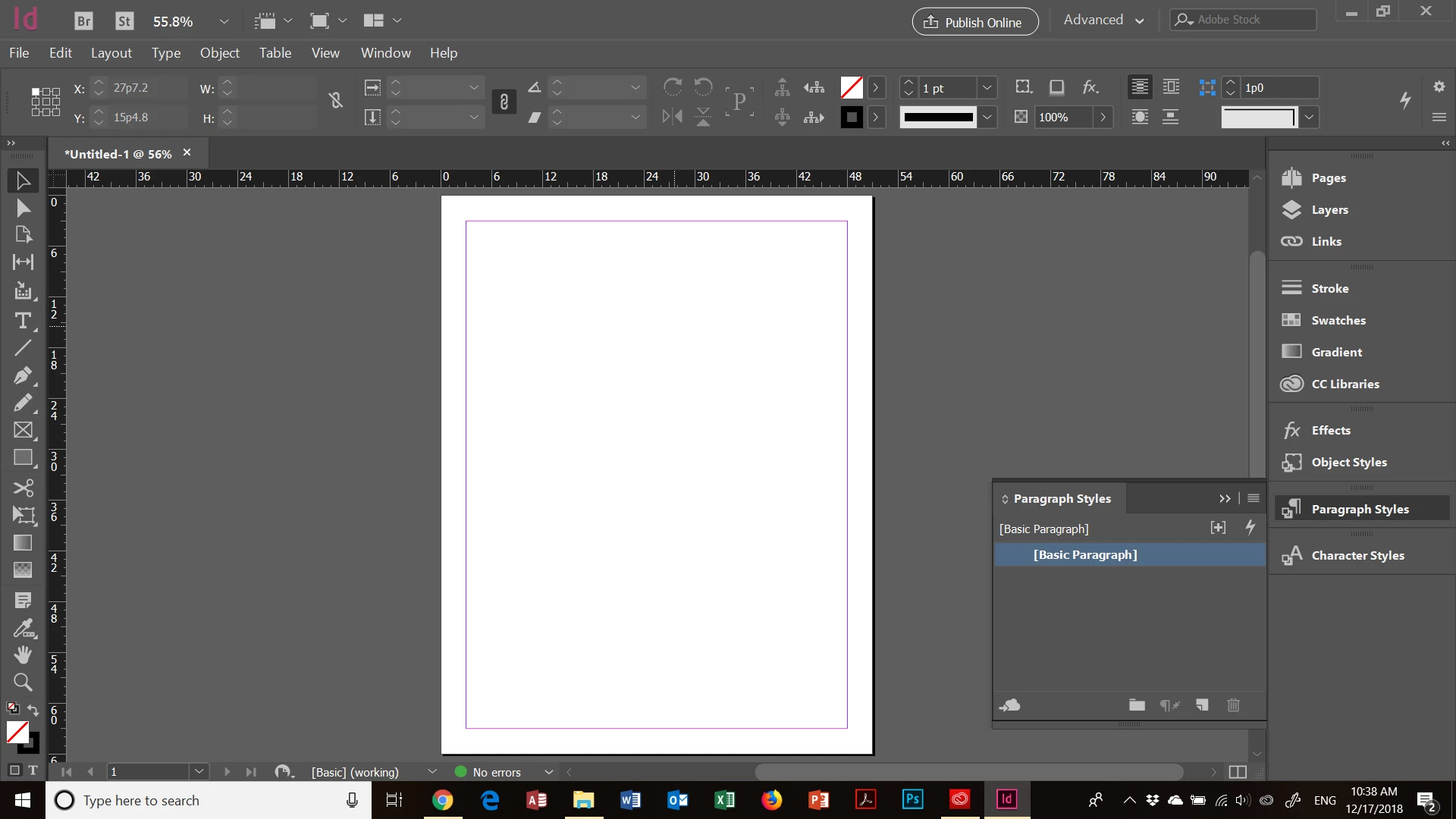
This topic has been closed for replies.
Correct answer Steve Werner

What you're seeing is "as designed."

If you want to see additional paragraph styles, you can add them when no document is open. (You can do the same things with swatches and other attributes.) Then every new document will show the paragraph styles, character styles, object styles, swatches, etc. that you've added as a default setup.

2 replies

Derek Cross
Community Expert
Community Expert
December 17, 2018

Welcome to the forum.

You’ll find a number of short training videos listed in the Creative Cloud app, also Lynda.com have a range of online video tutorials, such as InDesign CC 2019 Essential Training you can get 30-days free access. There are some excellent books — for example, the Classroom in a Book series are very good

And you can return here with specific questions of course.

Steve Werner
Community Expert
Steve WernerCommunity ExpertCorrect answer
Community Expert
December 17, 2018

What you're seeing is "as designed."

If you want to see additional paragraph styles, you can add them when no document is open. (You can do the same things with swatches and other attributes.) Then every new document will show the paragraph styles, character styles, object styles, swatches, etc. that you've added as a default setup.

nathanirAuthor
Known Participant
December 17, 2018


Thanks for the answer. With no documents open, I click on F11 for the paragraph styles menu, how can I add default title styles or heading 1, 2, 3, styles etc.? e.g. inbuilt title is not available, nor the heading style. Do we have to define each of them according to my needs?

Seems to be a lot of effort for what are finally basic styles. Of course, an individual can then modify the basic styles supplied by Adobe to suit his/her preferences and customize it.

Joely10623436
Community Expert
Community Expert
December 17, 2018

First of all: InDesign is NOT Office/Word...

Do we have to define each of them according to my needs?

Yes, you do have. This is called Layout/Design.

You can also import existing Paragraph and/or Character Styles from existing documents or from CC Libraries.

I suggest to take a beginner Workshop for Indesign in your area or check out Youtube etc.