e ch n
Inspiring
March 22, 2025
Answered

Desigualdad de información.

  • March 22, 2025
  • 2 replies
  • 962 views

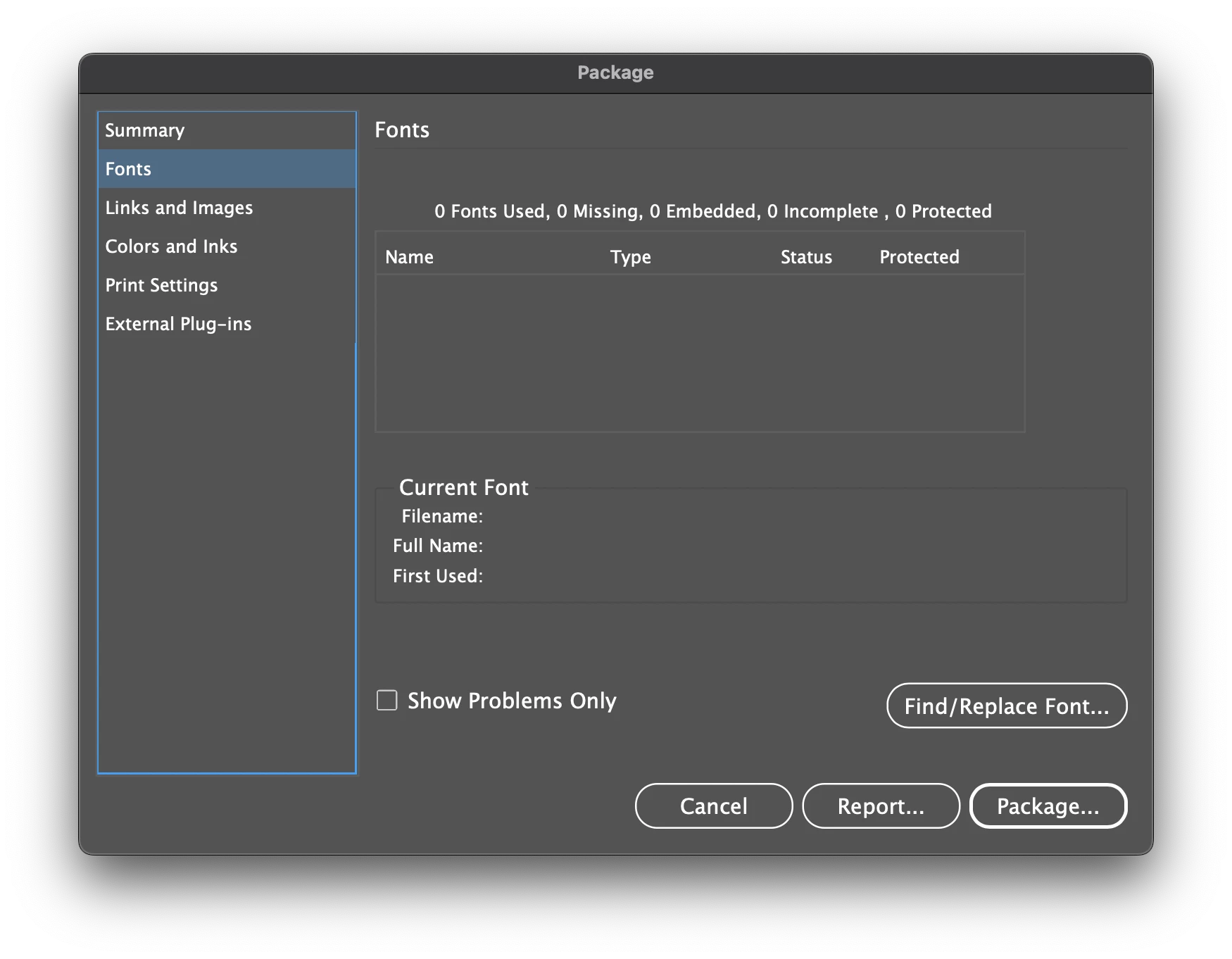
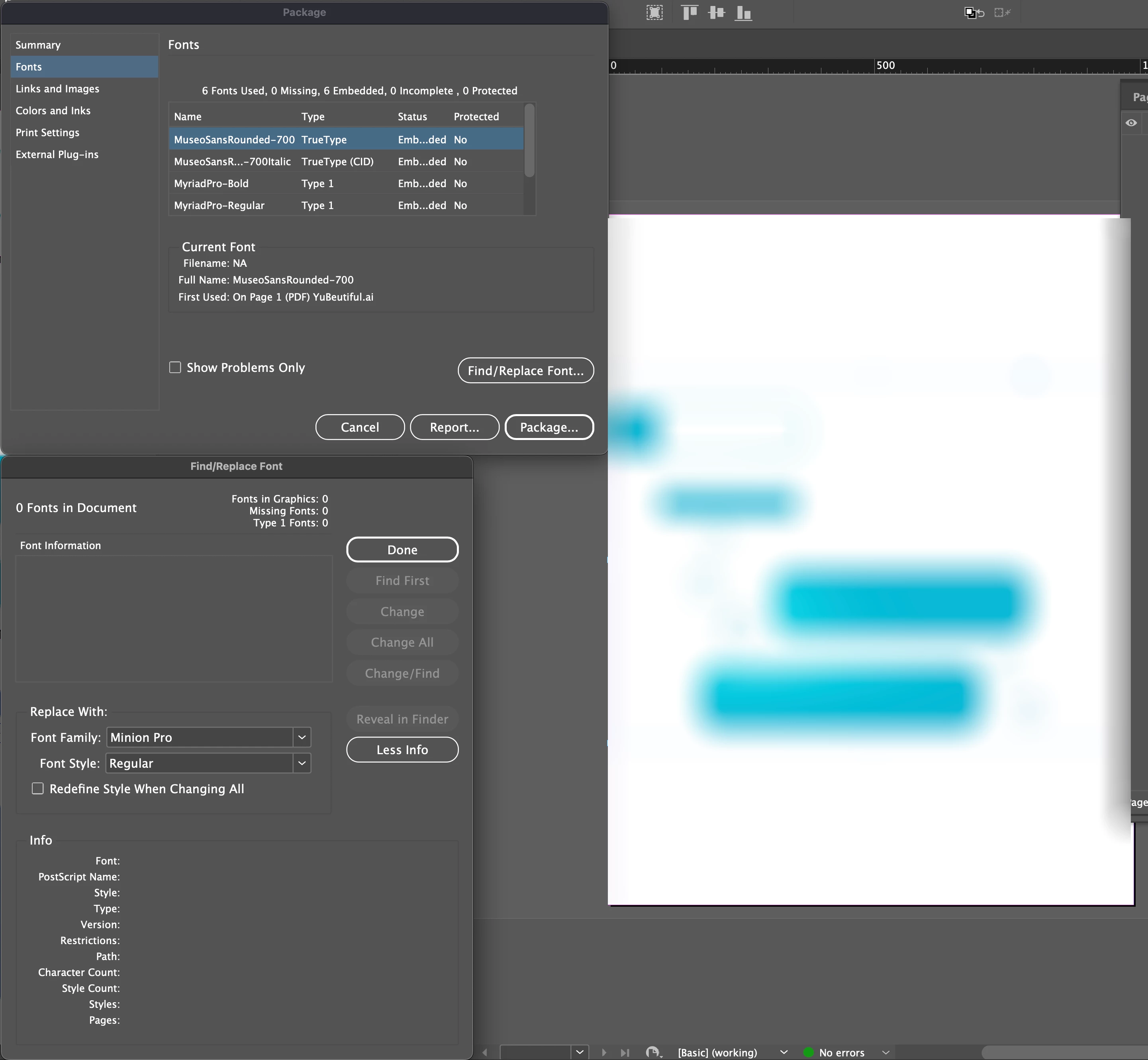
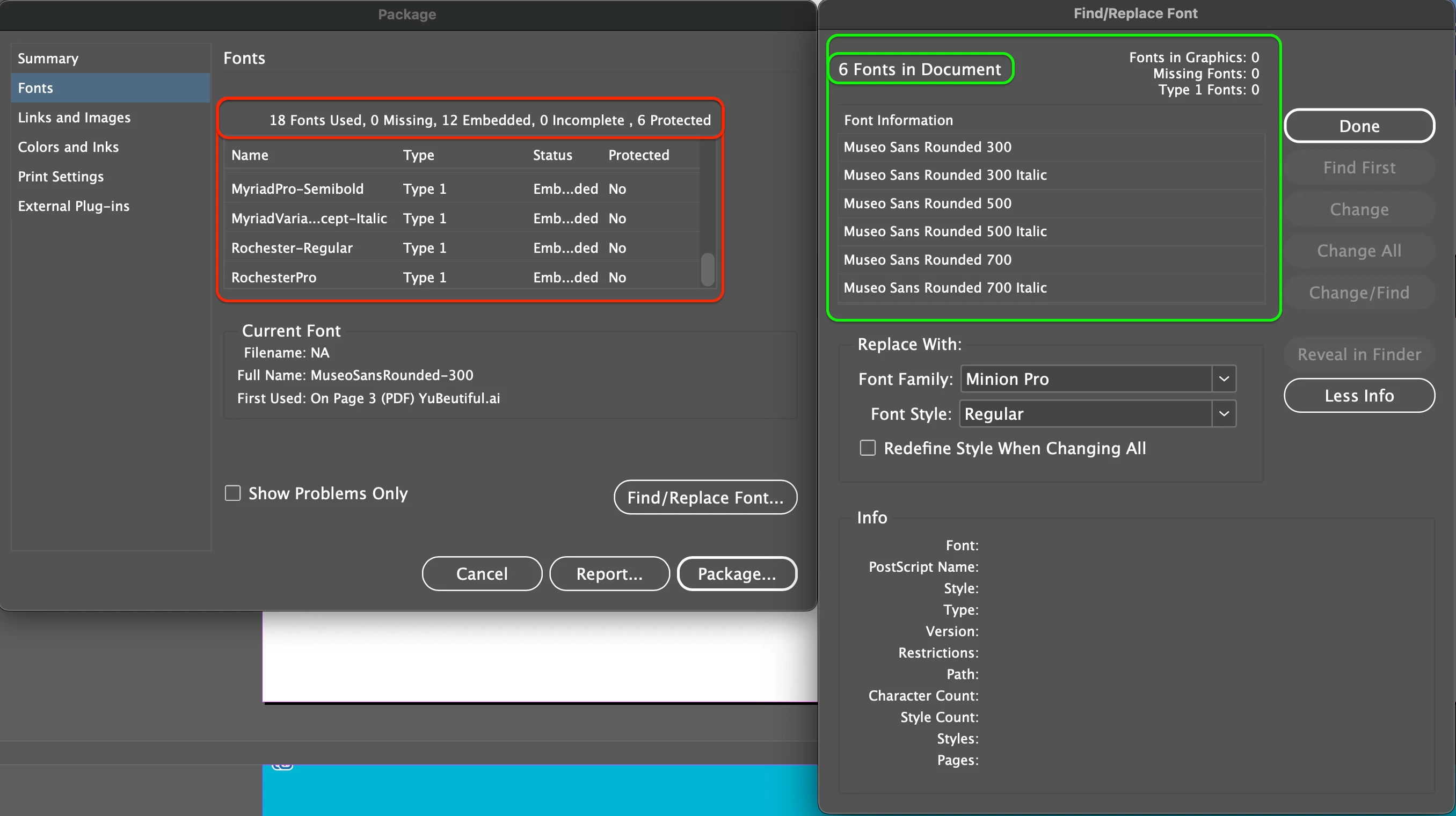
I'm debugging a document and removing everything that's not required, and when I check, using the "Find/Replace Font" window, the fonts used in the document appear to be 6, but when packaging, in the "Fonts" section, it says there are 18! When I select one of the ones I don't recognize and request its location in the document, it doesn't appear in the "Find/Replace Font" window, and if it doesn't appear, it can't show me where it "supposedly" is located in the document.


The only font I think I could possibly add to the registered ones would be the "Basic Paragraph" font, Minion Pro, but other than that... 18 fonts.... 


What could be happening, and how can I sort the Fonts window, the "Packaging" window, and the "Find/Replace Font" window so that their information matches?

Thanks. 
 

Correct answer Robert at ID-Tasker

Gracias @Robert at ID-Tasker 


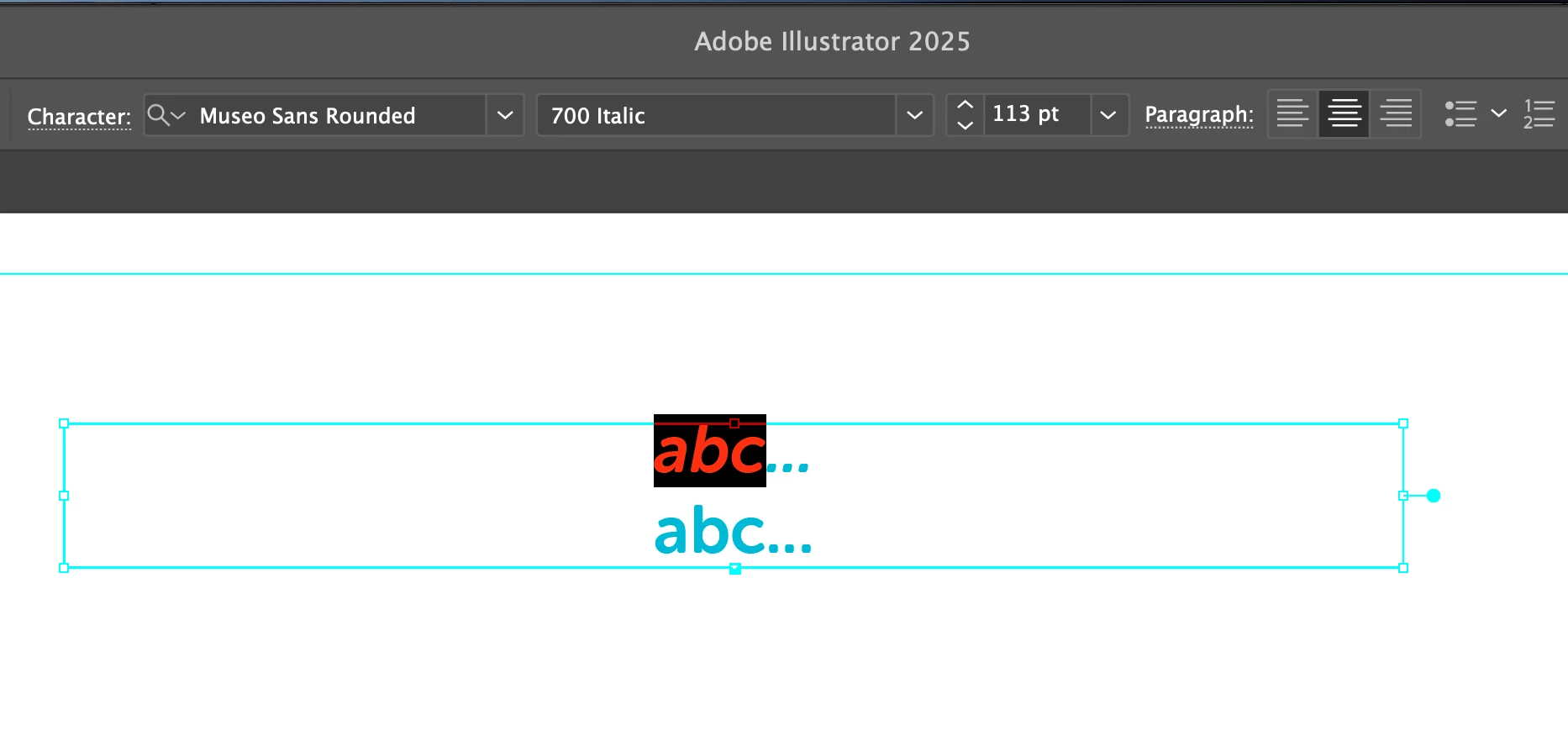
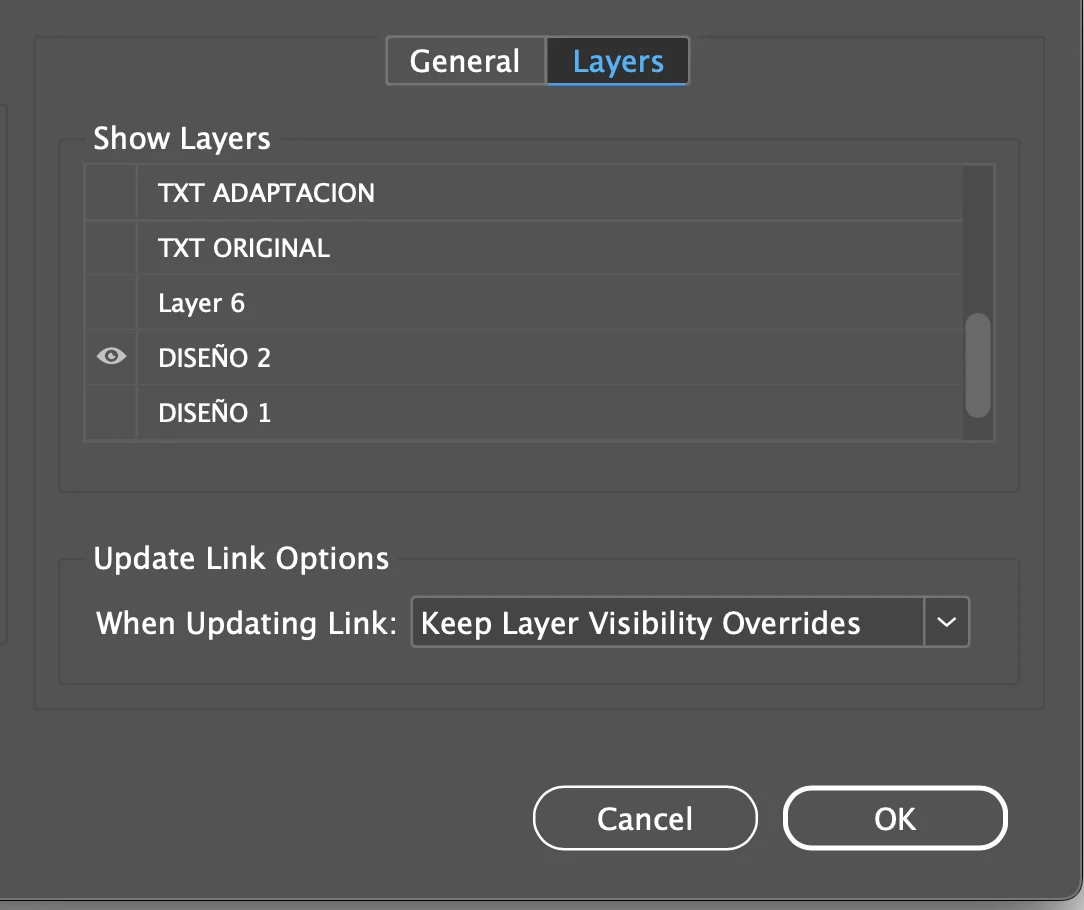
Tal cual lo indicaste, realicé el proceso según las intrucciones de tu mensaje inferior y sí, esas fuentes están incrustadas en el archivo vinculado de AI... pero... el tema es que el vínculo colocado en ID, no tiene esas fuentes en la imagen... así que supuse que estarían en una capa oculta en el archivo de AI, y así era.


De modo que volví a colocar el vínculo en ID, asegurandome de que la capa de texto estubiera apagada y repetí el ejercicio, pero ID sigue reportando que "ahí" están, aunque visualmente no se haya incluido esa capa, ID detecta que ese vínculo la contiene.


Entonces: para limpiar el reporte de fuentes fantasma, ¿hay alguna alternativa distinta a borrarlas del achivo de AI, o esa es la única?


Gracias.


@e ch n


If font is part of the ai / PDF file - it will become "part" of the INDD file.


2 replies

James Gifford—NitroPress
Legend
March 22, 2025

This may not be relevant, but I've had documents with 'phantom' fonts — most often, things like bolded versions of fonts without a BF face — that resist all efforts to search and replace and eliminate.


A cycle to IDML and reopen/save as INDD — the usual document purge/rebuild cycle — has helped in these cases.

e ch n
e ch nAuthor
Inspiring
March 24, 2025

Gracias @James Gifford—NitroPress 


Qué bueno que al parecer no es algo relevante.


Yo quería hacer esa limpieza para tener un documento en orden, a fin de que en el reporte no apareciera información falsa que de la impresión al cliente y al impresor de errores en el documento.


Ese "ciclo" de guardar/abrir/guarda/abrir..., ¿debería realizarlo de alguna forma en particualr, por un número de veces?

James Gifford—NitroPress
Legend
March 24, 2025

It's a one-time thing, or at least very infrequent. Doing Save-As fairly often, at least once a day, will purge a lot of unneeded undo and other working data, though, and is a good idea.


Save-As every day or a little more often to "clean out" the file and create a working backup rotation; IDML to INDD whenever a file does odd things or has glitches.

Dave Creamer of IDEAS
Community Expert
Community Expert
March 22, 2025

Any Adobe Illustrator graphics in the file?


David Creamer: Community Expert (ACI and ACE 1995-2023)
e ch n
e ch nAuthor
Inspiring
March 22, 2025

Sí, hay vínculos, casi todos son imágenes, pero ciertamente hay unos textos, entre los que está la familia "Rochester Pro Regualar", lo que entiendo justificaría una de esas disparidades. 

Imagino que si quisiera evitar esa inclusión dentro del conteo en el Empaquetado, debería hacer curvas el texto de ese vínculo, y con ello se evitaría en el conteo, aunque si se queda, y está justificada su procedencia, pues creo no hay problema. 


Pero no ubico todas las demás... 


Robert at ID-Tasker
Robert at ID-TaskerCorrect answer
Legend
March 27, 2025

Gracias @Robert at ID-Tasker 


Tal cual lo indicaste, realicé el proceso según las intrucciones de tu mensaje inferior y sí, esas fuentes están incrustadas en el archivo vinculado de AI... pero... el tema es que el vínculo colocado en ID, no tiene esas fuentes en la imagen... así que supuse que estarían en una capa oculta en el archivo de AI, y así era.


De modo que volví a colocar el vínculo en ID, asegurandome de que la capa de texto estubiera apagada y repetí el ejercicio, pero ID sigue reportando que "ahí" están, aunque visualmente no se haya incluido esa capa, ID detecta que ese vínculo la contiene.


Entonces: para limpiar el reporte de fuentes fantasma, ¿hay alguna alternativa distinta a borrarlas del achivo de AI, o esa es la única?


Gracias.


@e ch n


If font is part of the ai / PDF file - it will become "part" of the INDD file.