santhoshr29800103
Known Participant
November 28, 2022
Question

DeviceN and Nchannel colors introduced in InDesign output PDF

  • November 28, 2022
  • 5 replies
  • 2051 views

Hi,

I am facing some colour introduce error in PDF which is created from InDesign software.

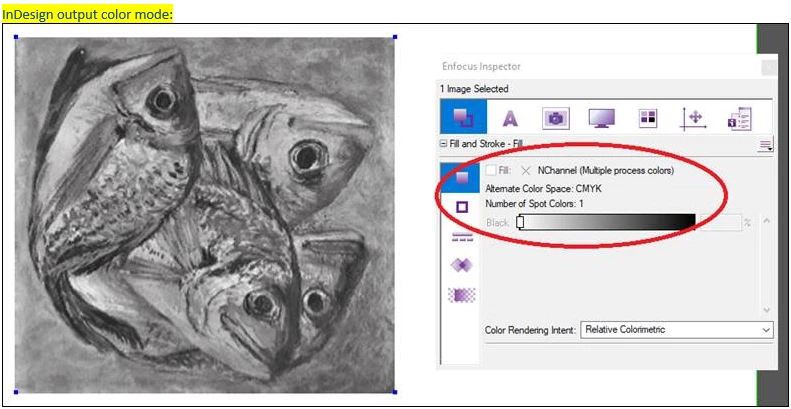
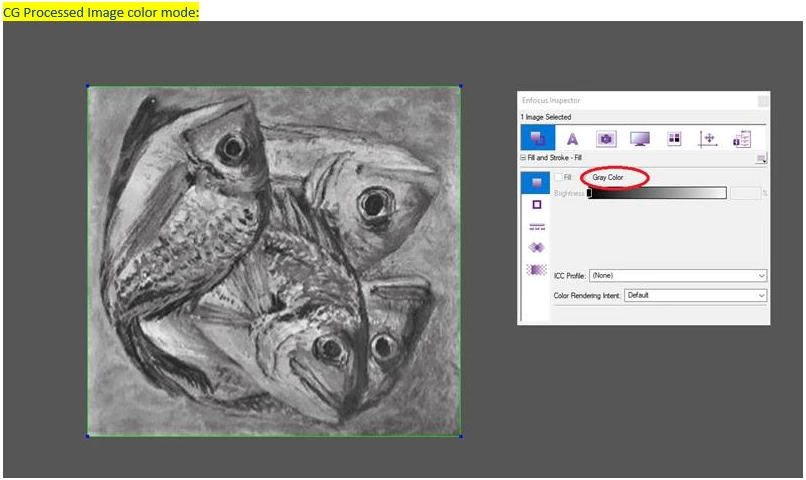
In the .EPS figure the color mode is in Grey but if we load it in InDesign file and then create PDF the "DeviceN and Nchannel" colors are introduced. Please refer below screenshot and advise how to get the exact Grey which is present in the .EPS in the InDesign outputt PDF. 
Thanks,

Santhosh

This topic has been closed for replies.

5 replies

rob day
Community Expert
Community Expert
November 28, 2022

How you set your Export Output tab will affect what happens to the grayscale. Here I’ve placed a Photoshop EPS grayscale and exported using the PDF/X-4 preset (No Color Conversion) vs. PDF/X-1a, which forces a conversion to Document CMYK where the grayscale outputs to the CMYK Black plate:


PDF/X-1a


PDF/X-4


AcrobatPro shows both exporting to the Black plate (not as a Spot color):


HARSHIKA_VERMA
Community Manager
Community Manager
November 29, 2022

Hi @santhoshr29800103,


Hope you're doing well!


We would like to follow up on your issue. Are you able to resolve the issue by following our expert advice? Please feel free to update the discussion if you need further assistance from us.


We would be happy to help.


Thanks,

Harshika

santhoshr29800103
Known Participant
November 30, 2022

Hi,

Still the issue not clear in our end. We are using client supplied joboption in that the working space is Coated Fogra39. While creating PDF in this setting, we faced this issue. Unable to solve till now. I don't know why unnecessary "DeviceN and Nchannel" introduced.


Regards,

Santhosh

rob day
Community Expert
Community Expert
November 28, 2022

Hi Santhosh, can you share the .eps, you can attach it to your reply.

Community Expert
November 28, 2022

Hi @santhoshr29800103 ,

what's the exact issue with "DeviceN and Nchannel" in your workflow?


Regards,
Uwe Laubender
( Adobe Community Expert )

santhoshr29800103
Known Participant
November 29, 2022

Hi,

We are using client supplied joboption in InDesign. Once the PDF creation done in this settings we preflighted the PDF in Enfocus Pitstop Server and got below error.. Refer below screenshot.


Thanks,

Santhosh


Community Expert
November 29, 2022

Hi @santhoshr29800103 ,

my question was more about the why behind the error message.

Why do you think there is a problem with DeviceN and Nchannel ?


Regards,
Uwe Laubender
( Adobe Community Expert )

Geоrge
Legend
November 28, 2022

.eps is an evil, rusty file format.


Did you try to convert all .eps to .ai? 


Remember, never say you can't do something in InDesign, it's always just a question of finding the right workaround to get the job done. © David Blatner
Community Expert
November 28, 2022

Hi Santhosh,

1. what version of InDesign are you using?

2. What settings were used to generate the PDF?

3. The PDF will be used for printing?


Best

Stephan