
Inspiring
November 1, 2022
Answered

Different margin guides on pages

  • November 1, 2022
  • 1 reply
  • 817 views

I have a two page document that will be printing as a single, two sided newsletter. The margins are set to .25 inch for the document as you see in the top page below. After laying it all out, I just realized the second page, or interior of the folded newsletter, has guides of a .5 inch margin. Why is that?
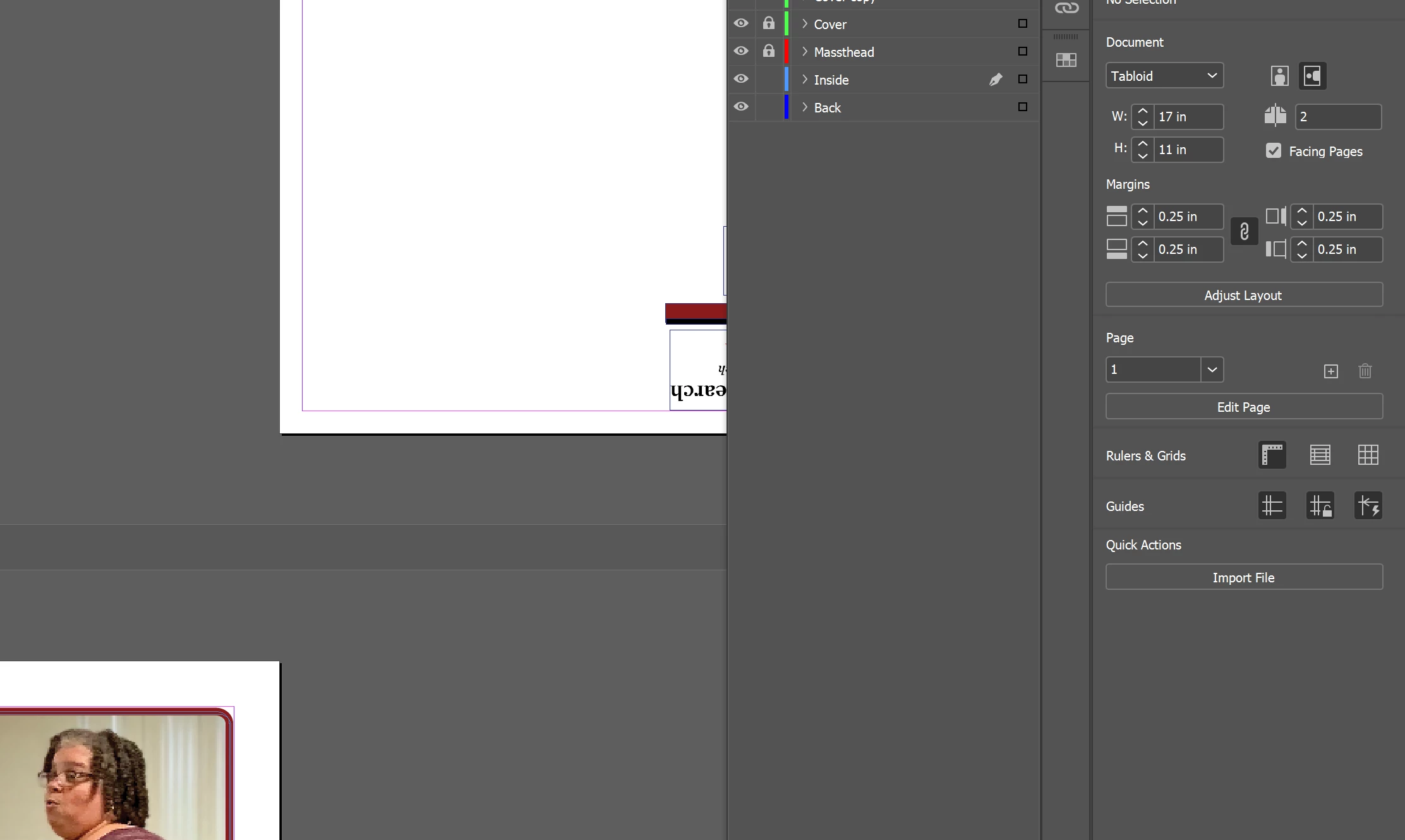


Correct answer Eugene Tyson

You always have Parent Page - and you should make global changes to the Parent Page.

You can make individual changes to Pages - and this breaks that 'element' from the Parent. For instance changing just the bottom margin, that would break link to the Parent, but the other margins should still be linked (untested).


If you inadvertently make a change to a Page and need to apply the Parent Page you can drag the Parent Page to the Page in the Pages Panel.


Hope that helps

1 reply

Community Expert
November 1, 2022

Page margins can differ from page to page.

When you setup the document the margins are set. 

If you are on Page 1 and go to Layout>Margins and COlumns - then only the margins and columns for Page 1 are affected.


If you want to affect all the pages you need to make the change on the Parent Pages. 


How did it happen - unfortunately, you altered only one page for the Margin Settings.


It's an easy fix - change the Parent Page margins to what you want.
And drag the parent page to the pages in the pages panel to reapply the margins.


Inspiring
November 1, 2022

Thanks. I thought I setup the document to begin with as having .25 inch margins and assumed that would apply to any pages created thereafter. Do I have to have a parent page for that to happen?

Eugene TysonCommunity ExpertCorrect answer
Community Expert
November 3, 2022

You always have Parent Page - and you should make global changes to the Parent Page.

You can make individual changes to Pages - and this breaks that 'element' from the Parent. For instance changing just the bottom margin, that would break link to the Parent, but the other margins should still be linked (untested).


If you inadvertently make a change to a Page and need to apply the Parent Page you can drag the Parent Page to the Page in the Pages Panel.


Hope that helps