
jellynator
Participant
September 17, 2020
Answered

Digital planner, auto generate pages and hyperlinks?

  • September 17, 2020
  • 3 replies
  • 5365 views

So I tried to create a yearly digital planner in InDesign but I ran into some issues regarding pages and hyperlinks.

Here's a digital planner for reference (https://bosspersonalplanner.com/collections/digital-planners/products/digital-personal-planner).

What I basically want is a single calendar page for example August
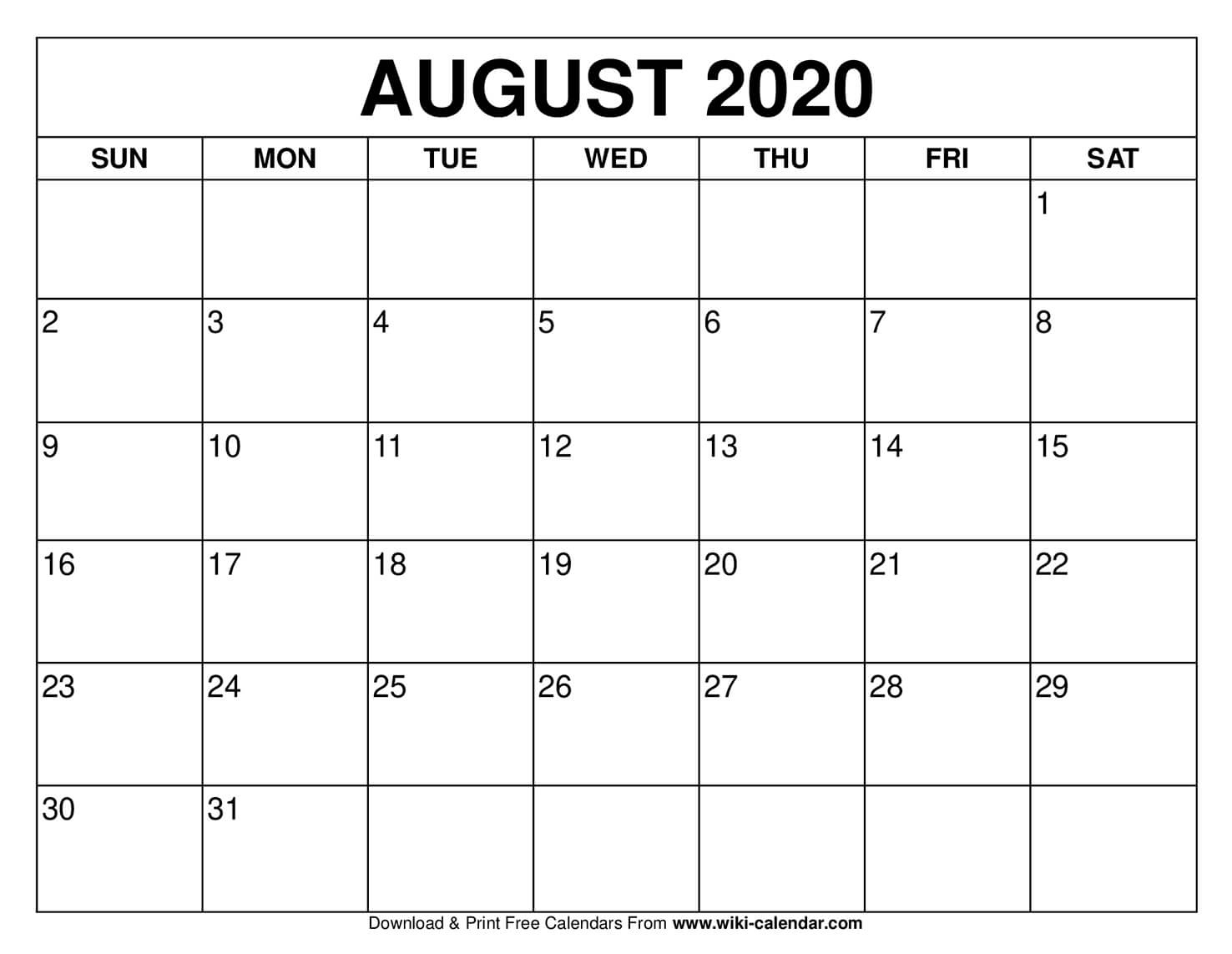


and have each day have its own page for time tracking or whatever. Everything should be linked so clicking on a date should take me to the page with that date
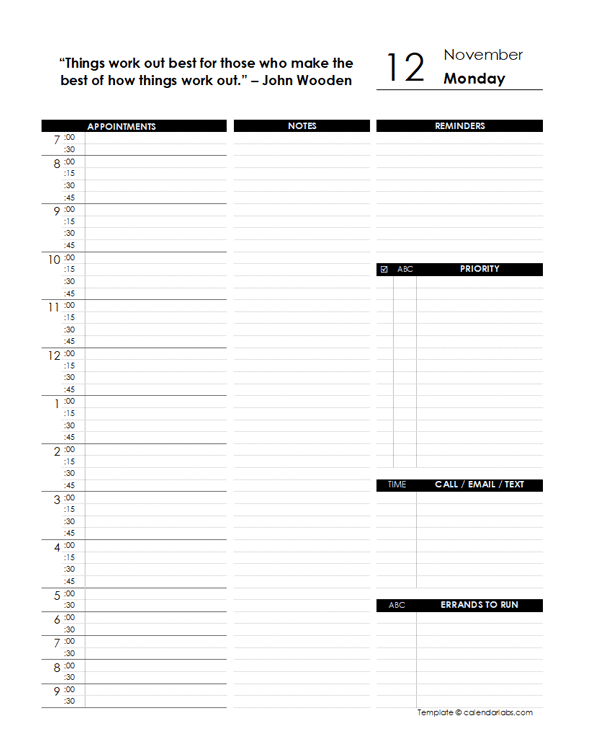
Is there a way to auto-generate these pages so I don't have to copy and paste each page and manually adjust the date and have it all linked together? Can't really find any tutorials on these topics


This topic has been closed for replies.
Correct answer Diane Burns

I think you'd have to look to some kind of scripting, though not sure even possible. Several approaches for doing manually via brute force. Since your pages are fixed, each date could link to a specific page (e.g. Aug 1 link to page 1, assuming the individual pages follow the month calendar). You could section each month so the 1st always links to page 1 of that section. 

3 replies

mirza5313
Known Participant
March 12, 2022

Hi @jellynator I had the same question so could you please let me know how you figured out this problem? means how to place auto hyperlinks from monthly pages to daily automatically?

Participant
March 14, 2022

The only solution that I found is custom scripting (paid). I did not do this yet. I think people do it manually.

Participant
February 21, 2022

I haven't found a way to click on the date but I found a way to create 365 daily pages w/ the date at the top from a Youtube video. Towards the end of the video, she shows how. You have to follow her steps very closely using the right boxes/arrows and parent/child pages; otherewise it is frustrating and doesn't work. If you want to put the date and use a background picture on daily pages, I suggest putting the date and picture on two different layers. Then you can bring the date layer on top and send the background picture to the bottom.

https://www.youtube.com/watch?v=uU3rRM60M1w&t=2s 

As for hyperlinking each day on the annual calendar to the daily page, I haven't figured that out. 

I did hyperlinking manually for a daily calendar and it took about 8-10 hours, I don't recommend.


Diane Burns
Diane BurnsCorrect answer
Inspiring
September 17, 2020

I think you'd have to look to some kind of scripting, though not sure even possible. Several approaches for doing manually via brute force. Since your pages are fixed, each date could link to a specific page (e.g. Aug 1 link to page 1, assuming the individual pages follow the month calendar). You could section each month so the 1st always links to page 1 of that section.