

Exit
  • Global community
    • Language:
      • Deutsch
      • English
      • Español
      • Français
      • Português
  • 日本語コミュニティ
  • 한국 커뮤니티
0

Disable Dialog Box

Contributor ,
Feb 20, 2023 Feb 20, 2023

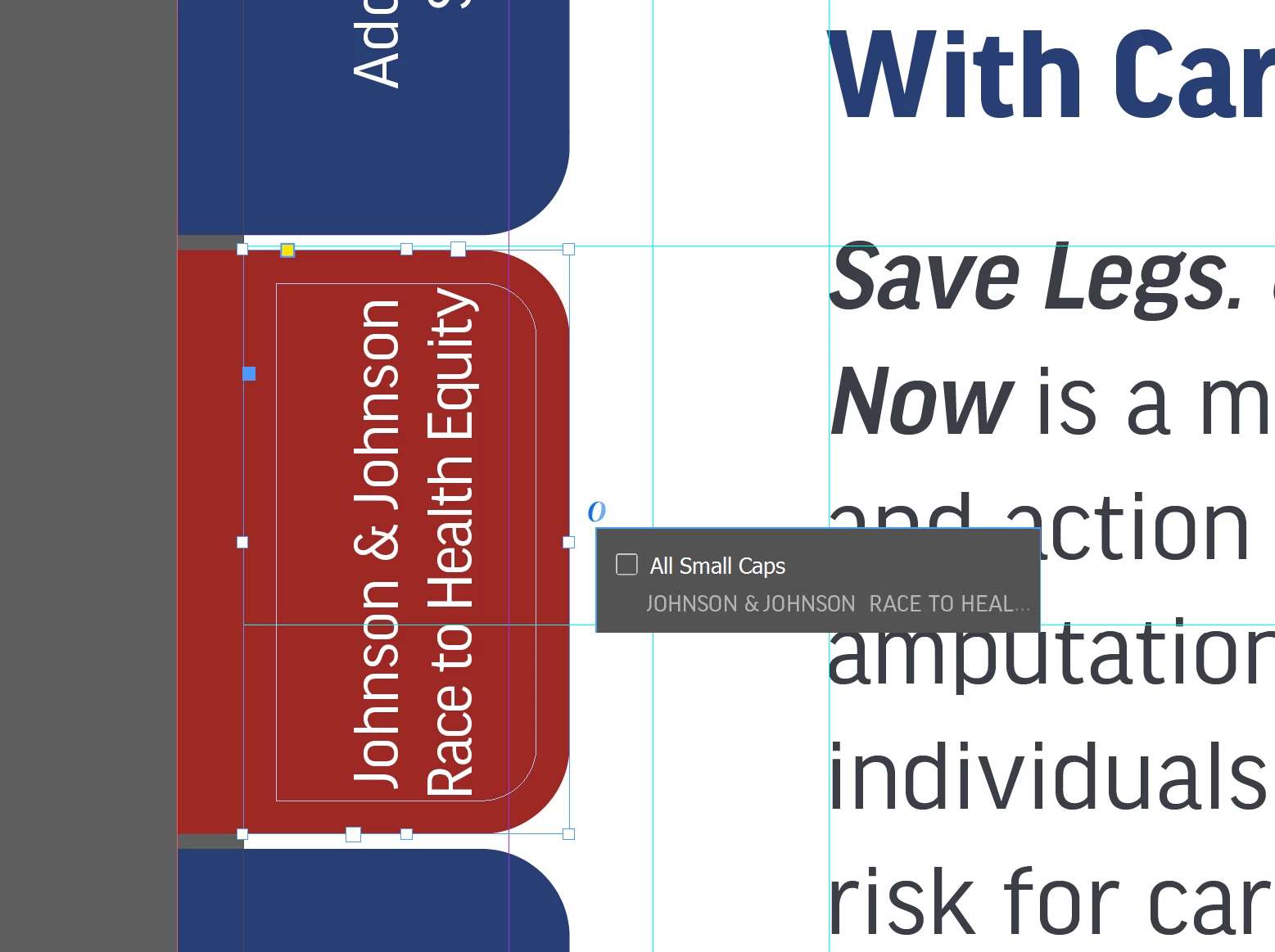
Hello. I would like to disable a pop up box that keeps coming up when I'm trying to drag a text box and then I can't drag. In the image below, the text box that says "All Small Caps" - how can I disable this from appearing? Thank you.
Kathy5FFA_0-1676911570359.png


TOPICS
How to
715
Translate
Report
Community guidelines
Be kind and respectful, give credit to the original source of content, and search for duplicates before posting. Learn more
community guidelines

correct answers 1 Correct answer

Community Expert , Feb 20, 2023 Feb 20, 2023

Hi @Kathy5FFA:


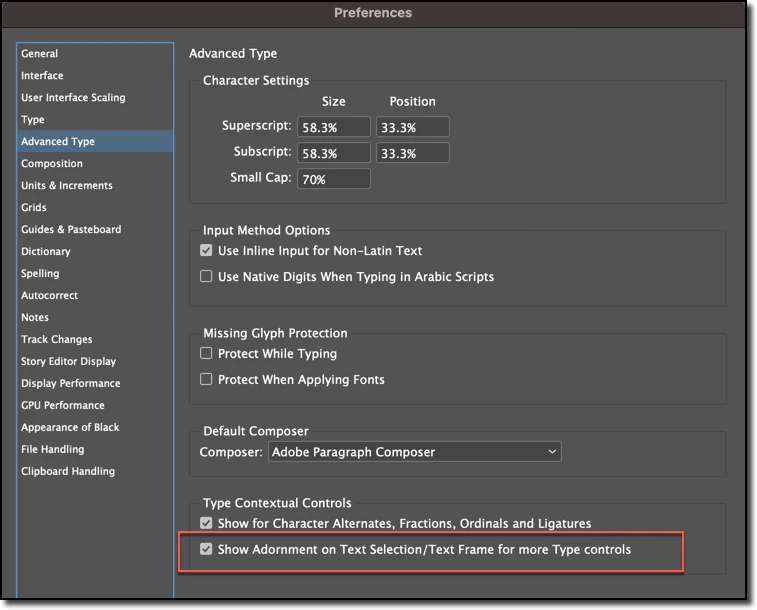
You can disable the adornment in preferences. But really, if you just drag from someplace else and not on the O, you could leave it there and it shouldn't be a problem.


~Barb


2023-02-20_09-52-48.png

Translate
Community Expert ,
Feb 20, 2023 Feb 20, 2023

Hi @Kathy5FFA:


You can disable the adornment in preferences. But really, if you just drag from someplace else and not on the O, you could leave it there and it shouldn't be a problem.


~Barb


2023-02-20_09-52-48.png

Translate
Report
Community guidelines
Be kind and respectful, give credit to the original source of content, and search for duplicates before posting. Learn more
community guidelines
Contributor ,
Feb 20, 2023 Feb 20, 2023

Thank you. I don't use the feature and I like to work zoomed out. No matter how I try to click on the right side, it won't let me drag with this on unless I zoom in. I appreciate it.

Translate
Report
Community guidelines
Be kind and respectful, give credit to the original source of content, and search for duplicates before posting. Learn more
community guidelines
Community Expert ,
Feb 20, 2023 Feb 20, 2023
LATEST

We are always happy to help. @Kathy5FFA.


~Barb

Translate
Report
Community guidelines
Be kind and respectful, give credit to the original source of content, and search for duplicates before posting. Learn more
community guidelines