

Disappearing lines
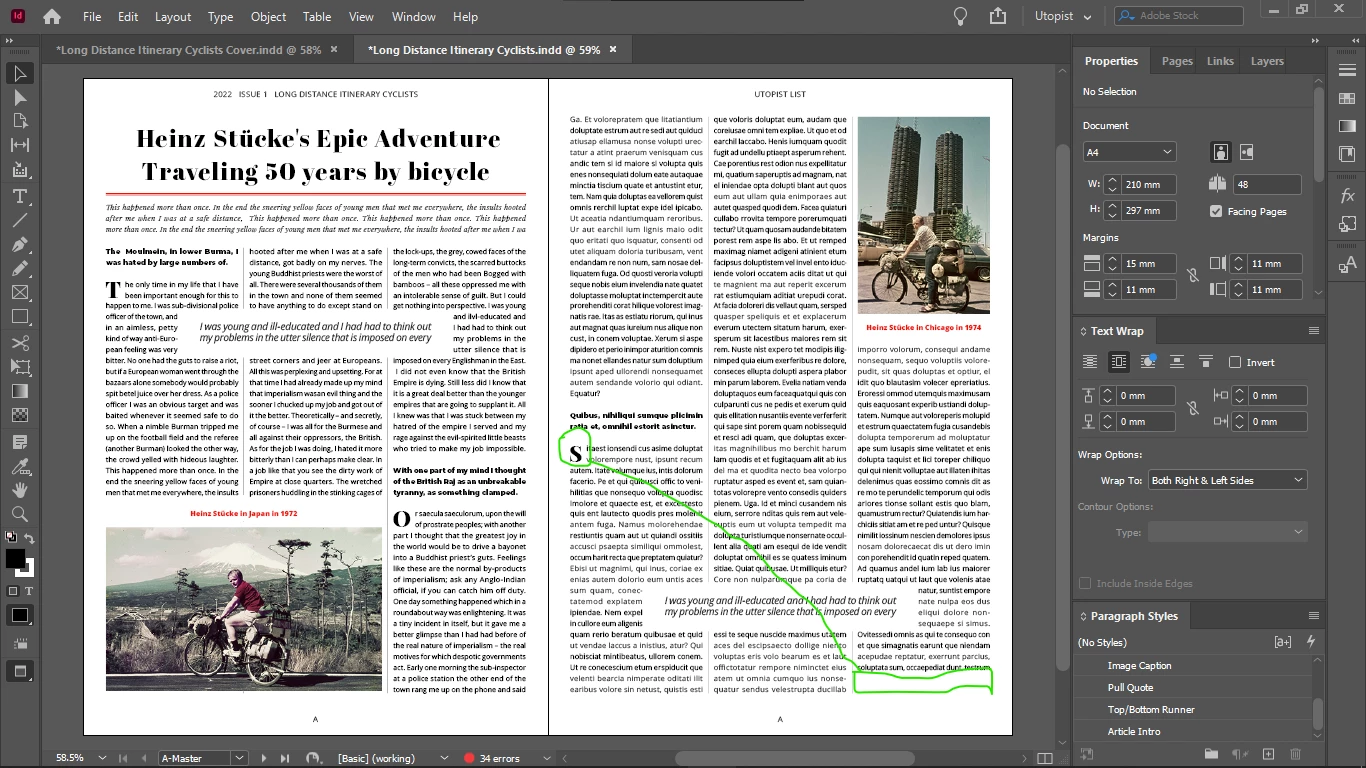
When I made the letter marked with green a drop cap (applied both character style and paragraph style, the drop cap height being defined in the paragraph style, and the drop cap font, and tracking in the character style) the bottom 2 rows in the last column of the second page disappeared.
If rows disappear as a result of changes that I make in the spread, they always disappear at the bottom.
Sometimes changing he position of my pull quotes vertically "resets" the copy text and the disappeared lines come back, but often they don't.
I have a somewhat unusual setup that have been quite disapproved of in the community, it is described in this thread:
But, after re-reading my tweaks in the read, I realized that in terms of alignment issues I did not solve anything, the only thing I achieved is to draw more precisely on the document grid.
However my setup now forces me for some reason into an odd lines logic.
Some elements need to be moved vertically up and down (image captions and pull quotes) in order to get the offsets right and even.
For example, the caption of the bottom left image had to be moved to the top of the image because at the bottom it's impossible to get the same offsets like at the other image caption because the text is aligned to baseline grid.
There is overset text (marked with green) so the 2 lines shouldn't have disappeared. (This happens often with layout change.)
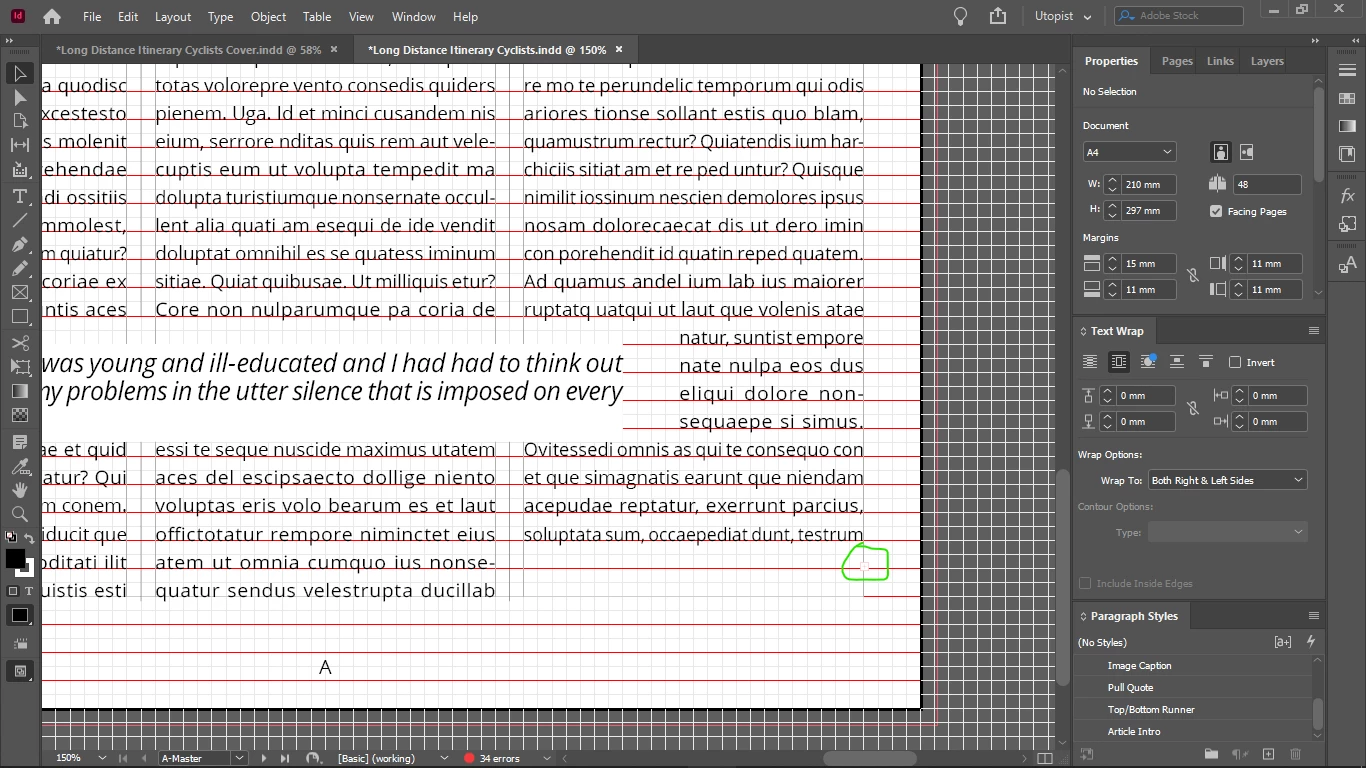
Is there anything weird with my setup? (not sure is everything necessary to determine this is visible on the screenshot below):

 AdChoices