Hi all,
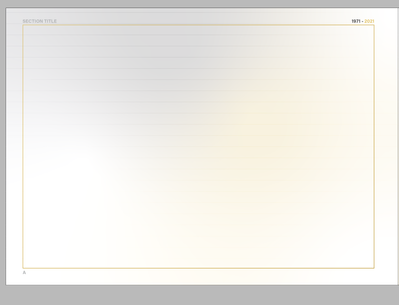
So I have been working on a document on my laptop for months (Dell Inspiron 15 circa 2015) using windows 10. This week I got my new tower machine that is infinitely more powerful (Windows 10, AMD Ryzen 9 - 16 Core - 32 Thread, Nvidia RTX 2080 Super GPU). However for reasons I cannot fathom the document has started displaying these grey lines on every page?!
The screenshot below is of my master page - when viewing any other page on the document, the lines appear and disappear randomly depending on zoom level. They also change their length and the vertical spread between each line.
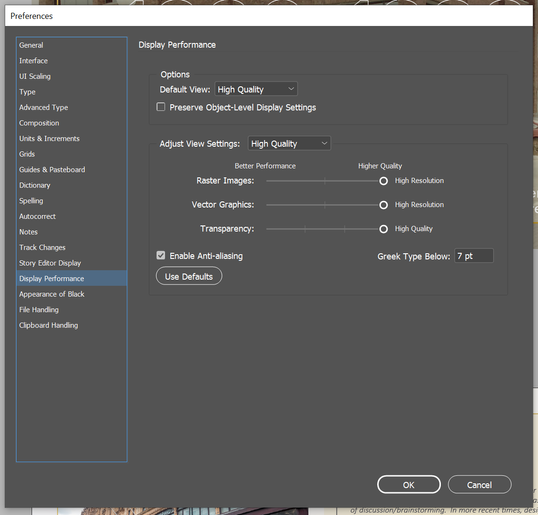
I have tried enabling / disabling anti-aliasing and showing / hiding all grids and guides I can think of. However the fact their location, size and spread changes at random makes me think its a display setting issue rather than a "view" feature being incorrectly enabled.
Note - These lines to not display on exported versions of the document as a PDF for instance so that's fine. It's more the fact it's very annoying and hard to get a grasp on the final visuals of the document whilst within InDesign!
Thanks in advance for any light you can shed on this!
Ben






 4
Replies
4
Replies




 AdChoices