Omachi
Legend
August 14, 2023
Answered

Display of alert(), confirm(), prompt() in UXP is wrong

  • August 14, 2023
  • 1 reply
  • 909 views

The environment is as follows.

  • InDesign 18.5.0 Japanese edition
  • UXP 7.1.1
  • Windows 10 22H2 (19045.3208)

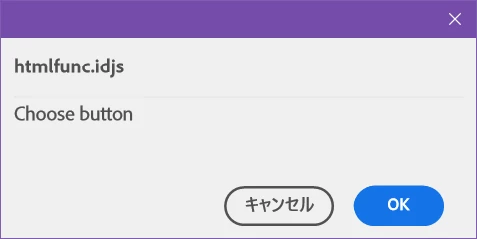
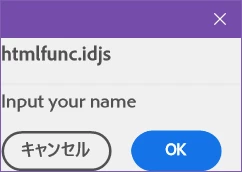
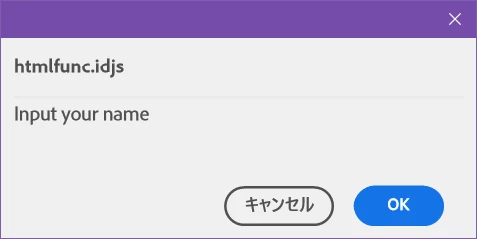
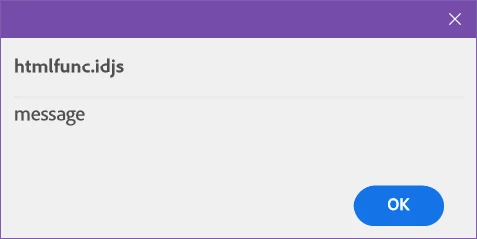
After running the following script, you should see something like the attached image.

// htmlfunc.idjs
alert("message");
let s = confirm("Choose button");
s = prompt("Input your name","");

Is this a phenomenon specific to the Windows edition, or is it a phenomenon specific to the Japanese edition? "Is it just me?"
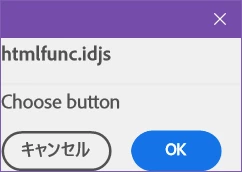
 or 

prompt() has no text field.

 or 

Correct answer sujai s

@Omachi Alerts in ID 18.5 has some known issues. Do use console.log or other debugging/logging mechanisms until UD 19.0. We plan to fix these known issues in ID 19.0 which will have UXP 7.2 integrated.

1 reply

Legend
August 14, 2023

It is noted in several places that InDesign does not yet support this.

sujai sCorrect answer
Adobe Employee
August 14, 2023

@Omachi Alerts in ID 18.5 has some known issues. Do use console.log or other debugging/logging mechanisms until UD 19.0. We plan to fix these known issues in ID 19.0 which will have UXP 7.2 integrated.

Omachi
OmachiAuthor
Legend
August 14, 2023

I got it.