Participant
August 24, 2020
Answered

Dotted Line Pixelated in PDF

  • August 24, 2020
  • 2 replies
  • 3858 views

Whenever I export a straight dotted line, the dots appear pixelated in PDF when viewed in Acrobat. This issue has been present when exporting from both InDesign and Illustrator. When I open the PDF's in Preview, the dotted lines render perfectly.


Is anyone else experiencing this?


This topic has been closed for replies.
Correct answer rob day

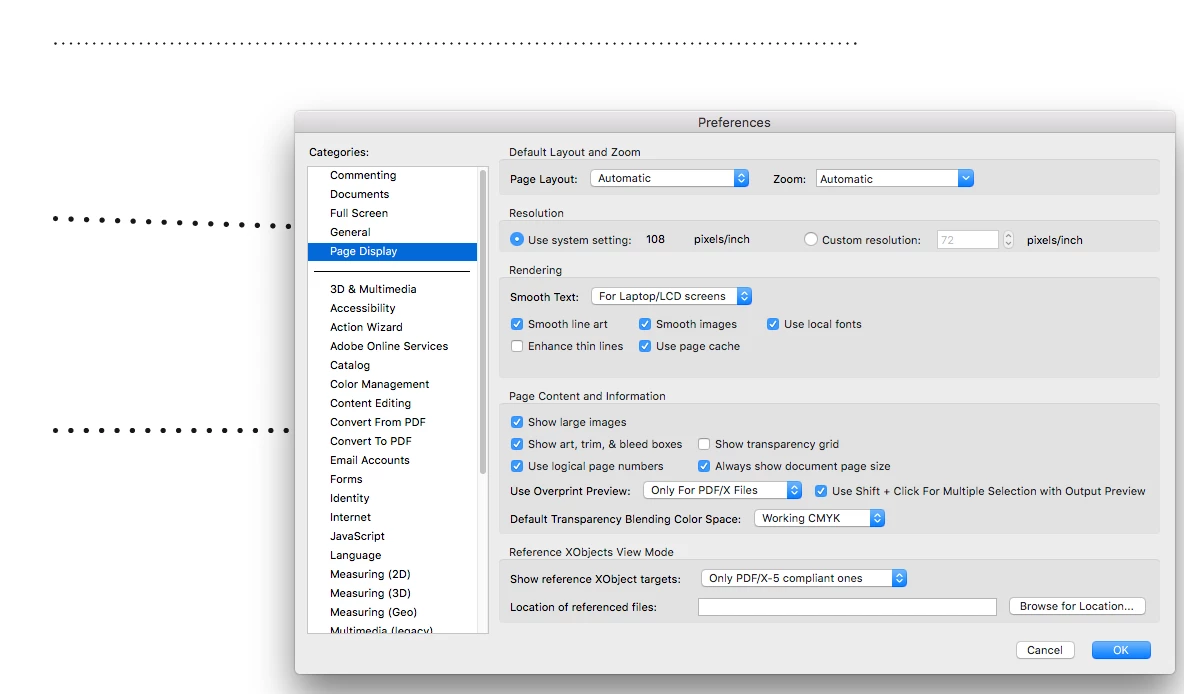
Line display anti-aliasing is handled by the Page Display Preference, try unchecking Enhance thin lines


2 replies

rob day
Community Expert
rob dayCommunity ExpertCorrect answer
Community Expert
August 24, 2020

Line display anti-aliasing is handled by the Page Display Preference, try unchecking Enhance thin lines


Participating Frequently
February 1, 2023

This won't affect how it looks to other viewers, correct? Is there any way to fix this within the document itself? Pretty much eliminates the option to use dotted lines in any document that will be viewed as a PDF...

rob day
Community Expert
Community Expert
February 1, 2023

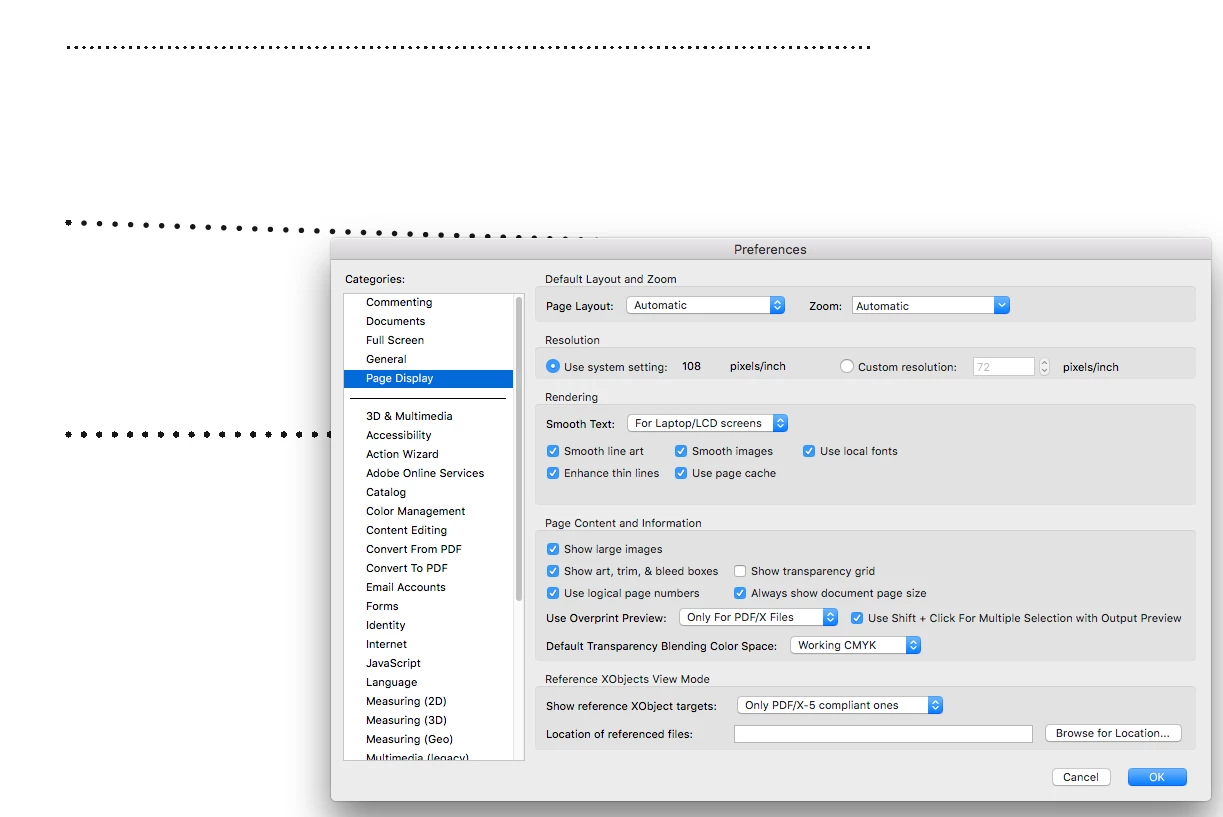
That‘s right—it’s a display anti-aliasing issue and it would depend on how the reader application handles anti-aliasing of thin lines on low res displays and at different magnifications—it would be less of a problem on higher resolution displays. Here’s Acrobat with Enhanced Thin lines checked vs the display in Firefox on a Retina Display and a display running at 98ppi. Check your PDF in different readers and browsers.


Retina display capture


Cinema display—98ppi:


Participant
August 24, 2020

I am also experiencing this issue.