
Participating Frequently
February 27, 2020
Question

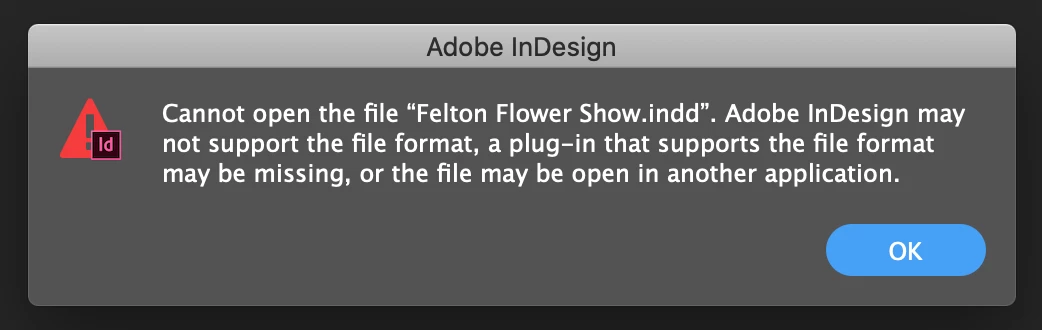
Downloaded a file I had stored on Google Drive - Mac recognises as an INDD but can't open it

  • February 27, 2020
  • 4 replies
  • 2586 views

The below message pops up... is there any way I can get around it as I'd really like it if I didn't have to create the document again from scratch!!! 


I tried deleting the .icloud from the end (was .indd.icloud) but the only change it made was actually attempting to open it up in InDesign and not in Terminal.


Can anyone help me retrieve my file? I'm sure its because I saved files that maybe I didn't actually have on my laptop at the time but the files were still there but in the cloud but ???? no idea. thought someone might know
This topic has been closed for replies.

4 replies

Legend
February 28, 2020

The final link downloaded a file called FFS Schedule final copy.pdf.icloud, also under 1K.

It still isn't an INDD, and it isn't a PDF either. It looks like some kind of Apple plist file.

The .icloud is a clue that the file was uploaded to iCloud drive, and according to

https://www.sync.com/help/why-do-my-files-have-an-icloud-extension/

"iCloud Drive does not play nicely with other cloud storage applications". I think you may have tried to upload this file - a PDF for sure, not an INDD file - to two cloud services and ended up with it in neither one...

BobLevine
Community Expert
Community Expert
February 27, 2020

I wonder if that file isn't somehow compressed. That iCloud extension has me a bit confused.

Can you post a link to the file from the cloud? I'll try to download it here and see if I can open it.

Participating Frequently
February 28, 2020

https://we.tl/t-pJheunOLcn


Have at it. I think what I've done is saved the file on google drive without downloading it from iCloud first so I've essentially just saved the husk of the document and gone ahead and deleted the actual one from iCloud

jmlevy
Community Expert
Community Expert
February 28, 2020

I downloaded your file and the first thing I see is its size: 175 bytes! Less than 1Kb… something is wrong with this file and i get the same error message.

Steve Werner
Community Expert
Community Expert
February 27, 2020

I agree with Bob. Google Drive doesn't handle the situation well and often doesn't work well if you're trying to open files from it.

Participant
March 18, 2024

Are there shared drives that are better than Google for InDesign? We use google for all our shared files, but we have been having ongoing problems for years with Indesign. We need a shared drive that takes all our files, autocad included, so adobe icloud is not a solution for us. Help

BobLevine
Community Expert
Community Expert
February 27, 2020

Did you download it or are you trying to open it from your local google drive folder? There have been a lot of reports of issues with google drive but make sure that you don't have any smart sync features enabled where the file don't actually download to the local drive until you try to open it.


This saves disk space but causes all kinds of problems with InDesign.

Participating Frequently
February 27, 2020

Thanks for your reply, I downloaded it onto my laptop from the website. As far as I'm aware its not connected to my actual laptop I just use the website manually. I deleted the file it fully from my laptop last year as I knew I wouldn't need it for a while and needed the space on my mac. Now I need it and it wont open and I have no other copy of it so partly my fault but didn't expect this to happen. So is there no way to fix the file do you think?