Inspiring
February 17, 2019
Answered

Drop shadows on vectors and elements created in Indesign have faint box behind when printed

  • February 17, 2019
  • 5 replies
  • 2677 views

Hi

I have been researching this quite a bit and can't find an answer.

When I create a bar in either CMYK or RGB and put text over and apply a drop shadow,  it looks fine on screen but when I print it off as a PDF there is a faint coloured bar behind the drop shadow. If I create a JPEG in Indesign and print it, it looks fine. I would like to be able to send a PDF file so that you can see what I mean ... the JPEG isn't a problem.

Please respond in layman's terms.

thanks

Lyn D.
This topic has been closed for replies.
Correct answer lyn100

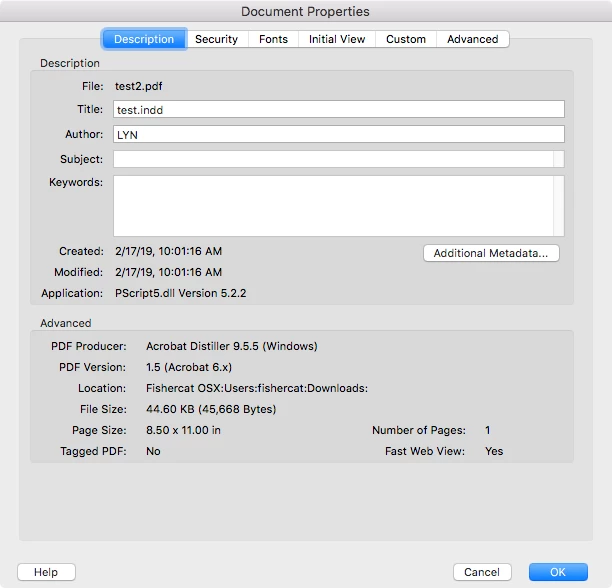
The file you shared was created by Distiller, so you must have used the Print dialog rather than File>Export using the Output settings I posted in #8.

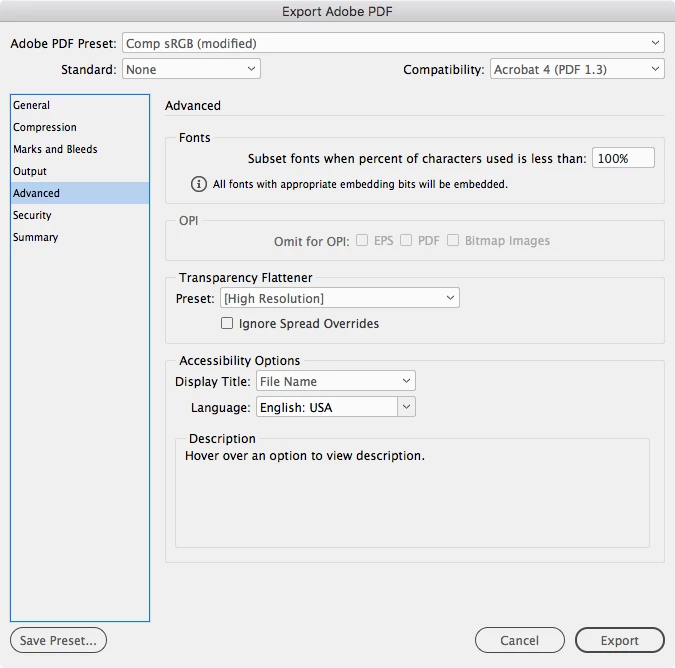
Also if you try my Export settings make sure the Advanced tab’s Transparency Flattener is set to [High Resolution]


thanks but problem persists. Thanks to everyone who has suggested things to try. I will continue to use my work-around of creating any colour boxes in Photoshop and importing them into Indesign as this issue doesn't happen when drop shadow text is placed on a JPEG of PSD.

5 replies

rob day
Community Expert
Community Expert
February 17, 2019

If I create a JPEG in Indesign and print it, it looks fine. I would like to be able to send a PDF file so that you can see what I mean ... the JPEG isn't a problem.

It sounds like your printer isn't handling the transparency flattening correctly. When you export a JPEG the transparency flattening gets handled by InDesign—the JPEG format is flattened with no transparency. 

You can replicate the JPEG flattening on a PDF export by setting the Export Output tab like this—composite printers typically do better with RGB color. Standard None, Compatibility Acrobat 4, Convert to Destination to Document RGB, Simulate Overprint checked, Include Profile

lyn100Author
Inspiring
February 17, 2019

thanks for your suggestions. The problem remains but I will continue to use a work around ... make the colour bar as a jpeg and import it and put my drop shadow text on top.

rob day
Community Expert
Community Expert
February 17, 2019

When you export the flattened, RGB, PDF using the output spec‘s I’m showing, do you see the wrong color on screen in Acrobat? Are you printing from Acrobat or is it from some other PDF viewer?

BobLevine
Community Expert
Community Expert
February 17, 2019
Eugenio.NYC
Participating Frequently
February 17, 2019

Hi there

Could you take a screenshot to see your design?

Do you have any color in the background?

Are you using pantone colors?

Did you check the flattener preview? (menu window output)

What PDF did you create?

E

lyn100Author
Inspiring
February 17, 2019

Hi

The first image is the screen shot taken of the image in Indesign. The second is a picture I took of the printed pdf … you can see the faint box I am referring to as it is shiny.

This is a CMYK colour but also happens with RGB (not using PMS colours)

“Did you check the flattener preview? (menu window output)” I opened this and found it says HIGHLIGHT : None … There are other options here but not sure what they should be …

Thanks

Lyn

.

Geоrge
Legend
February 17, 2019

>> The first image is the screen shot taken of the image in Indesign. The second is a picture I took of the printed pdf …

There is no any pictures from you.

Remember, never say you can't do something in InDesign, it's always just a question of finding the right workaround to get the job done. © David Blatner
lyn100Author
Inspiring
February 17, 2019

Hi Bill

thanks, but still the same problem.

L

Bill Silbert
Community Expert
Community Expert
February 17, 2019

In your Export Adobe PDF dialog window try using the High Quality Preset with the PDF/X4 Standard.