
Participant
June 8, 2019
Answered

Effects affecting colour of image InDesign - please help!

  • June 8, 2019
  • 3 replies
  • 7347 views

Hi everyone.

New here and a slight novice on colour issues in Adobe, so be gentle!
I have the following issue in InDesign:I have a background image created in photoshop, placed in a frame.

I want to add elements to this page, and some will be text and shapes with effects like drop shadows.

When doing so, the colour of the background image (which is either a PDF or JPG - happens on both) changes to a different colour.

Any advice on solving this issue is much appreciated.

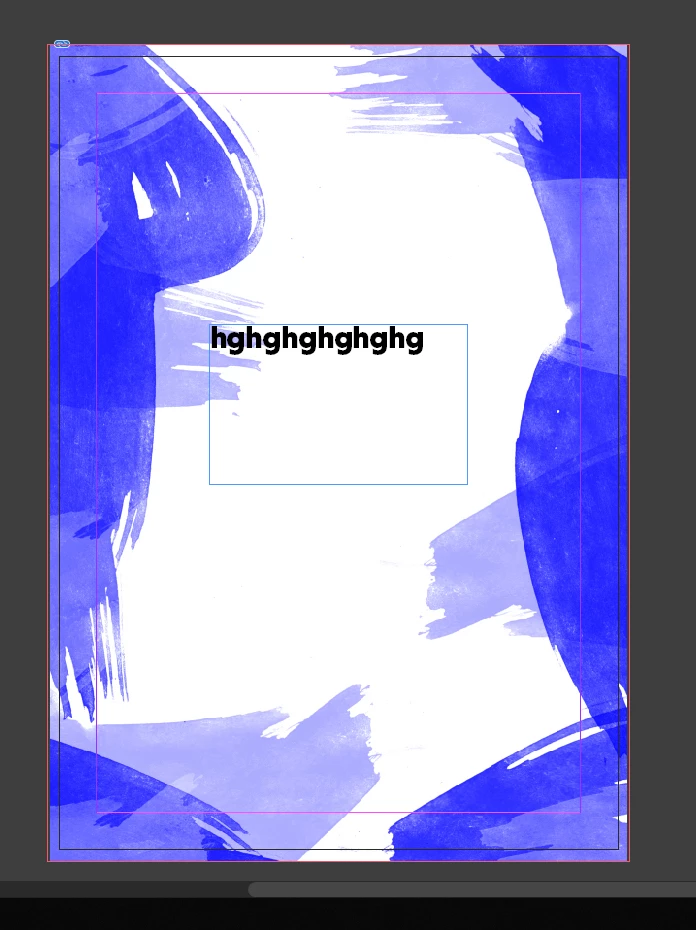
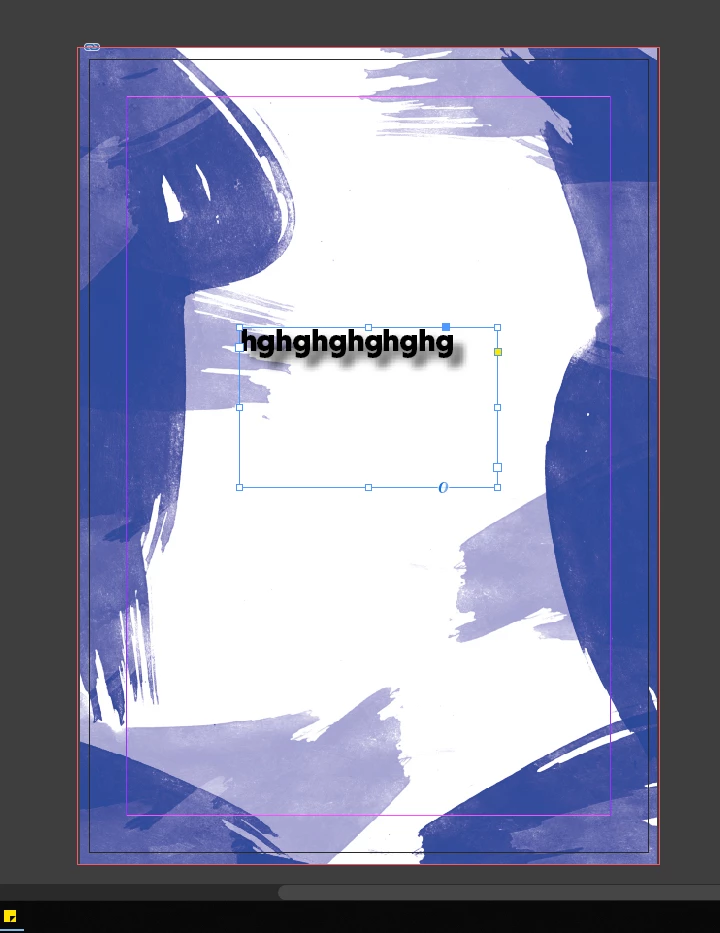
Here's a before and after. You will see the blues are brighter in the first image when the text doesn't have a drop shadow added, and in the second image the colour becomes more purple with the drop shadow added on the text! Confused!!

Thank you. James

BEFORE
AFTER:
Correct answer Laubender

Hi jediavenger ,

relax, there is absolutely no issue with your document.

The transparency blend space of your document is set to CMYK by default because you decided to work with a document that was created with Print Intent and not with Web Intent. So the color preview is showing all RGB colors as if they are separated to CMYK. That's just a preview, the color of the placed image did not change. InDesign has to change the preview because you introduced transparency to the spread of pages you are currently working with.

Regards,
Uwe

3 replies

LaubenderCommunity ExpertCorrect answer
Community Expert
June 9, 2019

Hi jediavenger ,

relax, there is absolutely no issue with your document.

The transparency blend space of your document is set to CMYK by default because you decided to work with a document that was created with Print Intent and not with Web Intent. So the color preview is showing all RGB colors as if they are separated to CMYK. That's just a preview, the color of the placed image did not change. InDesign has to change the preview because you introduced transparency to the spread of pages you are currently working with.

Regards,
Uwe

Participant
June 9, 2019

Thank you both!

That's solved it!
Don't know what I'd do without this forum at times!

All the best!

Michael Bullo
Community Expert
Community Expert
June 9, 2019

Can you check if this option is currently set…

Edit > Transparency Blend Space > Document CMYK

If so, try changing it to…

Edit > Transparency Blend Space > Document RGB

Participant
October 21, 2021

Mate, you're a lifesaver! 


Thanks.

marliton
Community Expert
Community Expert
June 8, 2019

Hi. Can you check if View > Display performance is set to High quality display?

Marlon Ceballos
Participant
June 8, 2019

Hi ... Yes it's set to that. I always have it set there as I have a fairly fast display set-up.
The issue occurs when checking the 'Isolate Blending' and/or 'Knockout Group' boxes in the effects panel also. :/