Participant
November 28, 2022
Question

Elbow leaders

  • November 28, 2022
  • 2 replies
  • 730 views

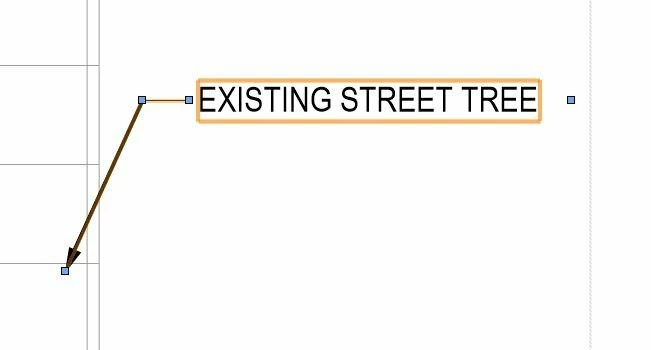
Does anybody know how to create a leader with an elbow, something like this:
 

2 replies

Barb Binder
Community Expert
Community Expert
November 29, 2022

Visually supporting the correct answers from @SJRiegel and @Steve Werner: select the Pen tool and click (and release) to add each of the three anchor points. One click at the beginning, one click at the bend, one click at the end. Then format it.


~Barb

~Barb at Rocky Mountain Training
Participant
June 18, 2025

i appreciate the effort you took to visually convey the process- thank you!

Legend
November 28, 2022

If you are referring to the line with an arrowhead, draw the bent line with the pen tool, then use the Stroke Panel to add the arrowhead and scale it to your preference.

Participant
November 28, 2022

I am having a hard time getting the pen tool to do this.

Steve Werner
Community Expert
Community Expert
November 29, 2022

If you a InDesign 2021 or 2022, you can make the anchor points created by the Pen tool larger. Change this is Preferences > User Interface Scaling > Anchor Points...Display Size.


Choose the Pen tool and click to make these three anchor points starting at the top right:


Choose the Selection (black arrow) tool and selecx the path you created. Use the Stroke panel to choose an ending arrowhead
