


Embedding InDesign graphic

Copy link to clipboard
Copied
I hope this doesn't get too confusing.
Is it possible to embed a graphic created in InDesign so that it will move along with text?
I am working on a media guide for track and field and have created a header for each athlete in which I would need to change the photo and much of the text. I woulkd then like it to "flota" along with the text on each athete that I will create later. During proof reading the text that might change the length of sai text and I would need to adjust the header. Plus, some athletes could be added or deleted requring the header to be adjusted, There may be as many as 50 athletes.
I realize I could create this header in Photoshop, however changing the photo and much of the text within the header would make that very inefficient.


 37
Replies
37
37
Replies
37


Copy link to clipboard
Copied


Copy link to clipboard
Copied
Copy link to clipboard
Copied
jmlevy:
I am now back in town and was hoping we could pick this up where we left off if you don't mind.
Copy link to clipboard
Copied
@Mesa316 did you have a look to the last file I have attached? The answer in in the file.
Copy link to clipboard
Copied
The last file you attached was what I used to create the page I just attached, but I don't see the answer.
Copy link to clipboard
Copied
No, look carefully, there is an indent that allows the picture frame to be corrctly aligned:
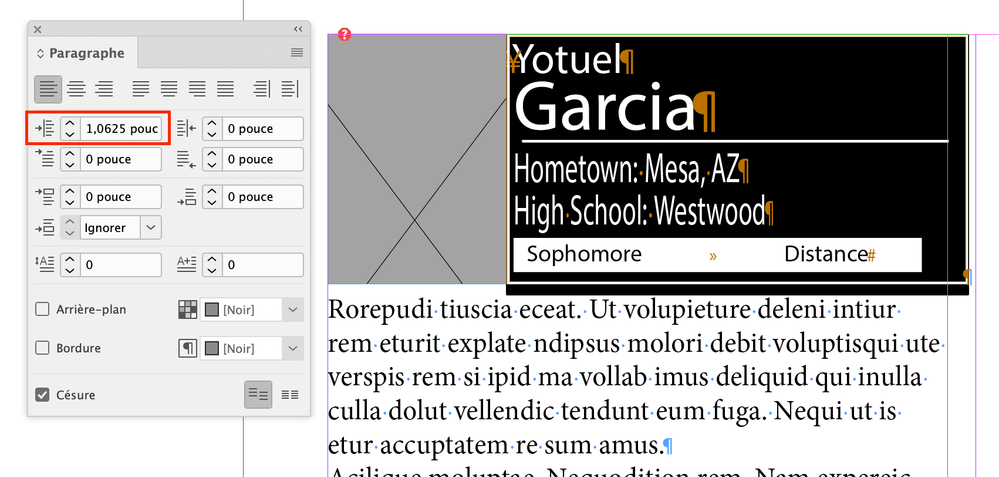
Without indent:
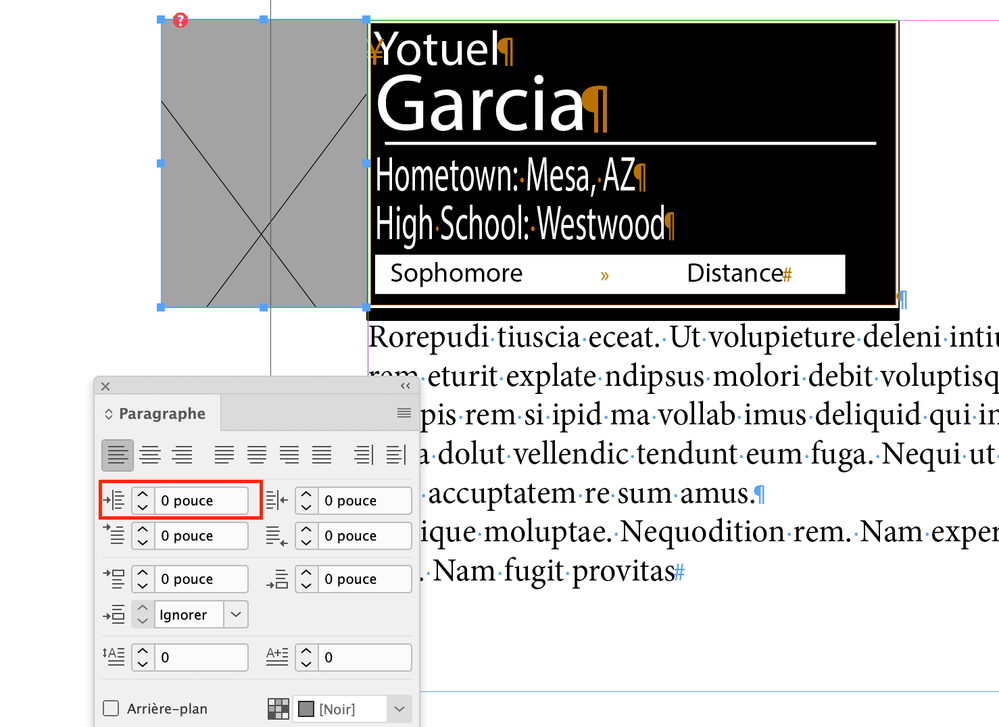
Copy link to clipboard
Copied
The pictures are alighning fine. The problem I am having is that I am having trouble keeping everything in one block so that when I have to add copy in between the the photos everything shifts properly.
Try adding text to the athlete named Kaprice Faraci. It will not push the second column down. I thught I added extra text and then hit the little red + to load the excess in the next column, but all it doesis bring up another copy the graphic yiu created.
I will try to start over again in the morning.

Copy link to clipboard
Copied
If this is not clear, there are at least three steps involved. First is to place and anchor the image to a paragraph that PRECEDES it in the page flow. (Objects do not like to be positioned ahead of an anchor.)
Second is to MANUALLY position the image where you want it. This is what I meant above in that it is difficult to place an image and have it position exactly where you want it, at least on a first attempt.
Third is to adjust those Anchored Object setttings, preferably as part of an applied Object style, so that the images do automatically position themselves where you want. Done correctly, that Object style will do the positioning for you without further adjustments.
Copy link to clipboard
Copied
I will give this a try.
Again, I truly appreciate all the help you have already given me. There si no way I could have done this on my own with my limited knowledge.
Copy link to clipboard
Copied
Thank you so much for all of your help. I will be gone for the net few days but I will give this a try.
Have a great, and safe, Christmas!
Copy link to clipboard
Copied
I am getting so close with this, now I am hoping you guys can help me complete this task.
Thanks to jmlevy I now have a graphic I can embed. However, when I come to the end of each column and click that little box to have it carry over to thre next column I can't remeber what it is called) nothing happens. So I even set up a new text frame to hold it, but still nothing happens. If a kind of start from scratch in each column, as in the file I have attached, when I add text it does not carry forward.
As I previously mentioned, I will have about 50 athletes so obviously it will take numerous pages.
Should I have to create a new text frame every time I add a new column?
Thanks.
Copy link to clipboard
Copied
You probably want to create all your working pages in one go, perhaps by creating a new document with, say, 50-60 starting pages. That can be a little easier than adding a page every time.
Note that unless there is text flowing past the end of a last text frame, there won't be a little red + box to click and give you the prompt to create the next text frame. Dump in some dummy text — just returns are good enough — until the box appears.
If that doesn't quite address what you're seeing, describe things in a little more detail.
Copy link to clipboard
Copied
I got it!!
Everything is threading properly and allowing me to insert text and graphics.
Thank so much for all of your helpo, especially jmlevy.

-
- 1
- 2

Get ready! An upgraded Adobe Community experience is coming in January.
Learn more
 AdChoices
