Participating Frequently
August 18, 2025
Answered

Endnotes in Word doc don't display when placed in InDesgin

  • August 18, 2025
  • 4 replies
  • 1154 views

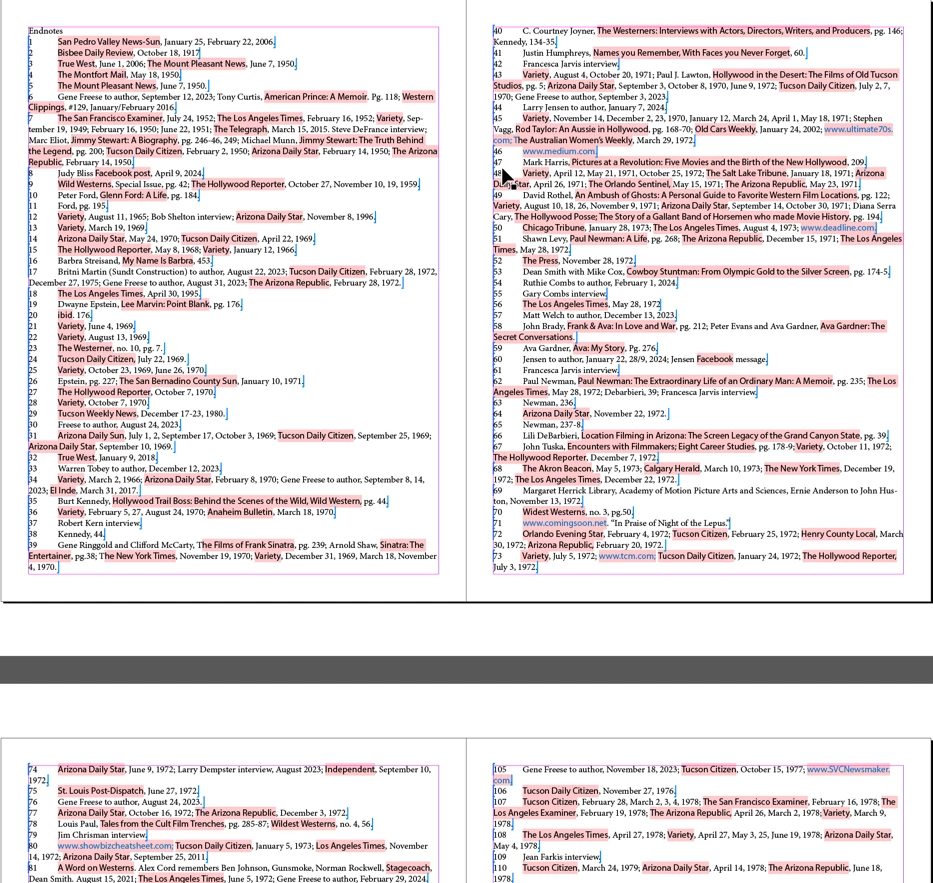
On Mac Sequoia 15.5, Adobe InDesign 2025. I can see the endnotes in Word but when the file is placed in InDesgin they don't show at the end of the document. HELP!

Correct answer Barb Binder

I stumbled on the answer and Bob was on the right track. 😉


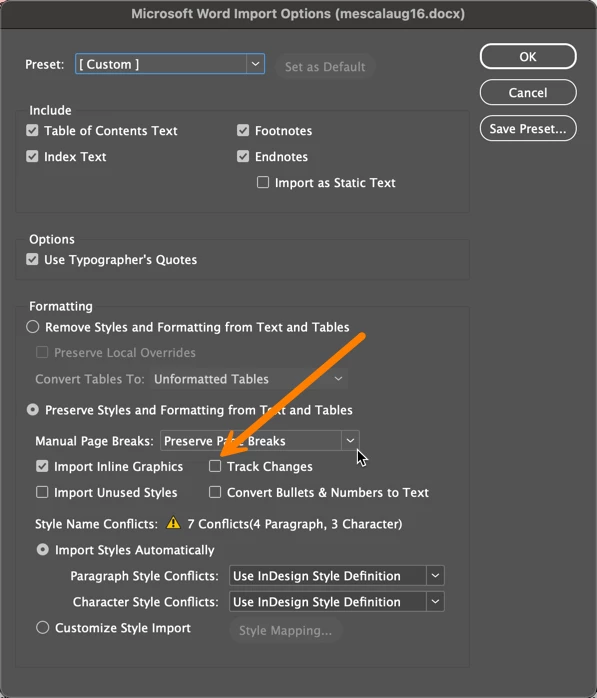
I was checking the Import Options for endnotes and there's also a checkbox to disable track changes. With it on, I wasn't able to get to the endnotes. Once I turned it off, they appear at the end of the document as expected. However, only the first page appeared—the rest are overset. You'll need to add an extra page at the end and then load the cursor and place the rest of the notes.
 

\\


Of course, the correct workflow is to address the tracked changes before you import the file so that you can accept and reject changes selectively. I didn't retest it after doing that, but you can play with it.


~Barb

4 replies

Barb Binder
Community Expert
Barb BinderCommunity ExpertCorrect answer
Community Expert
August 19, 2025

I stumbled on the answer and Bob was on the right track. 😉


I was checking the Import Options for endnotes and there's also a checkbox to disable track changes. With it on, I wasn't able to get to the endnotes. Once I turned it off, they appear at the end of the document as expected. However, only the first page appeared—the rest are overset. You'll need to add an extra page at the end and then load the cursor and place the rest of the notes.


\\


Of course, the correct workflow is to address the tracked changes before you import the file so that you can accept and reject changes selectively. I didn't retest it after doing that, but you can play with it.


~Barb

~Barb at Rocky Mountain Training
Participating Frequently
August 19, 2025

You are so helpful and I am so grateful, but how do I get to the  Microsoft Word Import options window?

Peter Kahrel
Community Expert
Community Expert
August 20, 2025

Start a new document, then File > Place. Enable the 'Show Import Options' box, then select the Word file.

BobLevine
Community Expert
Community Expert
August 18, 2025

Is it a real Word file or something saved as a Word file from a third party like Google Docs?

Peter Kahrel
Community Expert
Community Expert
August 18, 2025

A simple fix that often (not always!) works: if your Word file is .doc, save it in Word as .docx. Conversely, if it is a .docx file, save it as .doc.

Anubhav M
Community Manager
Community Manager
August 18, 2025

Hello @Robbie Adkins,

Thanks for reaching out. Would you mind confirming the exact version of InDesign installed, if the problem occurs with all files, and screenshots of how the file looks in Word compared to InDesign, along with links to sample files (if possible), so we can better assist you?

Looking forward to hearing from you.

Anubhav

Participating Frequently
August 18, 2025

I have the lastest version of InDesign installed. I attached the Word file here but the InDesgin file is too large as I already have all the photos placed. Can I send to you another way?


Anubhav M
Community Manager
Community Manager
August 18, 2025

Hello @Robbie Adkins,

Kindly upload the files and screenshots to a file-sharing service like Google Drive/Dropbox/etc, and share a link to the file here or via DM, so we can check it on our end.

Note: When sharing the files, please make the link public and enable the option to save a copy/Download (if applicable).

Looking forward to hearing from you.

Anubhav