Well, my first bit of advice is "place, don't paste." The only way I can recreate your InDesign layout is by going into Word, copying all the text, and pasting it directly into InDesign. This forces InDesign to treat the whole thing as LTR, which is what you don't want. InDesign does a better job interpreting Word's take on the right-to-left layout stuff if you save your Word file, then File -> Place it.
That being said, I've tried to recreate your workflow. First I pasted the text in, and marked it with Arial. Then I used the arrow keys on the keyboard, along with the Shift key, to see how the text is behaving logically around that broken bit.
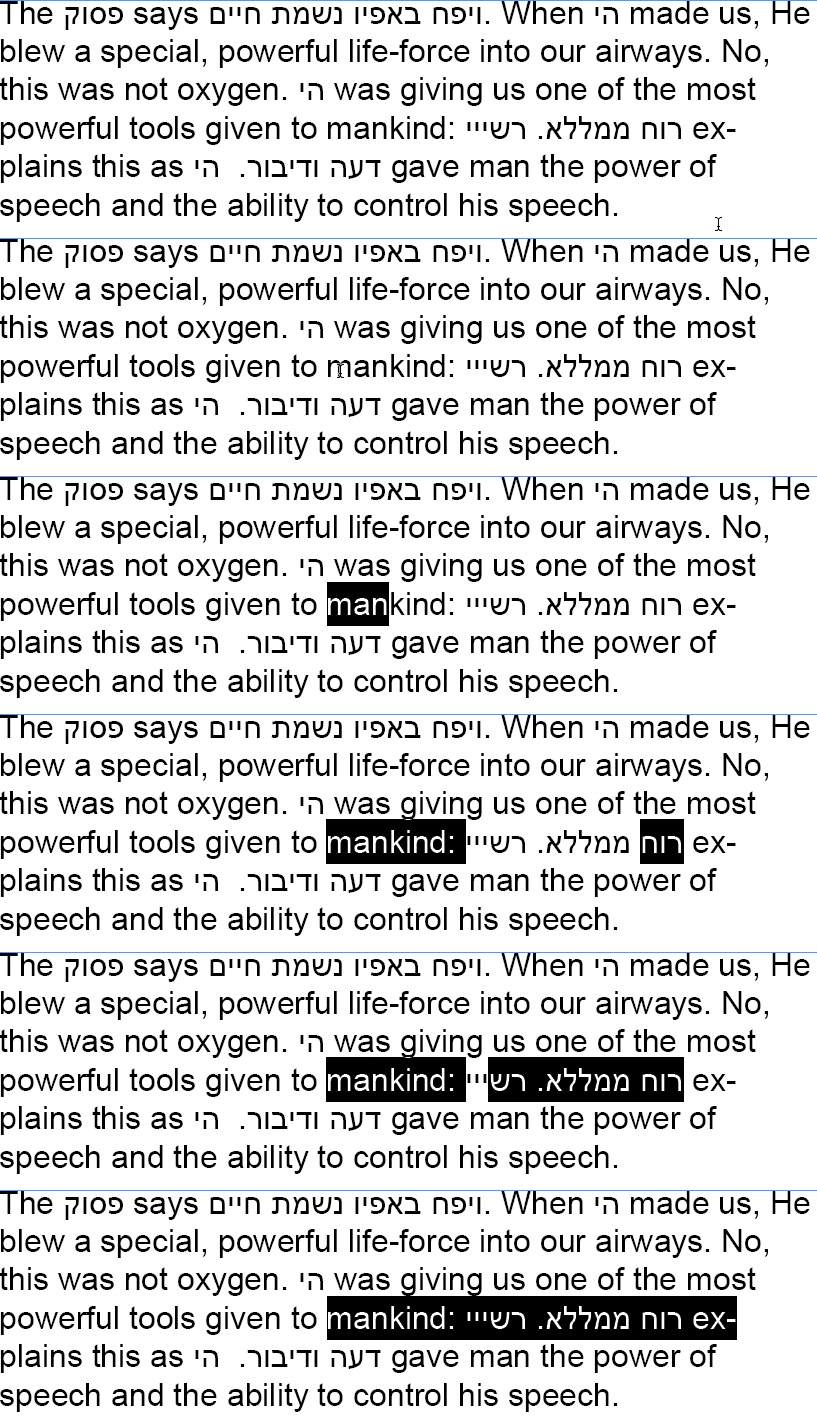
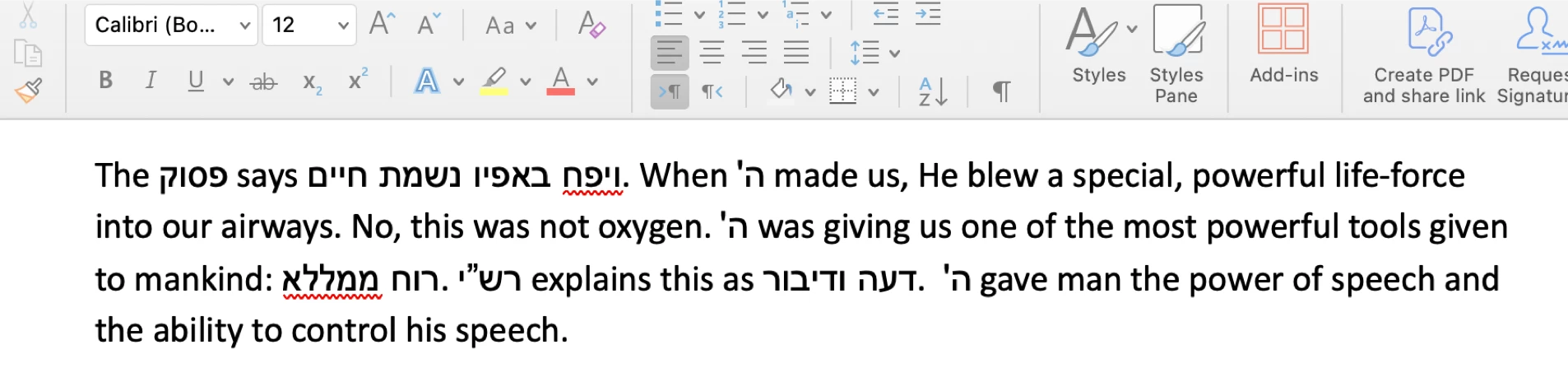
That's "logical" direction, right? "mankind:" followed by "רוח" followed by "ממללא" followed by a fullstop, followed by Rabbi Shlomo Yitzchaki ("Rashee," right?).
The problem here is that the period is behaving as if it's a right-to-left period. So, I'm going to apply left-to-right direction to that period manually.
The way that InDesign determines the directionality of a bidi glyph is that it looks at the immediately surrounding glyphs: "Hmm, this is a period. Periods are bidirectional. How should I render this one?" says InDesign to itself. "Well, the immediately preceeding glyph is Hebrew, that one goes RTL. And the space right after the period... well, spaces are bidi as well. What about right after the space? Welp, that's another Hebrew glyph! Clearly this period is sitting in the middle of Hebrew text! I should lay out this period as if it's RTL."
WROOOOOONG
But you can't blame InDesign for getting it wrong. It's only looking at a few surrounding contextual characters Just tell it "no, please lay this period out LTR."
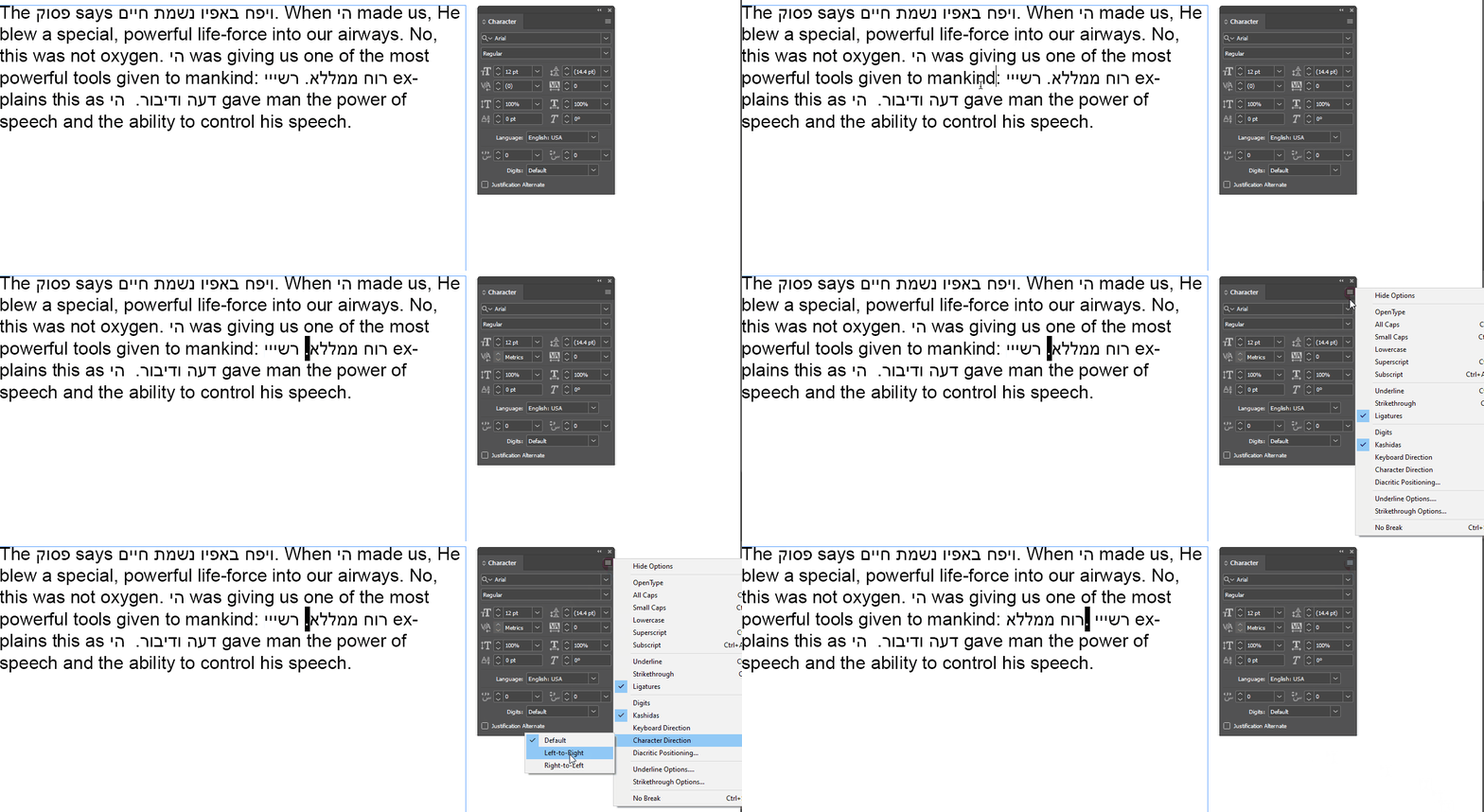
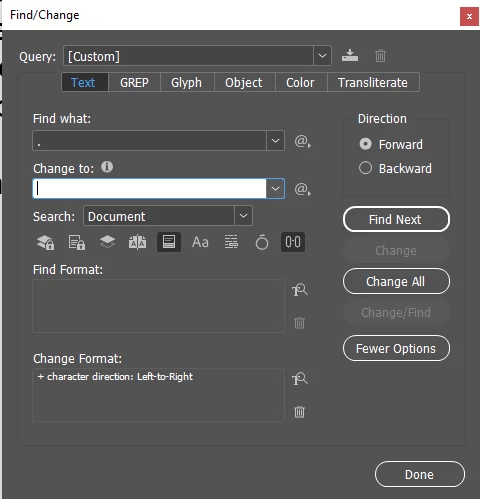
But doing that manually for all the periods in the document would be a lot of manual clicking about, right? If you are certain that every period in the document should be a LTR period, you can do 'em all in a few clicks:
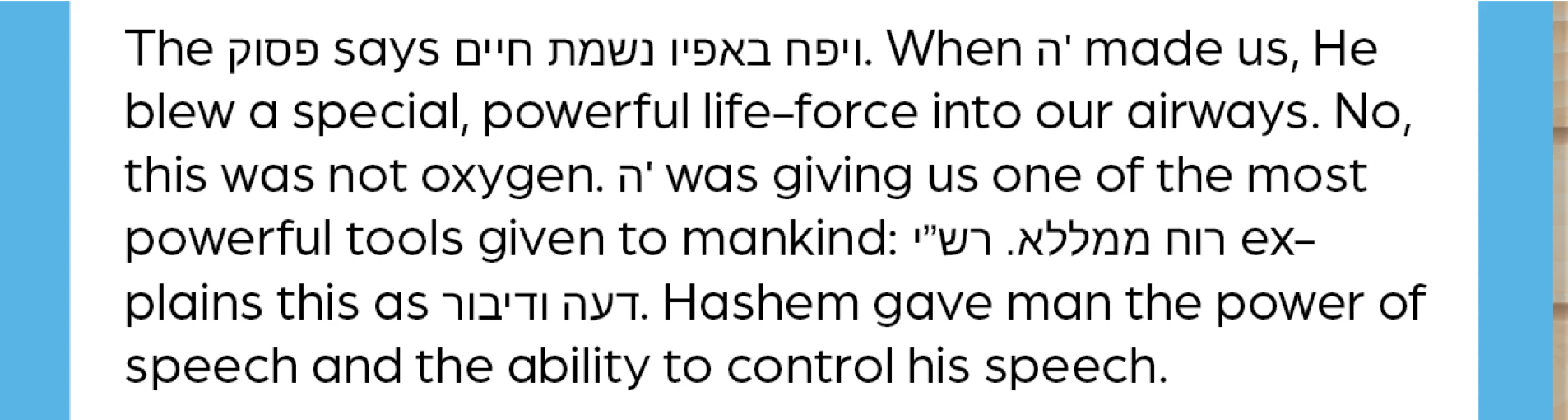
Yes it was just certian periods that were between hebrew words so I manually switched them and it worked!

 AdChoices