Participating Frequently
September 4, 2024
Answered

Ensuring White Artwork is Visible on PDF Exported InDesign File for Print

  • September 4, 2024
  • 2 replies
  • 1019 views

I'm getting a print job done in China. It's white on black on one side of a plastic bag. The other side (front) is white only on the clear plastic.

If outputting as PDF what should I do so the printer doesn't just see a blank page? It's text and a vector logo.

Should I export the whole file as EPS?


<Title renamed by MOD>

This topic has been closed for replies.
Correct answer rob day

Hi @Jo37525436gw06 , this has come up a number of times. The white ink plate has to be represented by a Spot Ink separation. InDesign treats all Spot color inks as somewhat transparent, which is what would happen on a typical offset press—regular offset printing isn’t really capable of printing opaque white the way a printing process like screen printing can—so an accurate InDesign Overprint/Separation preview is impossible.


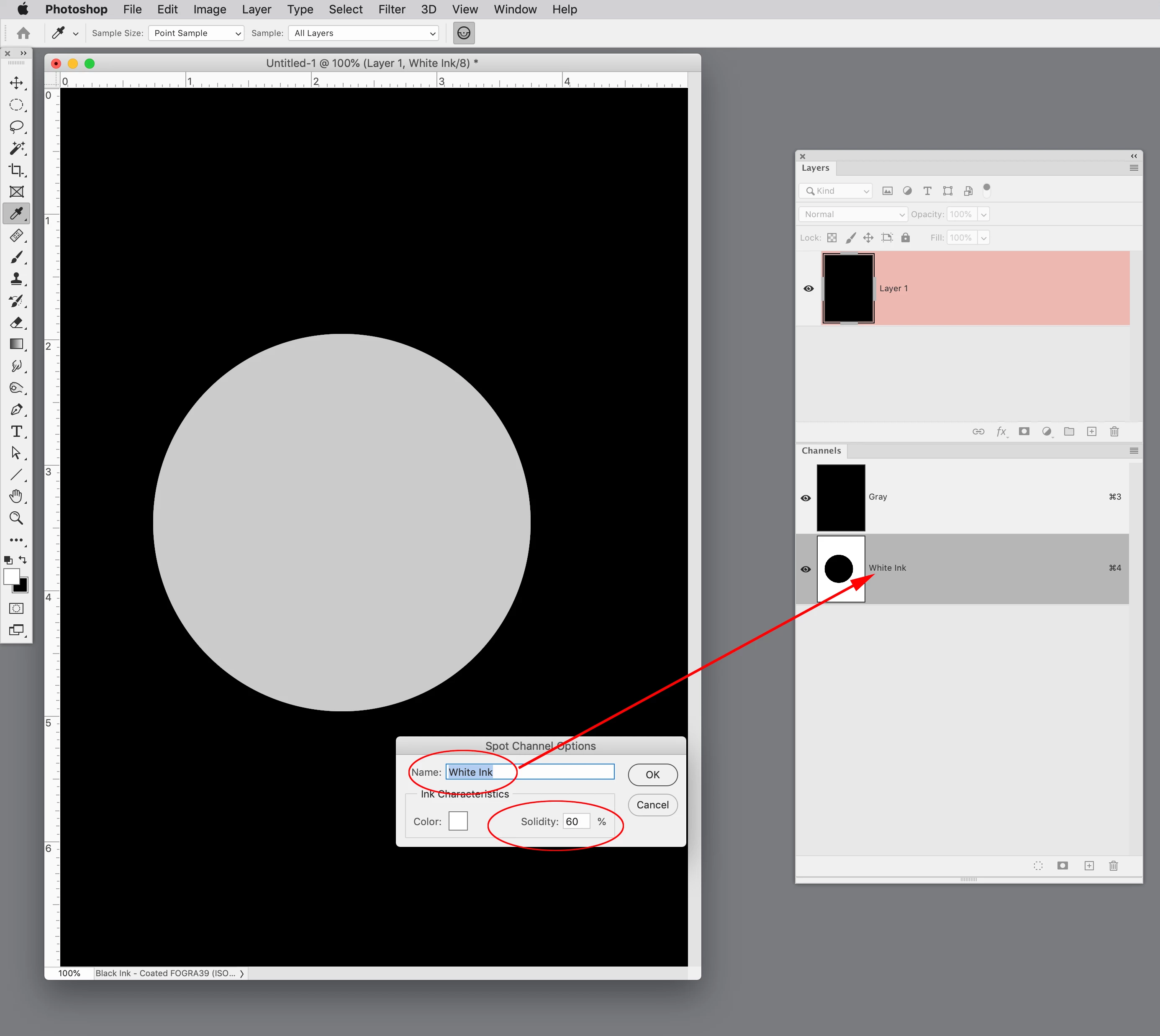
If you want a soft proof of an opaque color printing on a black substrate for something like screen printing or flexography, Photoshop would be a better choice because it lets you set ink opacity for a Spot Channel and get a reasonable preview of opaque white on black material.


Here I have a grayscale mode doc with a new Spot Channel set as a white Color, with a Solidity of 60% —InDesign does not have a Solidity setting for its Spot colors:


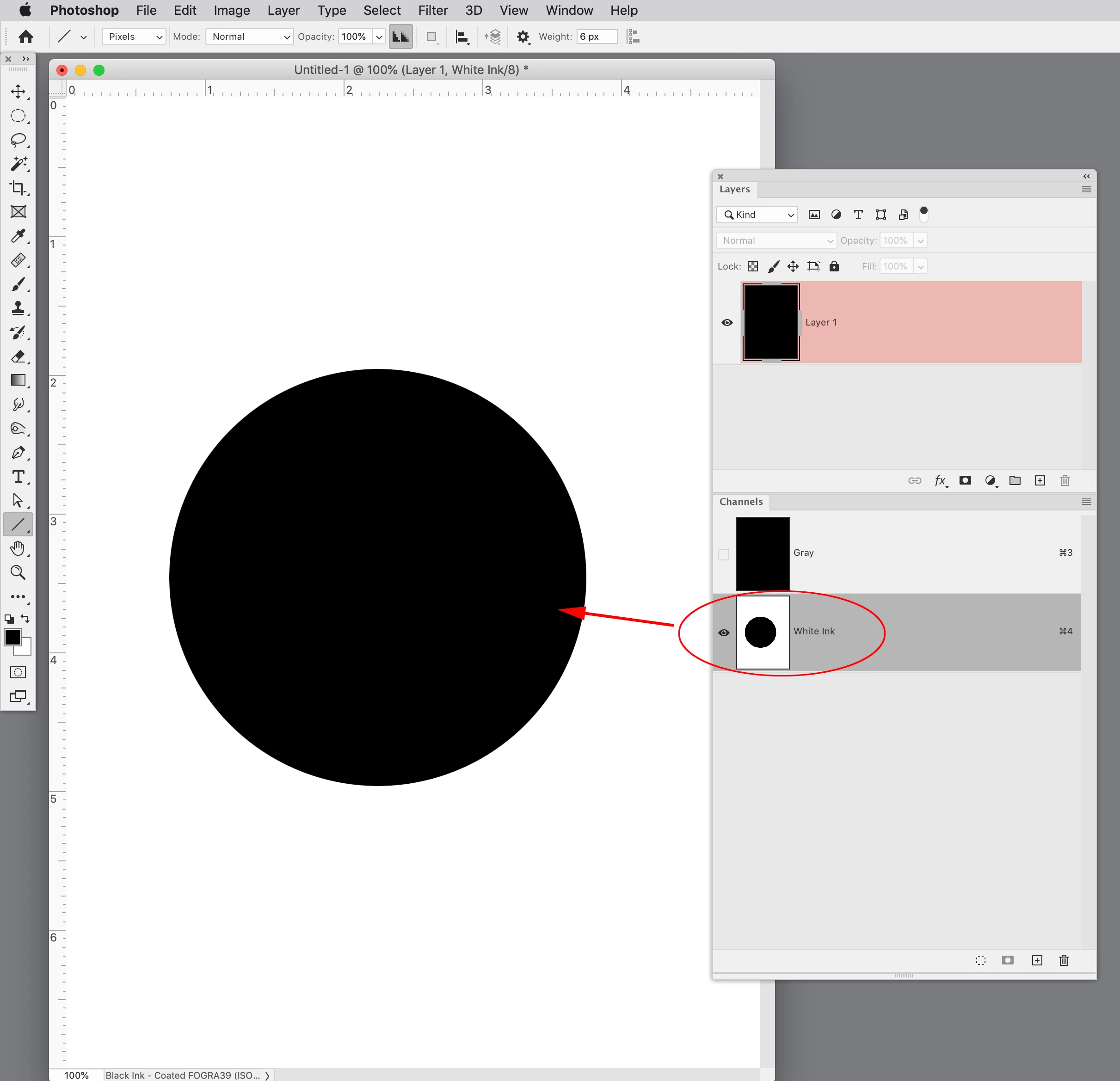
The printer would output the White Ink channel for the plate:
 

2 replies

rob day
Community Expert
rob dayCommunity ExpertCorrect answer
Community Expert
September 4, 2024

Hi @Jo37525436gw06 , this has come up a number of times. The white ink plate has to be represented by a Spot Ink separation. InDesign treats all Spot color inks as somewhat transparent, which is what would happen on a typical offset press—regular offset printing isn’t really capable of printing opaque white the way a printing process like screen printing can—so an accurate InDesign Overprint/Separation preview is impossible.


If you want a soft proof of an opaque color printing on a black substrate for something like screen printing or flexography, Photoshop would be a better choice because it lets you set ink opacity for a Spot Channel and get a reasonable preview of opaque white on black material.


Here I have a grayscale mode doc with a new Spot Channel set as a white Color, with a Solidity of 60% —InDesign does not have a Solidity setting for its Spot colors:


The printer would output the White Ink channel for the plate:

 

Participating Frequently
September 6, 2024

Thanks. I sent the printer a PDF explaining what went where in the EPS files I attached. They sent the proofs back to me just as you described. All went well. 

John D Herzog
Inspiring
September 4, 2024

It is dependent on the printer and how it reads the white ink in the file. At our shop we have a spot color called "White Ink" and it is set to 100 cyan to see what is white. This spot has been set up so that our printer's rip knows what it is and what to do with it. I would ask your printshop how they would like it set up.