
Participant
December 31, 2024
Answered

epub paragraph shading

  • December 31, 2024
  • 1 reply
  • 484 views

Exporting a reflowable epub, and while I have discovered that epubs will not retain paragraph shading styles how I want, I can't get the workaround right. 

For context this is my InDesign file: 
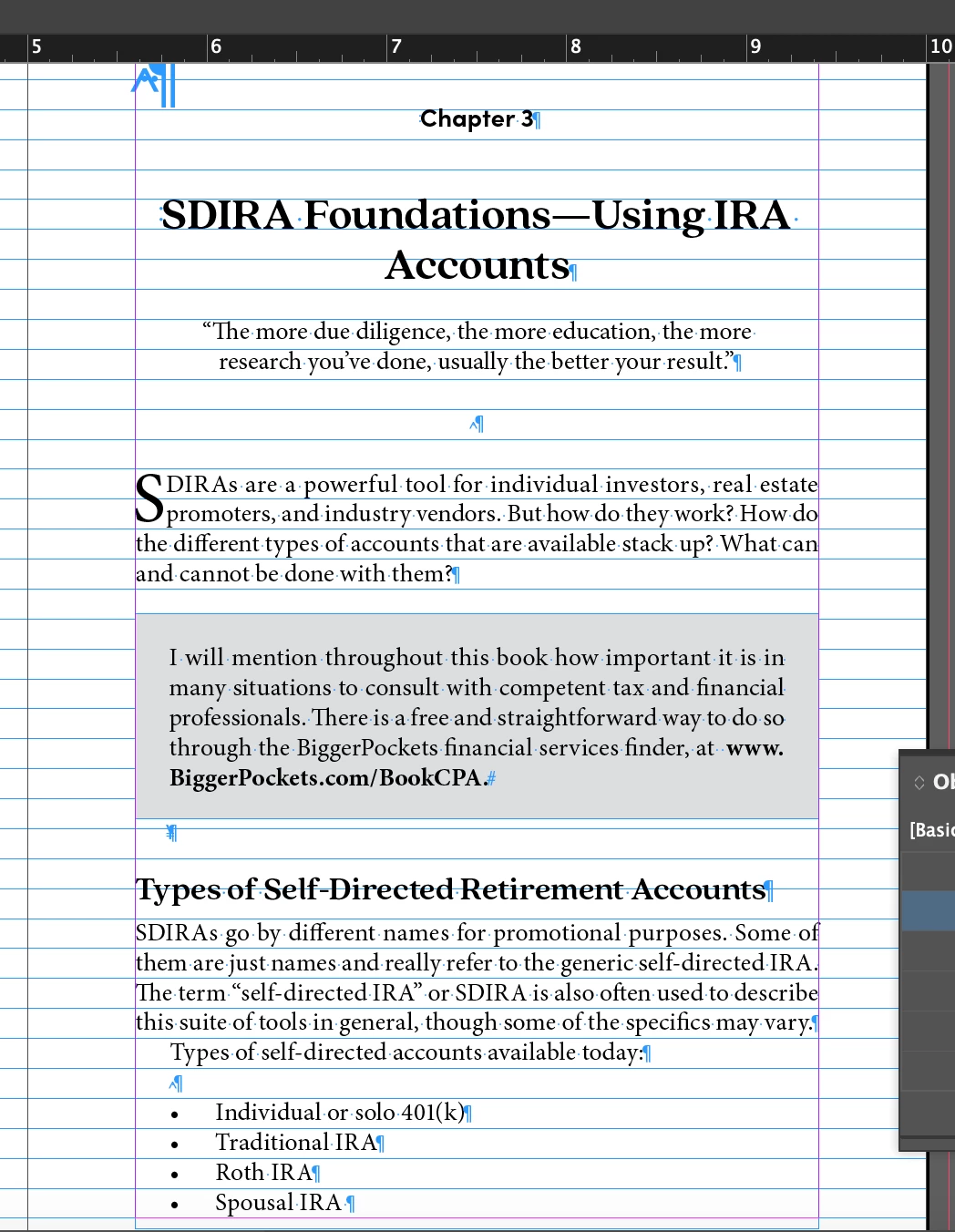
I would like to have a section of text called out with shading. I've inserted the paragraph as an anchored object and set up object styles for the text box to have a fill color. I also set up the epub/html settings to export this at full width:
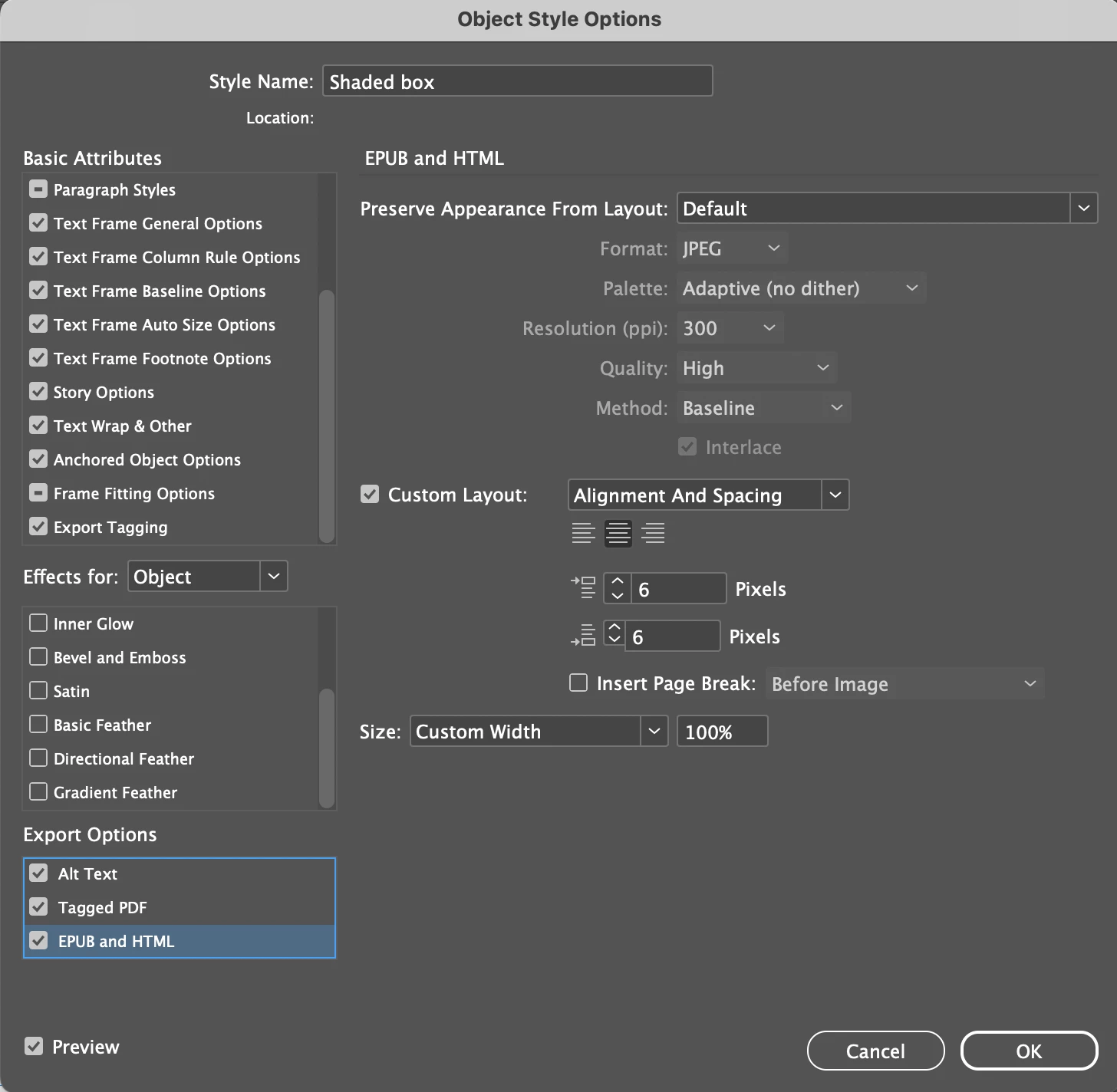
 But my epub is coming out like this: 
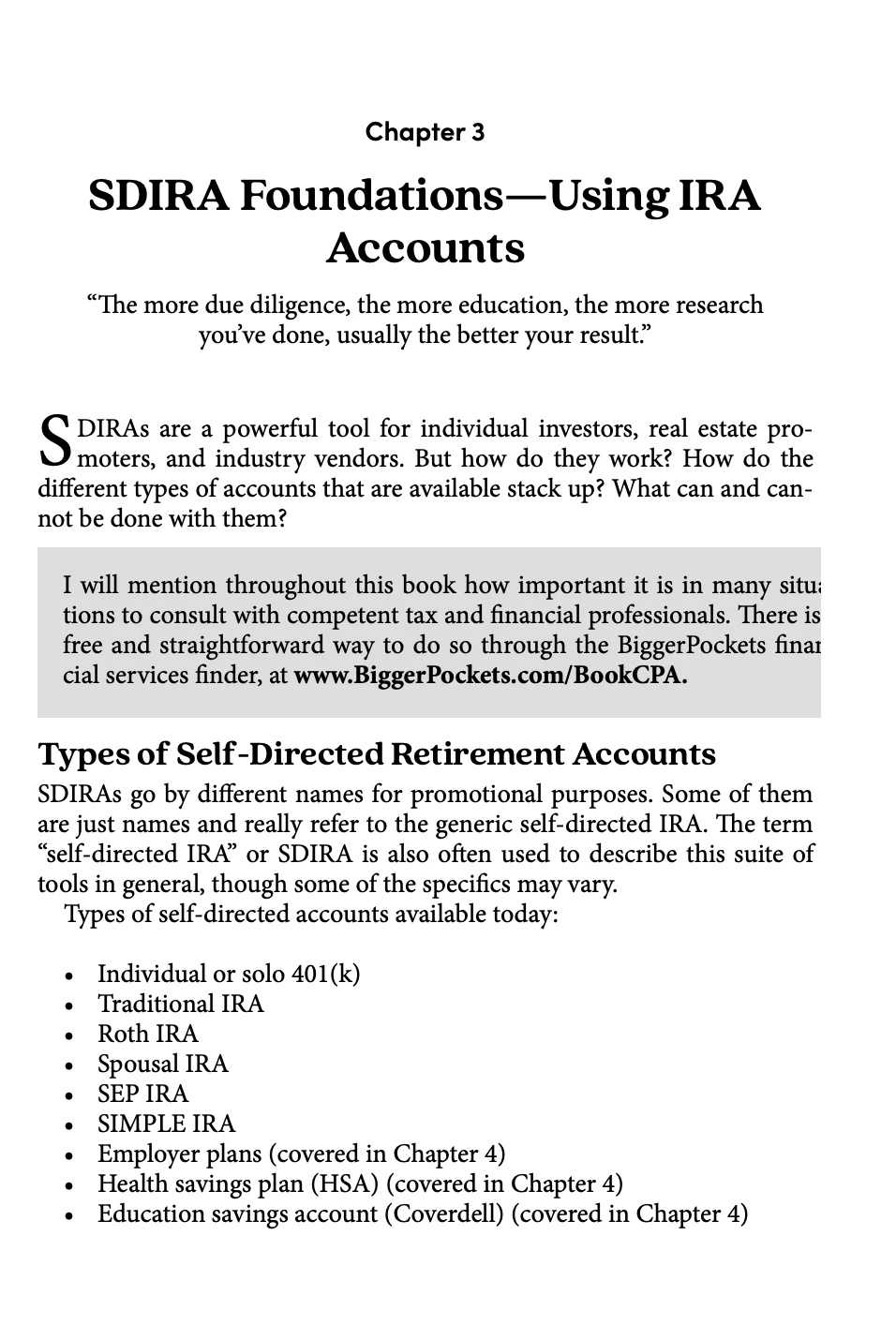
The text is reflowable, but running of the page in the epub file. 

Any ideas on how to fix this?? Is the anchored object/object styles not the best work around for shading? I'm working only in InDesign, not much CSS knowledge otherwise. 

Appreciate any help!

This topic has been closed for replies.
Correct answer James Gifford—NitroPress

And wait, time out, calling a mulligan here... 😛


I forgot that paragraph shading relies on CSS <padding> for the offset around the paragraph, and one of ID's inexplicable flaws is that it does not export padding values, at all, for any reason. So adjusting the offset in Paragraph Shading won't do squat.


So you have two choices:

  • Add that Paragraph Border and adjust it, remembering that it will be effectively half-width in the export;
  • or use a CSS definition to add the padding back into the style.


The latter is cleaner, and more pro; the first should work fine on most readers.


The snippet you would want to add, in a text file named PROJECT.CSS or the like, would be —

p.ShadedParagraph {
padding-top: 15px;
padding-bottom: 15px;
padding-left: 15px;
padding-right: 15px;
}

(or)

p.ShadedParagraph {
padding: 15px 15px 15px 15px;
}

Use your paragraph style name, of course, and adjust the padding value — in all four directions to get symmetry, which is why I spelled it out in both snippets.


Sorry to have sent you off on a wrong tangent; I use CSS so routinely I sometimes forget the quirks of direct export. It's a 2024 thing and we're almost done with that, so. 🙂

1 reply

James Gifford—NitroPress
Legend
December 31, 2024

Paragraph shading in EPUB export is simple and for the most part, reflects whatever you set up in InDesign. (Some details such as rounded corners are stripped, but the feature lends itself very well to CSS tweaking.)


What EPUB reader are you using to view the result? Not all of them handle background color/shading. Does the shading show up in Kindle Previewer or Calibre Reader?


The problem may just be that your structure is too complicated. You don't need to use a text box, although you've done everything right in that regard, especially anchoring it (a detail often overlooked... once.) You can just apply InDesign's Paragraph Shading to the paragraph, have more control with less clutter and complication, and keep the content in the text flow as it should be.


Participant
December 31, 2024

James, thank you, this is good to know that paragraph shading will carry over. I'm having trouble with the offset though. Its set to 9px. See here, the top uses paragraph style shading, the bottom using the anchored text frame: 

I'm viewing in Apple Books, is that perhaps my problem?

Adding a Paragraph Border gets me a better result: 

Is that a recommended work around?

James Gifford—NitroPress
Legend
December 31, 2024

Apple's reader is a mostly-standard reader with some "improvements." It should only be used to proof and review books intended for sale with Apple; books for general EPUB outlets should be proofed on Calibre or Thorium. (EPUB readers vary enormously and to use any others mean your result may not be suitable for the widest range of users and readers).


I wouldn't work in pixels/px in InDesign. It's a specialized mode that just doesn't work very well unless you know all its quirks and limitations, and pixels are very, very small units in which to try to do page layout.


Switch to inches, mm or picas, whichever you're most comfortable with, and know that the export value is about half the InDesign value — at 300ppi, a layout inch will become about one-half inch in most EPUB (and Kindle) readers. So if you want a noticeable pad around your shaded paragraph, you'll have to set it to at least a quarter-inch, which will become about an eighth inch on screen. (This is one reason adding at least some CSS skills is a good asset: you can set up the ID doc for good visual/print layout, and then process all the styles for optimal EPUB results.)


But avoid putting any text in separate frames. It's best to keep all text linear, connected and in one flow, and use Paragraph Styles to break them up etc.


And always avoid "stacking" features like shading and outlines unless they produce a specific effect. Use and adapt/adjust one feature for each resulting style whenever you can.