Participating Frequently
March 17, 2023
Answered

Errant paragraph and page breaks

  • March 17, 2023
  • 2 replies
  • 1755 views

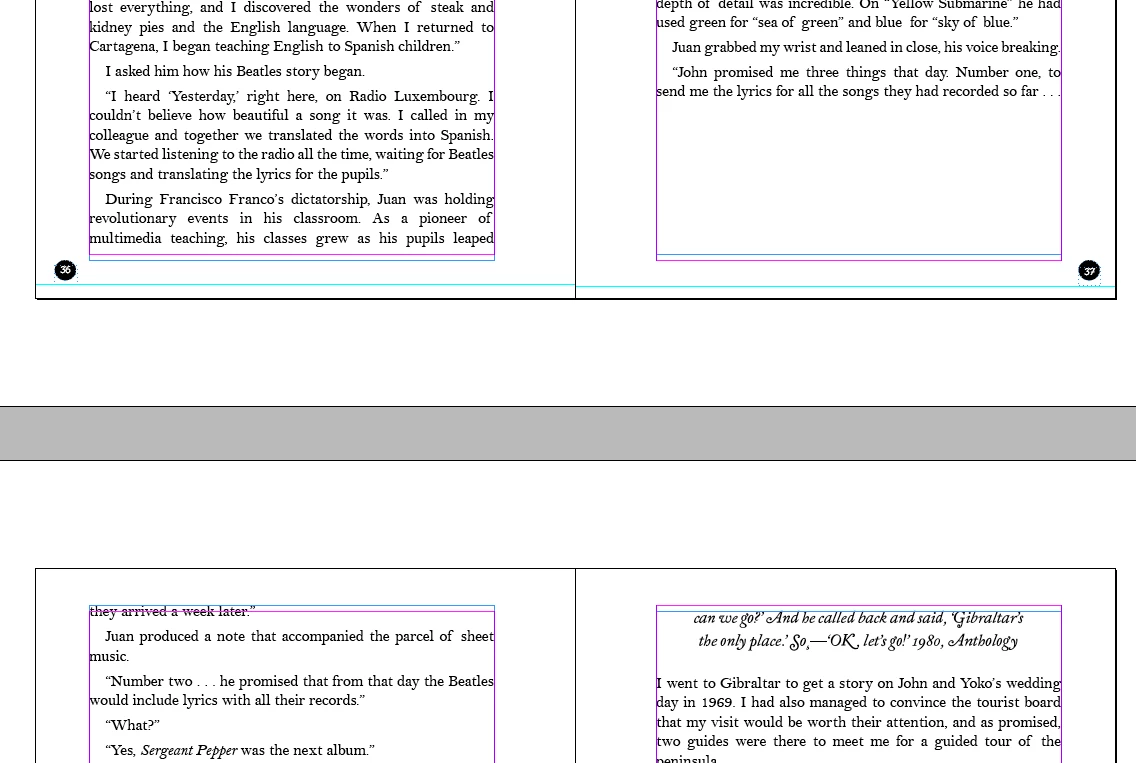
I have been an Indesign user on a daily basis for over 16 years and have never run into this before. Throughout the layout, numerous paragraphs act like a "Keep" option is forcing them onto the next page. I've changed Keep Options numerous times, made sure I was using the Simple Line Composer, and it wasn't set to align to grid.

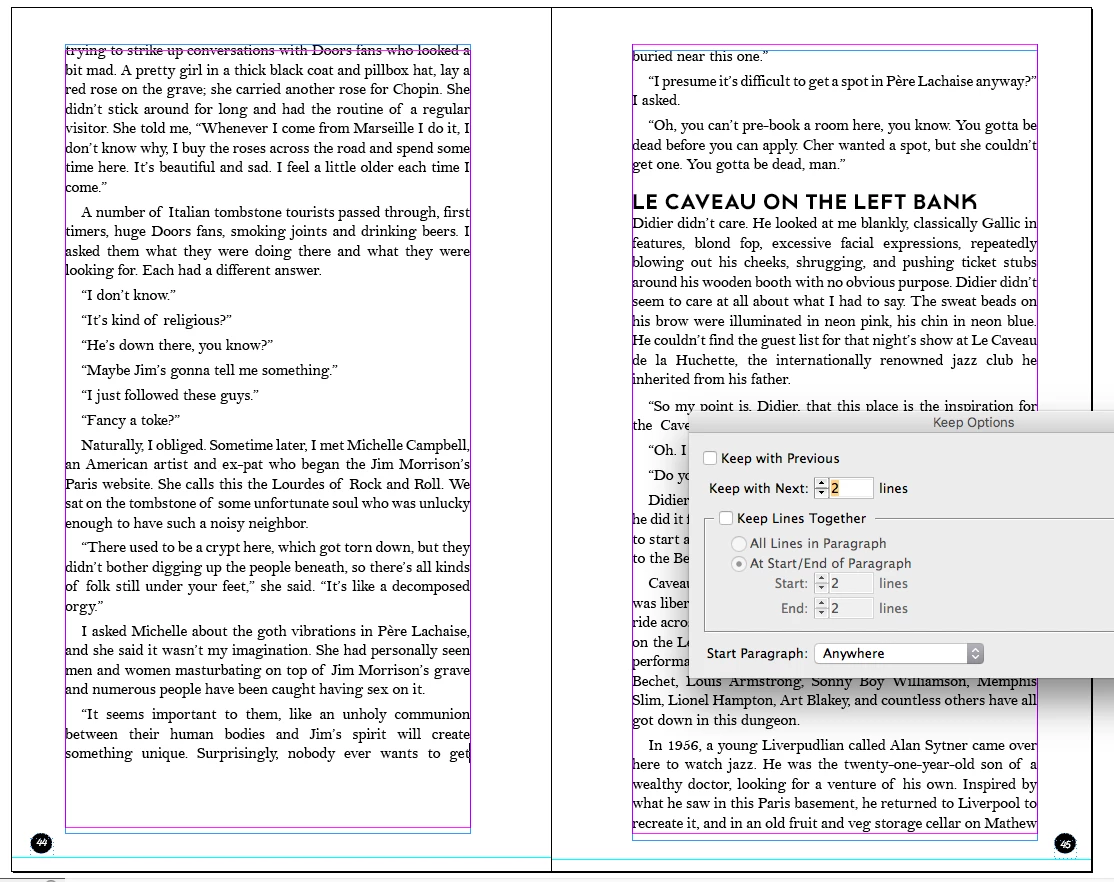
One curious detail/clue is that even with "Keep Options" set to 2 lines at the end of paragraph, it will allow the last line of a paragraph to be alone but will often keep together 2 lines at the end of one paragraph with the first lines of the next paragraph. 

I think it's a product of imported styles from the master text document, but I cannot figure out how to correct it in Indesign. 
This topic has been closed for replies.
Correct answer James Gifford—NitroPress

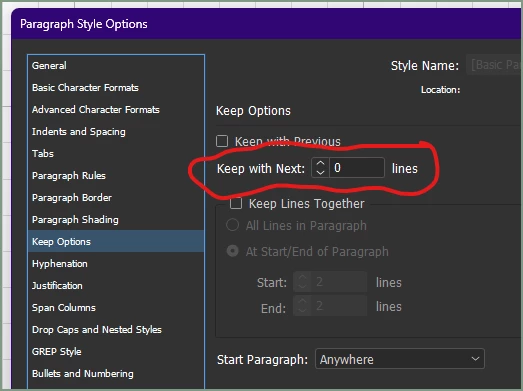
It's right in front of you, and you are not the first to be caught by this crummy little interface bug:


That setting is not controlled by the checkbox above, no matter how it looks. If you have a nonzero value in "Keep with Next __ lines" it will, well, keep with the next n lines. Such as "2."


Set it to zero, instead of the 2 you have.


2 replies

Legend
March 17, 2023
quote

with "Keep Options" set to 2 lines at the end of paragraph, it will allow the last line of a paragraph to be alone but will often keep together 2 lines at the end of one paragraph with the first lines of the next paragraph. 

That is exactly what you have asked for in the options you show. It keeps the last line of your paragraph with the next two lines (the start of the next paragraph)


If what you want is to not allow a single paragraph line to be by itself on the next page, try Keep Lines Together, and fill in the number of lines at the start and end of a paragraph that you want to have held together.


abnerbielAuthor
Participating Frequently
March 17, 2023

As I said, that does not seem to be working 

James Gifford—NitroPress
Legend
March 17, 2023

What result do you want? I see lines flowing properly in your second example, without the 'jump forward' gaps.


If what you want here is no gaps AND widow/orphan control (no single lines at top or bottom fo a column), you are going to have to adjust your text frame size and all paragraph spacing to optimize the layout. Using Baseline Grid is one approach but requires a lot of adjustment to get perfect results. And in the end, as with the above layout, some copyfitting/editing will probably be needed.


Or did you mean something else?


James Gifford—NitroPress
Legend
March 17, 2023

It's right in front of you, and you are not the first to be caught by this crummy little interface bug:


That setting is not controlled by the checkbox above, no matter how it looks. If you have a nonzero value in "Keep with Next __ lines" it will, well, keep with the next n lines. Such as "2."


Set it to zero, instead of the 2 you have.


abnerbielAuthor
Participating Frequently
March 17, 2023

Thank you! This somehow escaped me all these years and, more importantly, it fixed it and is the correct answer! Have a great weekend!