
Known Participant
January 7, 2025
Question

Erreur "this font could not be embedded because it is missing"

  • January 7, 2025
  • 1 reply
  • 160 views

Hi,

I am working on a catalogue and copy paste drawings from a previous edition I wasn't in charge of.

When I export the PDF, I have this message "this font could not be embedded because it is missing".

The font I was trying to use is Courrier.


I solved it by installing the font family. Great news!

Or so I thought because now, on the exported pdf, I have this message:
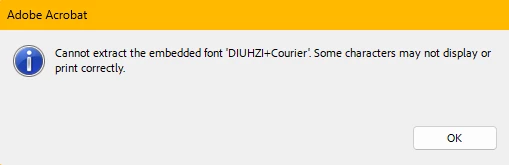
 

Should I just at the end of my work, find/replace all the "courrier font" or can I solve it now?

Thanks.


1 reply

Willi Adelberger
Community Expert
Community Expert
January 7, 2025

What file type is your font? Are yu aware that T1 fonts are not supported anymore.

Of course, you have to redefine your styles to use only working, compatible and available fonts.

Use the command in Type > Find/Replace Fonts…, rhere you can redefine your styles.

Known Participant
January 7, 2025

I tried to activate the font on Creative Cloud through the website:


I encountered issue on font but I am quite a beginner in the sense I learnt myself through youtube videos so I might miss some basics.

I appreciate your answer though. I will see how to solve right now the issue.

The only inconvenience is that I am still copying/pasting drawings from the previous catalogue and am page 8 of 120 so I will have to repeat the action along the road.


Thanks