Participant
March 6, 2021
Answered

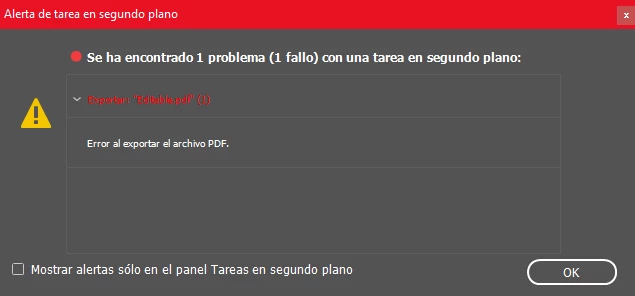
Error al exportar PDF y empaquetar en Indesing

  • March 6, 2021
  • 3 replies
  • 3542 views

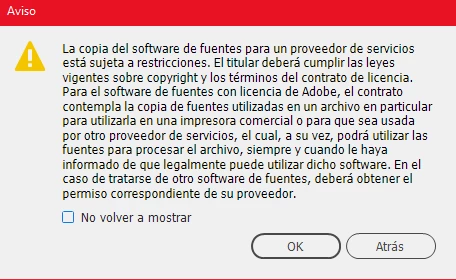
He instalado y desisntalado la aplicación de ADobe indesing y tambien he probado en exportar el documento a postscript para comvertirlo en pdf pero tampoco me lo guarda de esa manera. Ni funciona en versiones anteriores, no me permite empaquetar y he cambiado de RGB a CMYK y viceversa pero el error continua. 
This topic has been closed for replies.
Correct answer Derek Cross

On this forum we can translate your message to English but not the screen messages.

If you're having issues creating PDFs for printing, have you tried the InDesign Acrobat PDF presets, often PDF/X-4 is the one to use, but check with your printer. 

3 replies

Participant
April 15, 2024

he tenido el mismo error y provenía de una imagen. En concreto era una archivo vectorial en .svg, al final la solución ha sido buscar la imagen afectada, editar el .svg y guardarlo en .png, sustituir una imagen por la nueva y listo

Rishabh_Tiwari
Legend
April 15, 2024

Hi,


Thank you for reaching out and sharing the suggestion that worked for you. In addition to this, if anyone else is experiencing this issue, please refer to the troubleshooting steps shared in this article.


Thanks

Rishabh

Srishti Bali
Community Manager
Community Manager
April 14, 2021

Hi there,


Sorry about this trouble. I am hopeful that the issue was fixed by now. If not, please try the suggestions shared on this help article ( https://helpx.adobe.com/in/indesign/kb/troubleshoot-printing-pdf-export-indesign.html  ) and let us know how it goes. 


Feel free to let us know if you still need assistance. We'd be happy to help.


Regards,

Srishti

Derek Cross
Community Expert
Derek CrossCommunity ExpertCorrect answer
Community Expert
March 7, 2021

On this forum we can translate your message to English but not the screen messages.

If you're having issues creating PDFs for printing, have you tried the InDesign Acrobat PDF presets, often PDF/X-4 is the one to use, but check with your printer.