


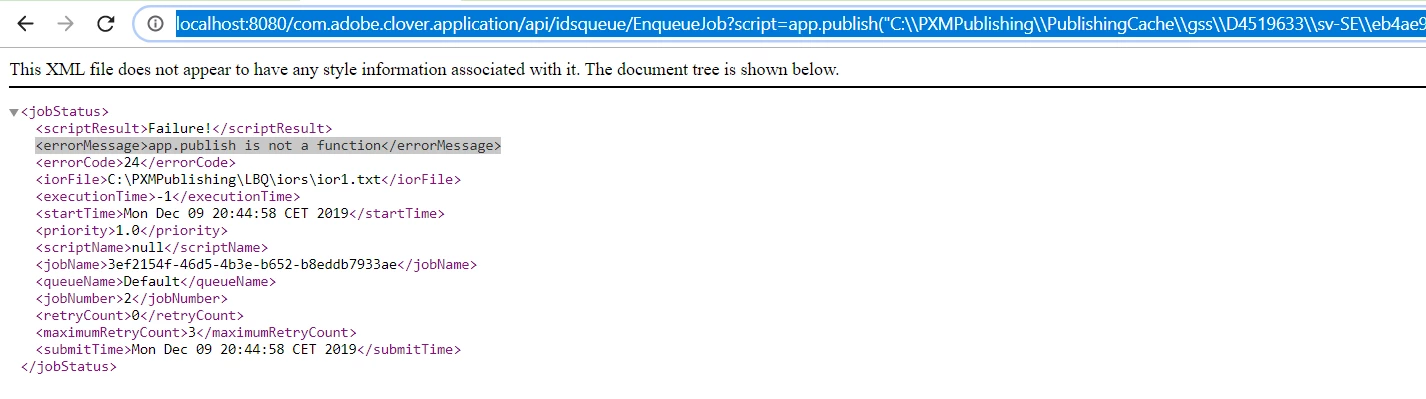
Error from http://localhost:8080/com.adobe.clover.application/api/idsqueue/EnqueueJob
Hi,
I have installed a trial version of "Adobe InDesign CC Server 2017" and trying to start queue with several jobs
I have some ior-files at C:\PXMPublishing\LBQ\iors directory.
Also I've configured <IDS>/JobQueue/configuration/idsQueue.properties file with following: iorFolder = C:\PXMPublishing\LBQ\iors
Then i edit the startup-indesign-server-CORBA-4instances.bat filr and added following commands into it:
start ^"InDesign Server - Port 8082 - IOR1^" cmd /C InDesignServer.com -port 8082 -pluginpath server\corba -iorfile %IORFolder1%\ior1.txt
start ^"InDesign Server - Port 8083 - IOR2^" cmd /C InDesignServer.com -port 8083 -pluginpath server\corba -iorfile %IORFolder1%\ior2.txt
....
The I run that batch file and am getting the following output on command line is " Writing IOR to 'C:\PXMPublishing\LBQ\iors\ior1.txt''"
Then I'm running JobQueue/clover.cmd and going to http://localhost:8080/com.adobe.clover.application/api/GetVersion
Below is the responce I got

So I feel LBQ is running successfully.
But when I am trying to run the EnqueueJob with the following url
 AdChoices