Participant
March 7, 2019
Answered

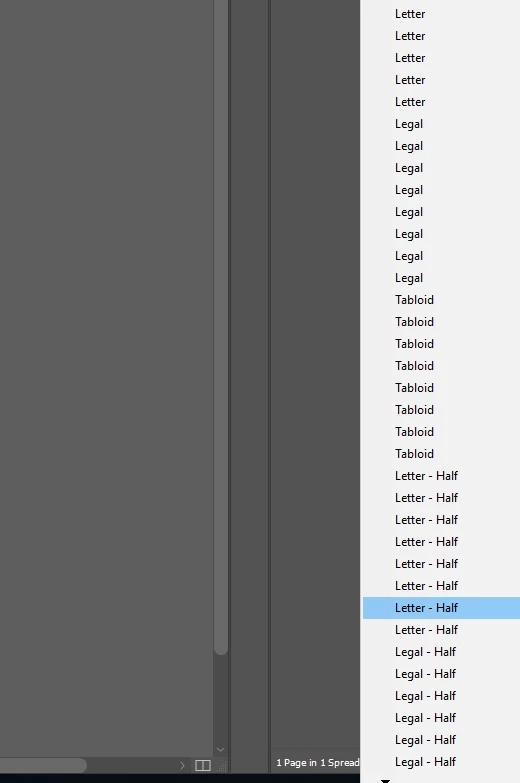
Error with InDesign 14"Edit Page Size"

  • March 7, 2019
  • 2 replies
  • 5347 views

Is there a way to stop this? The entire list duplicates by it self all the time!
    This topic has been closed for replies.
    Correct answer Steve Werner

    If it happens in all documents, restore your InDesign preferences:

    Set preferences in Adobe InDesign

    If it happens in only one document, save as IDML:

    Clean corrupt files by exporting to .IDML or .INX

    2 replies

    Bill Silbert
    Community Expert
    Community Expert
    March 7, 2019

    If Steve's suggestion doesn't fix this then try deleting your InDesign cache files. This is not the same as deleting preferences and can fix problems within the interface.

    To do so:

    For Macintosh Users: The User Library folder in which InDesign’s cache files are stored is hidden by default on most Macintoshes. To access it make sure that InDesign is closed and click on the desktop to launch a Finder Window (Command-N).With this window in column view follow the path User>Home folder (it’s the folder with an icon that looks like a house—it may have the user’s name rather than “Home”) and click on the Home folder. With the Option Key pressed choose Library from the Finder Go Menu. “Library” will now appear within the Home folder. Within the Library folder find the “Caches” folder. Within the Caches folder find and delete the entire folder “Adobe InDesign”. I find that deleting the InDesign cache folder completely leads to a lasting change. 

    For Windows Users: On Windows 7 and above the caches files are hidden. To find them go to the Control Panel and open Folder Options and then click the View tab. Then select “Show hidden files and folders” or “Show hidden files, folders or drive options” in Advanced Settings. Then delete (or rename) the folder at the end of this path: C:\Users\[User Name]\AppData\Local\Adobe\InDesign\Version [#]\<Language>\Cache.

    Known Participant
    November 16, 2022

    This deletion of the cache folder STOPPED the duplication of the page size menu--THANK YOU! 

    Steve Werner
    Community Expert
    Steve WernerCommunity ExpertCorrect answer
    Community Expert
    March 7, 2019

    If it happens in all documents, restore your InDesign preferences:

    Set preferences in Adobe InDesign

    If it happens in only one document, save as IDML:

    Clean corrupt files by exporting to .IDML or .INX
